
SmartWatch & BT Sync Watch App
Contains adsIn-app purchases
4.0star
99.1K reviews
10M+
Downloads

Everyone
info


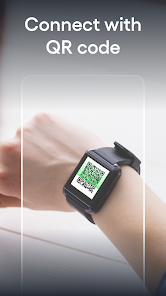
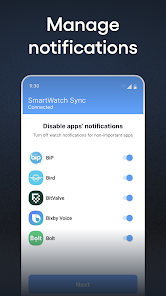
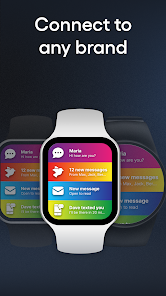
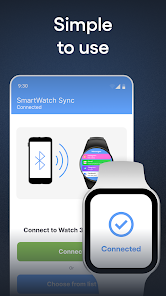


About this app
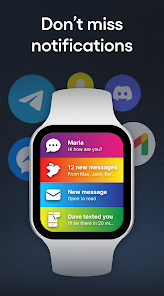
SmartWatch sync app for android & Bluetooth notifier - not only allows you to establish a BT binding between Android phone and your smartwatch, but it will also show all incoming BT messages on the smartwatch shield. It will also expand the facilities of the watch to maximize its performance.
With the Smart watch sync app, your gadget will gain even more features and will work 100%:
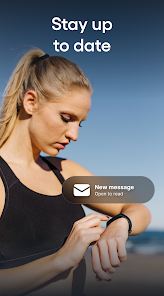
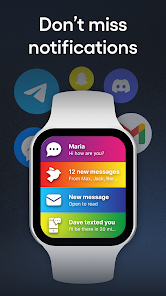
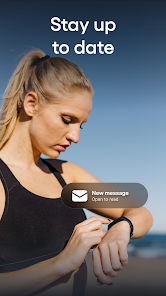
STAY CONNECTED ALWAYS: Read messages, emails and answer calls instantly.
In basic models with our application, you can simply read a message or hang up a call, in advanced models it is possible to answer calls and messages. This feature will certainly come in handy when you are on a run or any kind of activity and it is inconvenient to take a smartphone.
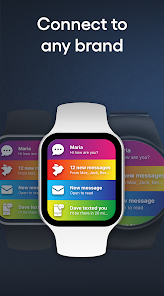
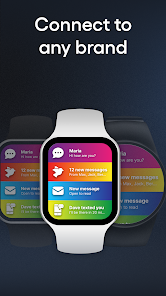
APP SUPPORTED BY POPULAR BRANDS: The app is supported on most popular brand smartwatches and also Chinese swatches - Samsung, Garmin, Xiaomi, Grape, Fundo, Kurio and many others!
CHANGE THE STYLE OF YOUR WATCH of your choice at any time: the app allows you to use dozens of colors that you can customize yourself!
USE MORE FEATURES: add significant events, write notes to be more sure that information will not be lost or reminders of the main thing, pay by the clock and much more.
Installation and sync guide:
(For an extended step-by-step guide with sketched illustrations, visit: qwegnumor.com/Smartwatchsync)
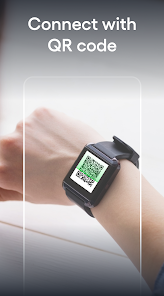
1. Install the Smart watch sync & Bt notifier (Wear OS) from online market on Android smartphone and SmartWatch device.
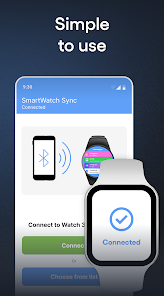
2. Open Bt notifier sync on your smartwatch. Select "Turn on Bluetooth". Next, make Swatch discoverable by clicking the “Discoverable button”.
3. Open the Smart Sync Notifier app on your mobile. Click Enable Permissions to let the Notifier app access BT messages. You can see the phone notifier setting screen where you need to turn on the toggle switch for the Sync app. Then, press the "Back" button to return to the bt notifier application.
4. Select "Enable bt" after "Connect device".
5. Find the name of the smartwatch in the Bt list and connect.
6. Press "Pair / OK" on both devices and, if necessary, confirm the pair of devices (press "OK" / "Allow").
Done! Smartphone and android / wear watch are now paired!
What are the advantages of buying the PRO version?
1. No intrusive ads on your phone or watch!
2. Ability to adjust the on / off messages for selected contacts, instant messengers, programs in a pair
3. Bright themes for bt notifications. Select from a variety of colorful notification themes for each contact / sender / program and enjoy the uniqueness of the watch during daily activities!
Possible problems with Bluetooth sync and their solutions:
Place the devices you are trying to sync as close to each other as possible. Due to the long distance between devices, pairing errors are most common
Disconnect and reconnect devices. A quick connection reset can sometimes fix the error.
Check your device for connectivity with other Android devices. Some smartwatches are trying to connect to the last phone/earphone they were previously paired with. Here you may need to change the settings manually.
Check the battery level on both paired devices. Some smart devices have built-in power management that disables BT if the battery is low. Requires additional charge before use.
The benefits of pair between gadgets will be available through our application.
Smart Watch sync app for android & Bluetooth notifier - sync two devices for a more comfortable existence for a person.
With the Smart watch sync app, your gadget will gain even more features and will work 100%:
STAY CONNECTED ALWAYS: Read messages, emails and answer calls instantly.
In basic models with our application, you can simply read a message or hang up a call, in advanced models it is possible to answer calls and messages. This feature will certainly come in handy when you are on a run or any kind of activity and it is inconvenient to take a smartphone.
APP SUPPORTED BY POPULAR BRANDS: The app is supported on most popular brand smartwatches and also Chinese swatches - Samsung, Garmin, Xiaomi, Grape, Fundo, Kurio and many others!
CHANGE THE STYLE OF YOUR WATCH of your choice at any time: the app allows you to use dozens of colors that you can customize yourself!
USE MORE FEATURES: add significant events, write notes to be more sure that information will not be lost or reminders of the main thing, pay by the clock and much more.
Installation and sync guide:
(For an extended step-by-step guide with sketched illustrations, visit: qwegnumor.com/Smartwatchsync)
1. Install the Smart watch sync & Bt notifier (Wear OS) from online market on Android smartphone and SmartWatch device.
2. Open Bt notifier sync on your smartwatch. Select "Turn on Bluetooth". Next, make Swatch discoverable by clicking the “Discoverable button”.
3. Open the Smart Sync Notifier app on your mobile. Click Enable Permissions to let the Notifier app access BT messages. You can see the phone notifier setting screen where you need to turn on the toggle switch for the Sync app. Then, press the "Back" button to return to the bt notifier application.
4. Select "Enable bt" after "Connect device".
5. Find the name of the smartwatch in the Bt list and connect.
6. Press "Pair / OK" on both devices and, if necessary, confirm the pair of devices (press "OK" / "Allow").
Done! Smartphone and android / wear watch are now paired!
What are the advantages of buying the PRO version?
1. No intrusive ads on your phone or watch!
2. Ability to adjust the on / off messages for selected contacts, instant messengers, programs in a pair
3. Bright themes for bt notifications. Select from a variety of colorful notification themes for each contact / sender / program and enjoy the uniqueness of the watch during daily activities!
Possible problems with Bluetooth sync and their solutions:
Place the devices you are trying to sync as close to each other as possible. Due to the long distance between devices, pairing errors are most common
Disconnect and reconnect devices. A quick connection reset can sometimes fix the error.
Check your device for connectivity with other Android devices. Some smartwatches are trying to connect to the last phone/earphone they were previously paired with. Here you may need to change the settings manually.
Check the battery level on both paired devices. Some smart devices have built-in power management that disables BT if the battery is low. Requires additional charge before use.
The benefits of pair between gadgets will be available through our application.
Smart Watch sync app for android & Bluetooth notifier - sync two devices for a more comfortable existence for a person.
Updated on
Safety starts with understanding how developers collect and share your data. Data privacy and security practices may vary based on your use, region, and age. The developer provided this information and may update it over time.

No data shared with third parties
Learn more about how developers declare sharing

This app may collect these data types
App activity

Data is encrypted in transit

Data can’t be deleted
Ratings and reviews
4.0
96.4K reviews

Md Faizan
- Flag inappropriate
February 7, 2026
This SmartWatch & BT Sync app is exactly what I was looking for! It pairs seamlessly with my smartwatch and keeps all my notifications, health data, and call alerts perfectly synced in real-time. The interface is clean and easy to navigate, battery usage is minimal, and I love how it automatically reconnects when I come back in range. I’ve tried several other sync apps, but this one is by far the most stable and feature-rich.
20 people found this review helpful
Devolutionapps
February 8, 2026
Thank you so much for your wonderful review! We're thrilled to hear that our app meets your needs and provides a seamless experience. We appreciate your support and encourage you to keep sharing your positive experience with others!

Valerian
- Flag inappropriate
February 12, 2026
Seriously, this app is awesome for syncing your phone with a smartwatch! I've tried a bunch of similar apps, but this is the only one that actually works the way it should. It's got tons of settings to play with, and the best part is the connection stays solid. The app doesn't crash, and it doesn't hog your phone's resources. My phone sleeps normally in standby, and the battery drain is non-existent, unlike most of the other apps I've used. It just works flawlessly – the sync hasn't dropped once
Devolutionapps
February 12, 2026
Thank you for your wonderful review! We're thrilled to hear that our app is working seamlessly for you and meeting your needs. We appreciate your support and encourage you to continue enjoying the features as we strive to improve even further!

Selea A
- Flag inappropriate
January 26, 2026
This app is practical and convenient, especially when I want to work or exercise away from my phone. Now, after using it for a while, I no longer have to interrupt my workouts to answer messages or calls. I feel much more comfortable with this app; it doesn't miss any notifications, allows me to customize my watch, and lets me write down notes whenever I want!
5 people found this review helpful
Devolutionapps
January 29, 2026
Thank you so much for your wonderful review! We're thrilled to hear that our app is making your workouts more comfortable and convenient. Your satisfaction inspires us to keep improving, and we hope you continue enjoying our features!
What’s new
- Minor fix
App support
About the developer
GroupAppsLabs
main@groupappslabs.com
Vesivarava tn 50-201
10152 Tallinn
Estonia
+48 573 588 378


