
Five Minute Mystery Timer
3.9star
101 reviews
10K+
Downloads

Everyone
info


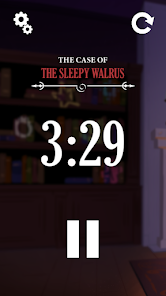
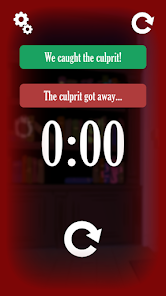



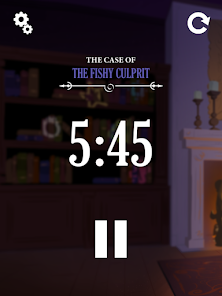
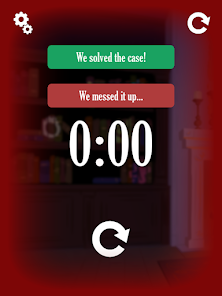

About this app
This timer is a companion app for 5-Minute Mystery, the real-time, co-operative tabletop game set in the fanciful Museum of Everything. This app keeps track of the time you have left to solve each mystery, while providing helpful reminders and encouragement from Scrubbles McBubbledy, the eccentric curator of the museum.
Updated on
Safety starts with understanding how developers collect and share your data. Data privacy and security practices may vary based on your use, region, and age. The developer provided this information and may update it over time.

No data shared with third parties
Learn more about how developers declare sharing

No data collected
Learn more about how developers declare collection
Ratings and reviews
3.9
99 reviews

Ben Cox
- Flag inappropriate
- Show review history
November 15, 2020
The game is a lot of fun, perfect family game! However, there is an issue with the timer. We enjoy the app and love that the walrus tells his story. But once the timer is set and the case is solved (or unsolved) there is NO way to get back to select a new case. We have to close out the app and reopen it to select a new case. I have an android. Please fix! EDIT: OK, there IS a way to go back, but it's not super intuitive. Hit the refresh button, then click on the case name. Then select new case
9 people found this review helpful

Paul Firth
- Flag inappropriate
- Show review history
October 28, 2020
Excellent accompaniment to the game, with some great voice acting. Only downside is the lack of a button to go back to case selection - at present the only way to choose another is to close the app and restart. Update - my wife figured it out, as stated by the developer below. 5 stars it is!
5 people found this review helpful
Wiggles 3D
October 28, 2020
Not true, you can select the next case by tapping the reset button at the top right of the screen!

Jeff Young
- Flag inappropriate
October 8, 2020
Works decently on my Samsung Galaxy 7. For people who want to switch cases after a solve, tap the rewind arrow to get back to the case title, then tap the case name. Not obvious but I found it. Can't wait to play the game-- darn this quarrantine!
1 person found this review helpful
What’s new
Patching potential security vulnerability.
App support
About the developer
Wiggles 3 D Incorporated
connor@wiggles3d.com
1278 Sandy Somerville Dr
London, ON N6K 5R1
Canada
+1 519-851-7043


