
Notch : Touch the Notch
Contains adsIn-app purchases


Everyone
info
1K+
Downloads

Everyone
Learn more


About this app
Notch - Turn your notch, punch-hole, or camera cutout into a fast gesture-driven launcher.
Notch transforms the dead space around your front camera into the most reachable button on your phone. Tap, double-tap, long-press, or swipe over the notch to fire any action — no rooting, no overlays in the way of your apps, no battery drain.
🎯 What it does
Bind up to 9 gestures (tap, double-tap, long-press, swipe in 4 directions, swipe-and-hold left/right) to over 100 actions:
⚡ Quick controls: flashlight, screenshot, scrolling screenshot, lock screen, power menu, screen rotation, volume +/-, brightness, Wi-Fi / Bluetooth / airplane / Do Not Disturb / silent toggles
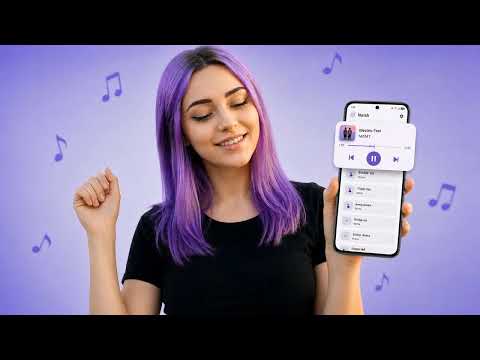
🎵 Media: play / pause, next / previous track, volume panel
📷 Capture: silent photo (front + rear), silent video, voice recording, screen record
📱 Apps: open any app, recently used apps, most used apps, choose-apps cycle, App Dock launcher
🧭 Navigation: home, back, recents, last app, split screen, notification shade, quick settings, scroll to top / bottom
🛠 Tools: QR scanner, calculator, voice assistant, web search, open favorite website, contacts dial, speed dial, automation triggers
📲 App Dock
Pin your most-used apps as a pull-down launcher right at the cutout. Up to 15 slots, custom colors, available on every screen including the lockscreen.
🎨 Dynamic Widgets
A peek panel over the notch with Media Player (with album art and synced lyrics), Quick Search, Timer, Stopwatch, and Quick Tools (brightness + volume sliders). Swipe up / down to switch widgets.
👁 Peeks
Slim status pills appear over the cutout for: charger connected, music playing, notification received, ringer mode change, volume change, headset plug, incoming call, alarm 30 min before, device unlock, navigation guidance, Bluetooth pair.
🤖 Smart Rules
Per-app gesture overrides. The same swipe can mean "next track" inside one app and "back" inside another. Up to 5 conditional rules per gesture: specific app open, media playing, lock screen state, headphones connected, incoming call.
🕒 Idle Display
Show a clock, battery indicator, or pixel mascot around the cutout when idle. Like an Always-On Display, but only when you want it.
⚙ Built for fine-tuning
✅ Calibrate notch width, height, position, corner radius to fit any phone with a notch, hole-punch, or pill cutout
✅ Round, pill, rectangle, or squircle shape
✅ Adjustable transparency and color
✅ Backup / restore your full setup as JSON
✅ Auto-hide rules: landscape, in-call, fullscreen, lock screen, no cutout
✅ 20+ dark themes
✅ 100+ languages
✅ Quick Settings tile and home-screen widget
✅ Boot-time auto-start
✅ Battery-conscious — uses a foreground accessibility service that costs almost nothing
💎 Notch Pro (monthly / yearly)
Unlock premium gestures, advanced actions, and unlimited App Dock slots. Removes ads.
🔒 Privacy
No account required. No browsing data collected. Crash logs and basic analytics only. EEA / UK consent managed via the standard Android consent form. Full privacy policy in Settings → Help & FAQ.
Why Notch?
The closest spot on your display is the spot your phone has been hiding from you. Notch turns it into the most useful one. Faster than reaching across the screen, simpler than pulling down the shade, and more flexible than a side-key shortcut.
Stop reaching. Start tapping the notch.
Accessibility Service API Disclosure:
The app uses Android Accessibility Service API.
It uses system accessibility privileges of Accessibility Overlay to place an invisible button around and below the front camera cut-out to function as a shortcut for user-selected tasks. No data is collected by the service.
Notch transforms the dead space around your front camera into the most reachable button on your phone. Tap, double-tap, long-press, or swipe over the notch to fire any action — no rooting, no overlays in the way of your apps, no battery drain.
🎯 What it does
Bind up to 9 gestures (tap, double-tap, long-press, swipe in 4 directions, swipe-and-hold left/right) to over 100 actions:
⚡ Quick controls: flashlight, screenshot, scrolling screenshot, lock screen, power menu, screen rotation, volume +/-, brightness, Wi-Fi / Bluetooth / airplane / Do Not Disturb / silent toggles
🎵 Media: play / pause, next / previous track, volume panel
📷 Capture: silent photo (front + rear), silent video, voice recording, screen record
📱 Apps: open any app, recently used apps, most used apps, choose-apps cycle, App Dock launcher
🧭 Navigation: home, back, recents, last app, split screen, notification shade, quick settings, scroll to top / bottom
🛠 Tools: QR scanner, calculator, voice assistant, web search, open favorite website, contacts dial, speed dial, automation triggers
📲 App Dock
Pin your most-used apps as a pull-down launcher right at the cutout. Up to 15 slots, custom colors, available on every screen including the lockscreen.
🎨 Dynamic Widgets
A peek panel over the notch with Media Player (with album art and synced lyrics), Quick Search, Timer, Stopwatch, and Quick Tools (brightness + volume sliders). Swipe up / down to switch widgets.
👁 Peeks
Slim status pills appear over the cutout for: charger connected, music playing, notification received, ringer mode change, volume change, headset plug, incoming call, alarm 30 min before, device unlock, navigation guidance, Bluetooth pair.
🤖 Smart Rules
Per-app gesture overrides. The same swipe can mean "next track" inside one app and "back" inside another. Up to 5 conditional rules per gesture: specific app open, media playing, lock screen state, headphones connected, incoming call.
🕒 Idle Display
Show a clock, battery indicator, or pixel mascot around the cutout when idle. Like an Always-On Display, but only when you want it.
⚙ Built for fine-tuning
✅ Calibrate notch width, height, position, corner radius to fit any phone with a notch, hole-punch, or pill cutout
✅ Round, pill, rectangle, or squircle shape
✅ Adjustable transparency and color
✅ Backup / restore your full setup as JSON
✅ Auto-hide rules: landscape, in-call, fullscreen, lock screen, no cutout
✅ 20+ dark themes
✅ 100+ languages
✅ Quick Settings tile and home-screen widget
✅ Boot-time auto-start
✅ Battery-conscious — uses a foreground accessibility service that costs almost nothing
💎 Notch Pro (monthly / yearly)
Unlock premium gestures, advanced actions, and unlimited App Dock slots. Removes ads.
🔒 Privacy
No account required. No browsing data collected. Crash logs and basic analytics only. EEA / UK consent managed via the standard Android consent form. Full privacy policy in Settings → Help & FAQ.
Why Notch?
The closest spot on your display is the spot your phone has been hiding from you. Notch turns it into the most useful one. Faster than reaching across the screen, simpler than pulling down the shade, and more flexible than a side-key shortcut.
Stop reaching. Start tapping the notch.
Accessibility Service API Disclosure:
The app uses Android Accessibility Service API.
It uses system accessibility privileges of Accessibility Overlay to place an invisible button around and below the front camera cut-out to function as a shortcut for user-selected tasks. No data is collected by the service.
Make your front camera hole a shortcut for flashlight, music and quick actions
Updated on
Safety starts with understanding how developers collect and share your data. Data privacy and security practices may vary based on your use, region, and age. The developer provided this information and may update it over time.


What’s new
Bug Fixes!
Everyone
Learn moreApp support
About the developer
ARSHIL KHAN
me@arshilk.com
E-53/1,ABUL FAZAL ENCLAVE PART-2, SHAHEEN BAGH,
JAMIA NAGAR, Delhi 110025
India


