
Captions Translation
Contains adsIn-app purchases


Everyone
info
50+
Downloads


About this app
Captions Translation makes it easier for people to communicate across language barriers in conversational settings.
Speak naturally. The app turns speech into live captions and translates them into another language visible from across the room
Use the full-screen display for conversations while traveling, at a counter, in a classroom, or anywhere clear communication matters.
Key features
• Live speech-to-text captions
• Translation in 33 languages
• Full-screen text for easy reading
• Face-to-face conversation mode for two people
• Share a session with a link or QR code
• View captions from a second phone or browser
• Classroom mode for a host and viewers
• Save transcripts with an account
• Adjustable caption styles and text size
• Support for Arabic and other right-to-left languages
How it works
Choose the spoken and translated languages.
Start a caption session.
Share the link or QR code.
Let the other person read translated captions on their device.
Viewers can join a session without an account. Hosting and saved transcripts require sign-in.
Captions Translation is designed for travel, customer conversations, language learning, classrooms, and everyday communication. Translation quality depends on speech clarity, language support, and internet connection.
Optional Pro and Travel Pass plans unlock additional Caption Styles and App color schemes. The core viewer experience is available without payment.
Share captions in seconds. Start a session and send a link or QR code. Viewers can join without an account and read live captions in their chosen language.
For in-person conversations, pair two phones with one code. Each person reads the conversation in their own language. The transcript is saved in both languages.
You can also share an invite code with a friend. Eligible new users receive 7 days of Pro, and you earn a free week.
Speak naturally. The app turns speech into live captions and translates them into another language visible from across the room
Use the full-screen display for conversations while traveling, at a counter, in a classroom, or anywhere clear communication matters.
Key features
• Live speech-to-text captions
• Translation in 33 languages
• Full-screen text for easy reading
• Face-to-face conversation mode for two people
• Share a session with a link or QR code
• View captions from a second phone or browser
• Classroom mode for a host and viewers
• Save transcripts with an account
• Adjustable caption styles and text size
• Support for Arabic and other right-to-left languages
How it works
Choose the spoken and translated languages.
Start a caption session.
Share the link or QR code.
Let the other person read translated captions on their device.
Viewers can join a session without an account. Hosting and saved transcripts require sign-in.
Captions Translation is designed for travel, customer conversations, language learning, classrooms, and everyday communication. Translation quality depends on speech clarity, language support, and internet connection.
Optional Pro and Travel Pass plans unlock additional Caption Styles and App color schemes. The core viewer experience is available without payment.
Share captions in seconds. Start a session and send a link or QR code. Viewers can join without an account and read live captions in their chosen language.
For in-person conversations, pair two phones with one code. Each person reads the conversation in their own language. The transcript is saved in both languages.
You can also share an invite code with a friend. Eligible new users receive 7 days of Pro, and you earn a free week.
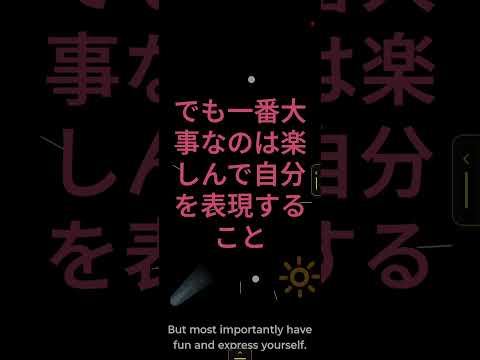
Full-screen translated captions for face-to-face conversations
Updated on
Safety starts with understanding how developers collect and share your data. Data privacy and security practices may vary based on your use, region, and age. The developer provided this information and may update it over time.
- This app may share these data types with third partiesPersonal info
- No data collectedLearn more about how developers declare collection
- Data is encrypted in transit
- You can request that data be deleted
- Committed to follow the Play Families Policy


What’s new
Welcome to Captions Translation!
• Read live captions and translate conversations.
• Choose your speaking and caption languages.
• Share captions through a link or QR code.
• Listen to captions with optional spoken playback.
This release also improves session restarts and microphone recovery.
A new countdown shows when listening resumes.
Thank you to our testers for helping us reach Google Play!
• Read live captions and translate conversations.
• Choose your speaking and caption languages.
• Share captions through a link or QR code.
• Listen to captions with optional spoken playback.
This release also improves session restarts and microphone recovery.
A new countdown shows when listening resumes.
Thank you to our testers for helping us reach Google Play!
App support
phone
Phone number
+15404067912
About the developer
MICHAEL THOMAS JOHNSON
senraku@gmail.com
416 East Gough Avenue
Boonville, IN 47601
United States


