
HRAgo
3.3star
73 reviews
10K+
Downloads

Everyone
info

About this app
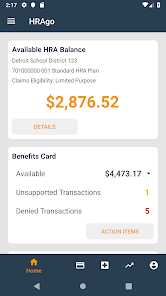
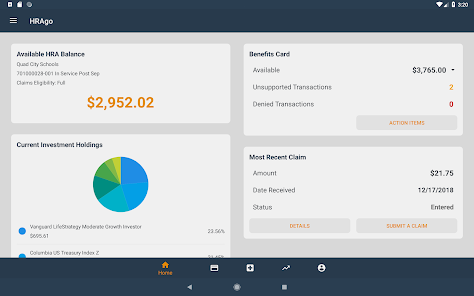
HRAgo allows you to view your account balance, as well specific account activity and history on your Funded HRA and FSA accounts.
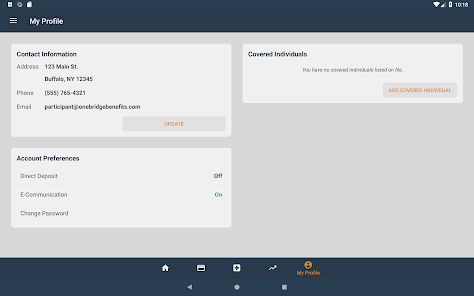
You can also submit claims, submit benefits card supporting documentation*, update your contact information, make investment allocation changes**, and update your account preferences directly from your mobile phone or tablet device.
Prior to using HRAgo, you’ll need to have an existing portal user account. If you haven’t already registered your HRA and/or FSA account under your plan’s respective website, please do this first. Once registered, you can use the same portal account credentials to access your account via HRAgo.
Key Features:
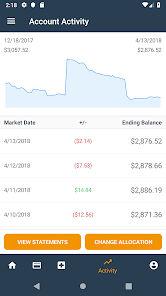
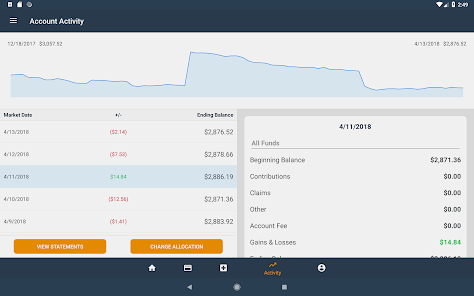
• View current account balance and activity for all of your accounts
• View participant account statements**
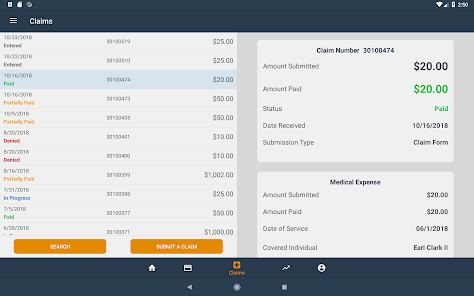
• Submit new claims
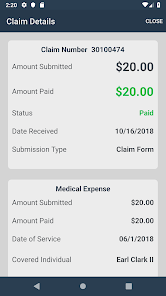
• View and search claims history
• Submit benefits card supporting documentation*
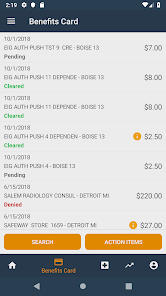
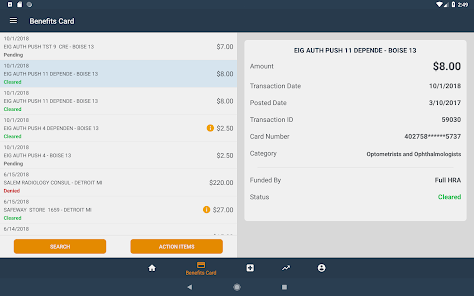
• View and search benefits card transactions*
• Manage your investment allocations**
• Update your contact information
• Sign up to receive reimbursements via direct deposit
• Use biometric authentication (facial or fingerprint recognition), as supported by your device
* Benefits card features are only available to participants who are enrolled in a plan that offers this option, and have elected to receive a card.
** Feature specific to Funded HRA accounts.
You can also submit claims, submit benefits card supporting documentation*, update your contact information, make investment allocation changes**, and update your account preferences directly from your mobile phone or tablet device.
Prior to using HRAgo, you’ll need to have an existing portal user account. If you haven’t already registered your HRA and/or FSA account under your plan’s respective website, please do this first. Once registered, you can use the same portal account credentials to access your account via HRAgo.
Key Features:
• View current account balance and activity for all of your accounts
• View participant account statements**
• Submit new claims
• View and search claims history
• Submit benefits card supporting documentation*
• View and search benefits card transactions*
• Manage your investment allocations**
• Update your contact information
• Sign up to receive reimbursements via direct deposit
• Use biometric authentication (facial or fingerprint recognition), as supported by your device
* Benefits card features are only available to participants who are enrolled in a plan that offers this option, and have elected to receive a card.
** Feature specific to Funded HRA accounts.
Updated on
Safety starts with understanding how developers collect and share your data. Data privacy and security practices may vary based on your use, region, and age. The developer provided this information and may update it over time.


Ratings and reviews
3.3
70 reviews

Adrian Underwood
- Flag inappropriate
June 9, 2020
Works well unless you are taking multiple pictures. It will only submit with one picture. Once you try to attach 2 or more, it says there was an error attaching the images. Please fix this, as you can't submit a claim with one picture and then submit extra pictures. Once the claim is submitted, you can't edit or change it or add more documentation. So I assume this means I will get denied because it doesn't have all of the pictures, and then I will be able to submit extra pictures when asked
7 people found this review helpful

Darrell Charles
- Flag inappropriate
March 15, 2024
This has been a negative experience it feels more like a funds trap. Was supposed to be easier for copay and reimbursement. Instead they deny any claims and require multiple forms of submissions. Do not pay into this program its a funds trap not helpful or made it easier to get medical supplies. Can not use for copay or fuel for transportation can not use like debut card. Even with proper documentation they review it for 90 days then deny reimbursement.
2 people found this review helpful

bluecho872
- Flag inappropriate
February 14, 2024
Difficult to understand and claims get denied even though supporting documents are also submitted. Often takes several messages to get a clear response. The app is frustrating because it is difficult to find information and explanations as to how to fix an issue.
2 people found this review helpful
What's new
Added the ability to Manage Benefits Cards. Request new cards for dependents, and reissue lost, stolen, or damaged cards.


