
PDFMeet - PDF Editor converter

Everyone
info
5+
Downloads

Everyone
Learn more


About this app
PDF Meet is an all-in-one PDF reader, editor, converter and document manager built for fast everyday work with PDF files.
Read, edit, organize, sign, scan, convert and protect your documents in one simple app. Whether you work with contracts, invoices, forms, reports, study materials or business documents, PDF Meet gives you the tools you need to handle PDFs quickly and comfortably.
📄 Read and View PDF Files
Open PDF documents instantly and view them in a clean, easy-to-use reader. Navigate pages, zoom in and out, move through documents, and review files with a smooth mobile experience.
✏️ Edit and Annotate PDFs
Work directly on your documents with powerful editing and annotation tools:
• Add text to PDF pages
• Draw with pencil tools
• Highlight important information
• Add notes and comments
• Insert links
• Add images
• Use shapes, lines, arrows, rectangles and polygons
• Add checkmarks and crosses
• Erase annotations when needed
🖊️ Sign and Fill Documents
Complete documents faster without printing:
• Add signatures
• Fill PDF forms
• Mark important fields
• Approve documents with visual notes and checkmarks
• Prepare files for sharing or saving
🔄 Convert to PDF
Turn popular file types into PDF documents:
• Text to PDF
• JPG to PDF
• Word to PDF
• Excel to PDF
• PPT to PDF
• Images from gallery to PDF
📤 Convert from PDF
Export PDF files into useful formats:
• PDF to text
• PDF to photo
• PDF to Word
• PDF to Excel
• PDF to PPT
🗂️ Manage PDF Pages
Organize pages with an intuitive page manager:
• Add new pages
• Delete pages
• Duplicate pages
• Cut pages
• Reorder pages
• Manage multi-page documents
• Apply page changes with a simple workflow
🧩 PDF Tools in One Place
PDF Meet includes essential tools for daily productivity:
• Merge PDF files
• Compress PDF files
• Protect documents with a password
• Use OCR to recognize text
• Sign PDFs
• Fill documents
• Add comments
• Manage pages
🔍 OCR Text Recognition
Use OCR to recognize text from scanned documents and images. Make paper documents easier to search, copy and reuse.
📁 File Manager and Organization
Keep your documents easy to find:
• Browse recent files
• Search documents quickly
• Import files from your device
• Import images from gallery
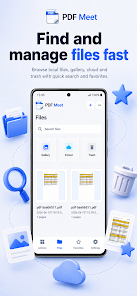
• Manage gallery files, cloud files and trash
• Add important documents to favorites
• Organize files in one clean workspace
☁️ Import, Scan and Create Documents
Create and collect documents from different sources:
• Create a new PDF
• Create text documents
• Scan paper documents
• Import from files
• Import from gallery
• Save edited documents
🔐 Protect and Optimize PDFs
Prepare documents for storage, sending and sharing:
• Compress large PDF files
• Add password protection
• Merge multiple PDFs
• Organize pages before sending
• Keep files clean, structured and ready to use
PDF Meet is designed for people who need a fast and simple PDF app for work, study, business and everyday document tasks. Instead of switching between many different tools, you can read, edit, convert, sign, scan, merge, compress and organize PDF files in one place.
Download PDF Meet and make working with documents faster, cleaner and easier.
Read, edit, organize, sign, scan, convert and protect your documents in one simple app. Whether you work with contracts, invoices, forms, reports, study materials or business documents, PDF Meet gives you the tools you need to handle PDFs quickly and comfortably.
📄 Read and View PDF Files
Open PDF documents instantly and view them in a clean, easy-to-use reader. Navigate pages, zoom in and out, move through documents, and review files with a smooth mobile experience.
✏️ Edit and Annotate PDFs
Work directly on your documents with powerful editing and annotation tools:
• Add text to PDF pages
• Draw with pencil tools
• Highlight important information
• Add notes and comments
• Insert links
• Add images
• Use shapes, lines, arrows, rectangles and polygons
• Add checkmarks and crosses
• Erase annotations when needed
🖊️ Sign and Fill Documents
Complete documents faster without printing:
• Add signatures
• Fill PDF forms
• Mark important fields
• Approve documents with visual notes and checkmarks
• Prepare files for sharing or saving
🔄 Convert to PDF
Turn popular file types into PDF documents:
• Text to PDF
• JPG to PDF
• Word to PDF
• Excel to PDF
• PPT to PDF
• Images from gallery to PDF
📤 Convert from PDF
Export PDF files into useful formats:
• PDF to text
• PDF to photo
• PDF to Word
• PDF to Excel
• PDF to PPT
🗂️ Manage PDF Pages
Organize pages with an intuitive page manager:
• Add new pages
• Delete pages
• Duplicate pages
• Cut pages
• Reorder pages
• Manage multi-page documents
• Apply page changes with a simple workflow
🧩 PDF Tools in One Place
PDF Meet includes essential tools for daily productivity:
• Merge PDF files
• Compress PDF files
• Protect documents with a password
• Use OCR to recognize text
• Sign PDFs
• Fill documents
• Add comments
• Manage pages
🔍 OCR Text Recognition
Use OCR to recognize text from scanned documents and images. Make paper documents easier to search, copy and reuse.
📁 File Manager and Organization
Keep your documents easy to find:
• Browse recent files
• Search documents quickly
• Import files from your device
• Import images from gallery
• Manage gallery files, cloud files and trash
• Add important documents to favorites
• Organize files in one clean workspace
☁️ Import, Scan and Create Documents
Create and collect documents from different sources:
• Create a new PDF
• Create text documents
• Scan paper documents
• Import from files
• Import from gallery
• Save edited documents
🔐 Protect and Optimize PDFs
Prepare documents for storage, sending and sharing:
• Compress large PDF files
• Add password protection
• Merge multiple PDFs
• Organize pages before sending
• Keep files clean, structured and ready to use
PDF Meet is designed for people who need a fast and simple PDF app for work, study, business and everyday document tasks. Instead of switching between many different tools, you can read, edit, convert, sign, scan, merge, compress and organize PDF files in one place.
Download PDF Meet and make working with documents faster, cleaner and easier.
Updated on
Safety starts with understanding how developers collect and share your data. Data privacy and security practices may vary based on your use, region, and age. The developer provided this information and may update it over time.

No data shared with third parties
Learn more about how developers declare sharing

This app may collect these data types
Personal info and Messages

Data is encrypted in transit

You can request that data be deleted
What’s new
Big app update
Everyone
Learn moreApp support
About the developer
Valerii Tkachuk
valerii.tkachuk240@gmail.com
Green street 10
38
Zhydachiv
Львівська область
Ukraine
81700


