
SketchCut PRO - Fast Cutting
3.5star
1.96K reviews
10K+
Downloads

Everyone
info






About this app
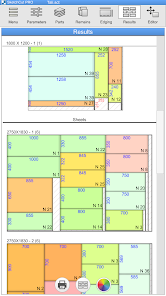
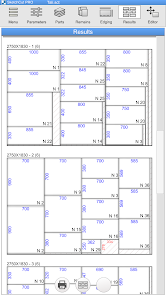
This app takes into account the specific characteristics of cutting sheet materials (laminates, MDF, plywood, glass, plastic, chipboard, etc.) either manually or on a cutting machine.
The following functions are available in the app:
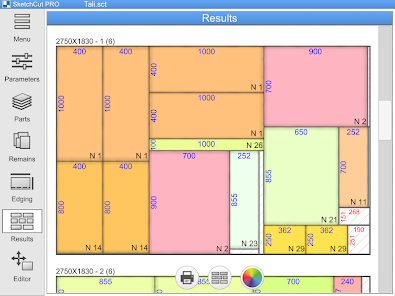
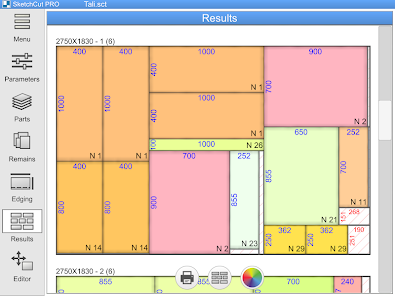
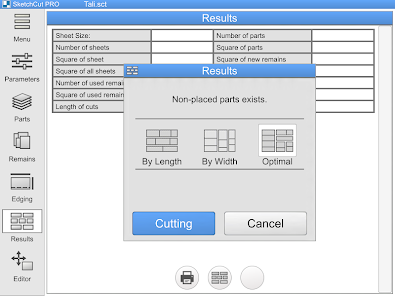
● THREE different algorithms for calculating and optimizing cutting charts to help you choose the best cutting option
● Three measurement systems (metric, inches in decimals, and inches in fractions) and easy conversion from one to another
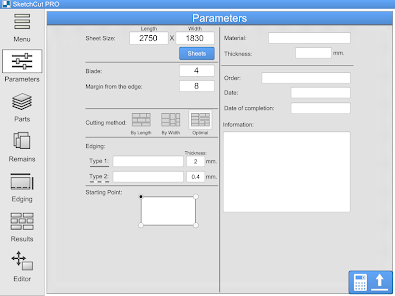
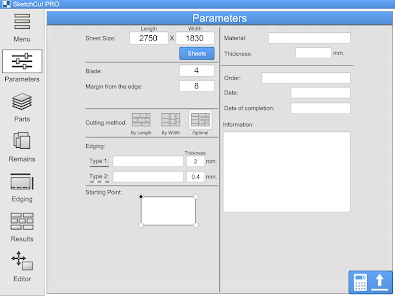
● Select and change cutting parameters (sheet size, cutting width, space at the edge of the sheet, etc.)
● Automatically cut sheets and remnants in accordance with selected parameters
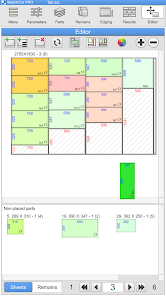
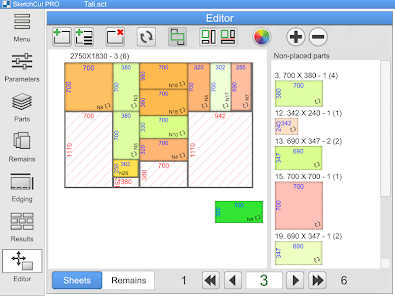
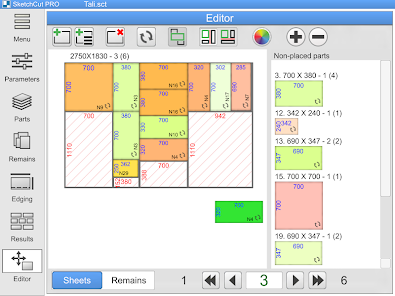
● Built-in cutting chart editor so you can cut your way
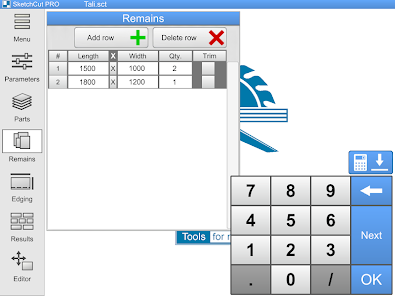
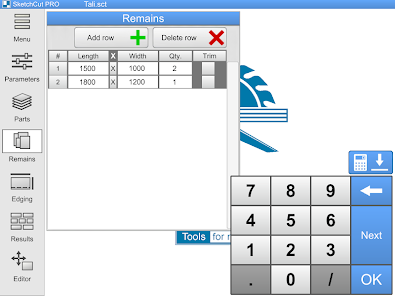
● Cut non-standard panels (scraps, remnants, etc.)
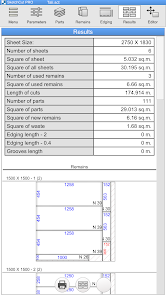
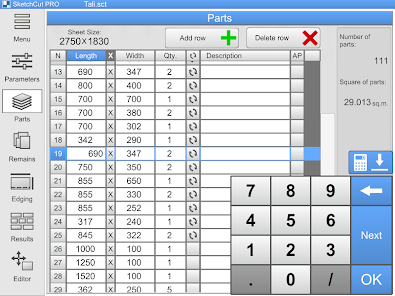
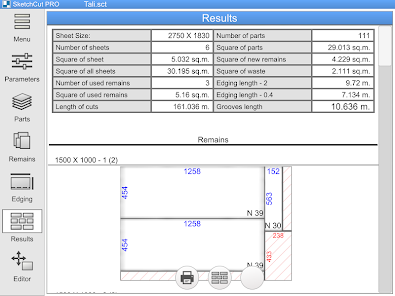
● Automatically calculate the area of sheets, parts, and scraps, cutting length, and edge length
● Built-in cutting functionality: you can cut, mark completed parts, and view cutting charts on your Android device (we recommend using a tablet—the app runs stably even on inexpensive devices)
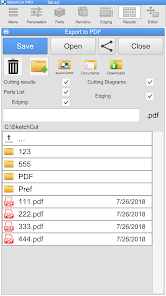
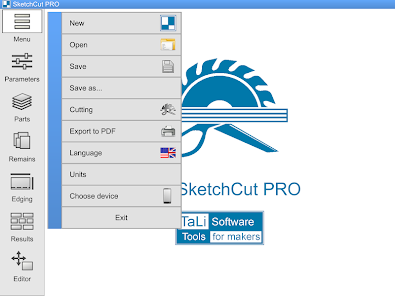
● Export your finished work to a PDF file for printing
● Indicate edge length on parts (two types of edges)
● Grooves on parts
● Order information (order, material, order date, completion date, etc.)
● Save a list of parts and parameters on your Android device
The following functions are available in the app:
● THREE different algorithms for calculating and optimizing cutting charts to help you choose the best cutting option
● Three measurement systems (metric, inches in decimals, and inches in fractions) and easy conversion from one to another
● Select and change cutting parameters (sheet size, cutting width, space at the edge of the sheet, etc.)
● Automatically cut sheets and remnants in accordance with selected parameters
● Built-in cutting chart editor so you can cut your way
● Cut non-standard panels (scraps, remnants, etc.)
● Automatically calculate the area of sheets, parts, and scraps, cutting length, and edge length
● Built-in cutting functionality: you can cut, mark completed parts, and view cutting charts on your Android device (we recommend using a tablet—the app runs stably even on inexpensive devices)
● Export your finished work to a PDF file for printing
● Indicate edge length on parts (two types of edges)
● Grooves on parts
● Order information (order, material, order date, completion date, etc.)
● Save a list of parts and parameters on your Android device
Updated on
Safety starts with understanding how developers collect and share your data. Data privacy and security practices may vary based on your use, region, and age. The developer provided this information and may update it over time.

No data shared with third parties
Learn more about how developers declare sharing

This app may collect these data types
Location, App activity and 2 others

Data is encrypted in transit

Data can’t be deleted
Ratings and reviews
3.4
1.81K reviews

Joshua Lynn
- Flag inappropriate
- Show review history
February 13, 2021
It's not optimized for a mobile keyboard. Text is hidden by the keyboard when you type. Changes will be lost when you flip your phone from landscape to portrait. Doesn't work on Samsung Dex. Tabing moves from the count column to a new row instead of the name column. You can't use a Bluetooth keyboard to type fractional dimensions. It does a good job of creating cuts when you finally (and painstakingly) enter all of your cuts. The cut diagrams are quite good.
86 people found this review helpful

A Google user
- Flag inappropriate
- Show review history
November 4, 2018
Superb piece if software for sorting the placement of parts on sheet material for the most effective cutting. The ability to add off-cuts is a good addition, but this could be improved by allowing the addition on remains by material type and thickness as well as length and width. This would allow the user to store all of their remains and let the app tell them which ones to select and use. I wrote this review as a handyman who tried the lite version and found it so useful, I paid for the pro version. This app has already saved me more than it cost in not having to buy 2 sheets of material for a job.
155 people found this review helpful

Victor Ilascu (Spinti89)
- Flag inappropriate
- Show review history
October 14, 2023
Since the update, the font and all the buttons are enlarged, making it difficult to set descriptions for the pieces and overall a bit annoying. The description doesn't show on the pdf in the cutting diagram. I use the app very often, and I would prefer the old style before the update where you can see more instead of seeing bigger. After some android software updates, the default saving location for the files can't be accessed, probably due to security risk. Pls change it.
25 people found this review helpful
What's new
Some bugs were fixed
App support
About the developer
Владимир Руденко
talisoft@yandex.ru
ул. Пирогова 22/4
196
Ставрополь
Ставропольский край
Russia
355045
undefined


