
HandyGamePad Pro

star
435 reviews

Everyone
info
5K+
Downloads

Everyone
Learn more


About this app
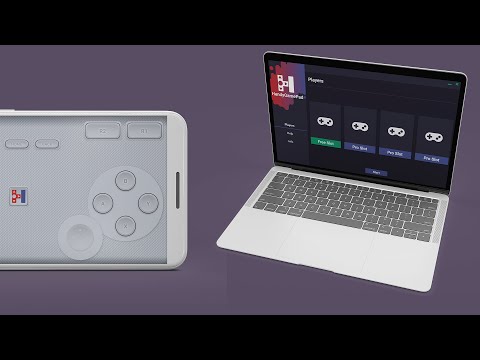
🎮 HandyGamePad PRO:
💻 connects to Windows 8.1,10 and 11 (as xbox or playstation DS4 controller)
📺 connects to Android TV (Android 9+)
📱 connects to Android Phones and Tablets (Android 9+)
📡 uses WiFi to connect the gamepad to the computer
🔌 uses USB to connect the gamepad to the computer
📻 uses Bluetooth to connect the gamepad to the computer or Android TV or Android phones or tablets
📥 you can download Windows gamepad server app from www.handygamepad.com
(required only for WiFi connection)
👨👩👧👦 allows to play single-player and multi-player games up to 4 players
⏱❎ no time limit
📺❎ no ads
📐 customizable layout where you can change position and size of buttons
🎨 contains different themes and layouts for gamepad
🚗 special steering wheel theme for racing games
🕹️ it contains double joysticks like original xbox controller
💻 connects to Windows 8.1,10 and 11 (as xbox or playstation DS4 controller)
📺 connects to Android TV (Android 9+)
📱 connects to Android Phones and Tablets (Android 9+)
📡 uses WiFi to connect the gamepad to the computer
🔌 uses USB to connect the gamepad to the computer
📻 uses Bluetooth to connect the gamepad to the computer or Android TV or Android phones or tablets
📥 you can download Windows gamepad server app from www.handygamepad.com
(required only for WiFi connection)
👨👩👧👦 allows to play single-player and multi-player games up to 4 players
⏱❎ no time limit
📺❎ no ads
📐 customizable layout where you can change position and size of buttons
🎨 contains different themes and layouts for gamepad
🚗 special steering wheel theme for racing games
🕹️ it contains double joysticks like original xbox controller
HandyGamePad: wifi, usb, bluetooth gamepad for Windows, Android TV and phones
Updated on
Safety starts with understanding how developers collect and share your data. Data privacy and security practices may vary based on your use, region, and age. The developer provided this information and may update it over time.
- No data shared with third partiesLearn more about how developers declare sharing
- This app may collect these data typesApp activity and App info and performance
- Data is encrypted in transit
- Data can’t be deleted


Ratings and reviews
427 reviews

David Maier
- Flag inappropriate
January 19, 2024
I'm using this app to make my phone a Bluetooth controller for playing Minecraft on my Android tablet, which is also getting WiFi from my mobile's Hotspot! How cool is that?! My only issue so far is that I can't use both sticks at the same time UNLESS I press another button in between them. ie I'm running using the left stick, but I can't use the right stick to look around unless I press A to jump first. Then the sticks work normally until I release them. Fix that, and this will be a 5* review.
2 people found this review helpful
Paweł Mucha
February 11, 2024
Please check the newest version and let me know if the issue with the sticks still occurs. I think it was only on Android 13 and personally I have only Android 12 phone. My wife got Android 13 and I think I saw this bug on her phone. Cheers

Myles Hex
- Flag inappropriate
- Show review history
October 24, 2021
This is a great app , however there's a few bugs with it when I'm using it. One is related to all of the buttons in the app where sometimes it'll "double press" (like ghost press) after I press on the keypad which kinda then messes me up during gameplay. And Bluetooth hardly doesn't work for my laptop when I try the app that way. Edited: Developer responded back fast! Awesome that he's trying his best :)
10 people found this review helpful
Paweł Mucha
October 24, 2021
Thanks for review! Double press can be fixed by making buttons a bit bigger. It's related to screen accuracy. Bluetooth need more fixes, especially during pairing, I am still working on it

Aloke Das
- Flag inappropriate
August 28, 2022
Hi Team, I purchased your application yesterday. It is working however, I have observed two bugs in it:- 1. The graphical interface in the PC software is glitchy. Nothing is readable. Kindly fix it. 2. When playing fighting games like Tekken7, DNF duel etc. pressing of more than 3 action buttons at a same time is usual. The mobile application of handygamepad is not detecting inputs of 4 or more buttons simultaneously. Kindly fix it. Rest is fine.
5 people found this review helpful
Paweł Mucha
August 29, 2022
1. I need more info, please tell me the version of Windows which you are using
2. Your phone Samsung Galaxy S20 FE has internal problems with multitouch, please check it on internet. This is not app fault.
What’s new
Updates for Android 13
Everyone
Learn moreApp support
About the developer
Paweł Mucha
handygamepad@gmail.com
Marcina Bielskiego 58/7
37-700 Przemyśl
Poland


