
Touch Lua
In-app purchases

star
90 reviews

Everyone
info
10K+
Downloads

Everyone
Learn more


About this app
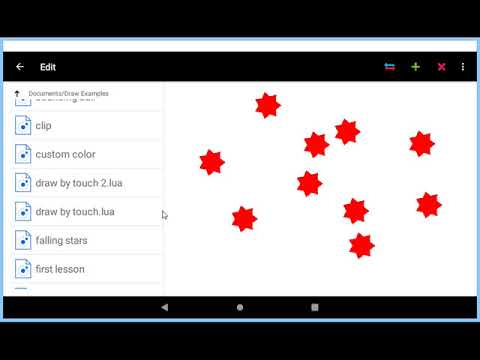
Touch Lua Features:
+Tow modes: program/console (command line).
+Multi program and directories support.
+Normal and powerful editor (enter the code directly to the editor), with syntax highlighting.
+Built in help: Tutorials (hands on), Wiki, Reference.
+Sample programs provided.
Use Touch Lua:
+Learn programming and modern scripting.
+Apply your programming skills.
+Rapid prototyping.
+Use it as advanced calculator.
To start learning Lua choose Console from main menu then select Tutorials. Now read and apply and you will learn Lua basics in no time!. and start programming line by line.
Kindly Note: Touch Lua uses Lua 5.3 standards, so if you hit into undefined function see the alternative for it from the reference. Some examples: unpack() now is table.unpack(), loadstring() is now load().
+Tow modes: program/console (command line).
+Multi program and directories support.
+Normal and powerful editor (enter the code directly to the editor), with syntax highlighting.
+Built in help: Tutorials (hands on), Wiki, Reference.
+Sample programs provided.
Use Touch Lua:
+Learn programming and modern scripting.
+Apply your programming skills.
+Rapid prototyping.
+Use it as advanced calculator.
To start learning Lua choose Console from main menu then select Tutorials. Now read and apply and you will learn Lua basics in no time!. and start programming line by line.
Kindly Note: Touch Lua uses Lua 5.3 standards, so if you hit into undefined function see the alternative for it from the reference. Some examples: unpack() now is table.unpack(), loadstring() is now load().
Lua is a simple and modern programming language, with simple syntax to learn.
Updated on
Safety starts with understanding how developers collect and share your data. Data privacy and security practices may vary based on your use, region, and age. The developer provided this information and may update it over time.
- No data shared with third partiesLearn more about how developers declare sharing
- No data collectedLearn more about how developers declare collection


Ratings and reviews
85 reviews

A google user
- Flag inappropriate
- Show review history
April 18, 2024
I can not find a Documents folder where the scripts supposedly saved.Please use a diffetent folder that I can easily reach to edit the scripts
1 person found this review helpful

John Flanch
- Flag inappropriate
July 14, 2020
Very good! But why is it missing all the liberys that the ios version had? Please respond im curiosous.
3 people found this review helpful

A Google user
- Flag inappropriate
- Show review history
November 23, 2018
For an app with "touch" in its name, it's a bit of a letdown that it doesn't handle touch yet. I hope it's planned for the near future.
1 person found this review helpful
What’s new
Support for Unicode, now we can use all languages in Touch Lua not only English(Japanese, Chinese, Arabic...).
import audio files to work with audio library(coming soon)
support text files
new image api
Touch events was added to the draw library (touchbegan, touchmoved, and touchended)
waittouch() function added to draw library.
Draw library is ready to work.
Line numbers added.
Auto indentation.
System Library: extends Lua API to be useful for Android
optimized for tablet devices(large screens)
import audio files to work with audio library(coming soon)
support text files
new image api
Touch events was added to the draw library (touchbegan, touchmoved, and touchended)
waittouch() function added to draw library.
Draw library is ready to work.
Line numbers added.
Auto indentation.
System Library: extends Lua API to be useful for Android
optimized for tablet devices(large screens)
Everyone
Learn moreApp support
About the developer
Mustafa M M Y Hawwash
mustafa.hawwash@gmail.com
P.O. BOX. 962846
Postal code 11196
AMMAN-JORDAN 11196
Jordan


