
TN2: Daily Planner & Tracker

4.7star
136 reviews
1K+
Downloads

Everyone
info
About this app
⏰ TimeNoder2: The Ultimate Free&No-Ads Daily Planner & Tracker ⏰
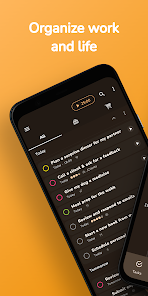
Are you looking for a powerful tool to manage your tasks, projects, habits, and schedules? Look no further! TimeNoder2 is your all-in-one productivity app designed to help you stay organized and achieve your goals.
🚀 Key Features:
📅 All-in-One Planner: Seamlessly manage your to-do lists, projects, and tasks.
🔄 Calendar Integration: Import and sync your device calendars, including Google Calendar.
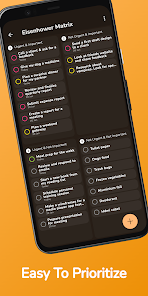
✅ Task Management: Prioritize and complete tasks efficiently using the Eisenhower matrix.
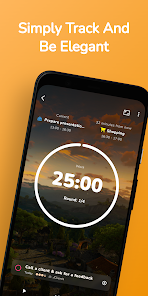
📈 Tracking: Track your projects and tasks effortlessly.
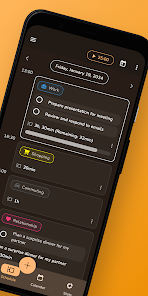
📆 Scheduling View: Plan your day and include tasks in your daily schedule.
🌟 Habit Tracker: Cultivate positive habits like reading, meditation, and exercise with timely reminders.
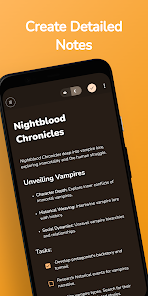
📝 Note Editor: Add detailed descriptions to tasks and keep all your notes in one place.
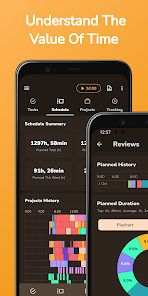
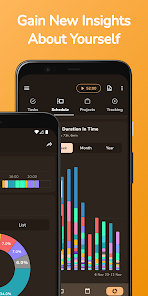
📊 Detailed Statistics: Gain insights into your productivity and visualize your progress over time.
🎨 Customization: Personalize your app with various themes and wallpapers.
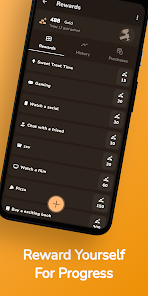
🎁 Rewards System: Earn points for planning, tracking, and completing tasks, and redeem them for rewards.
🚫 Ad-Free Experience: Enjoy all features without any ads interrupting your workflow.
🌟 Early Access Exclusive! 🌟
Be among the first to experience TimeNoder2 for free. Unlock all premium features and capabilities at no cost as an early adopter. Don’t miss this limited-time opportunity to enhance your productivity and habit-building journey.
Start taking control of your time, tasks, and habits today. Download TimeNoder2 and embark on a journey toward productivity, balance, and success.
Have questions or suggestions? Reach out to us at support@timenoder.com. Your input drives our innovation. Time is precious. Make every moment count with TimeNoder2. ⏳
Are you looking for a powerful tool to manage your tasks, projects, habits, and schedules? Look no further! TimeNoder2 is your all-in-one productivity app designed to help you stay organized and achieve your goals.
🚀 Key Features:
📅 All-in-One Planner: Seamlessly manage your to-do lists, projects, and tasks.
🔄 Calendar Integration: Import and sync your device calendars, including Google Calendar.
✅ Task Management: Prioritize and complete tasks efficiently using the Eisenhower matrix.
📈 Tracking: Track your projects and tasks effortlessly.
📆 Scheduling View: Plan your day and include tasks in your daily schedule.
🌟 Habit Tracker: Cultivate positive habits like reading, meditation, and exercise with timely reminders.
📝 Note Editor: Add detailed descriptions to tasks and keep all your notes in one place.
📊 Detailed Statistics: Gain insights into your productivity and visualize your progress over time.
🎨 Customization: Personalize your app with various themes and wallpapers.
🎁 Rewards System: Earn points for planning, tracking, and completing tasks, and redeem them for rewards.
🚫 Ad-Free Experience: Enjoy all features without any ads interrupting your workflow.
🌟 Early Access Exclusive! 🌟
Be among the first to experience TimeNoder2 for free. Unlock all premium features and capabilities at no cost as an early adopter. Don’t miss this limited-time opportunity to enhance your productivity and habit-building journey.
Start taking control of your time, tasks, and habits today. Download TimeNoder2 and embark on a journey toward productivity, balance, and success.
Have questions or suggestions? Reach out to us at support@timenoder.com. Your input drives our innovation. Time is precious. Make every moment count with TimeNoder2. ⏳
Updated on
Safety starts with understanding how developers collect and share your data. Data privacy and security practices may vary based on your use, region, and age. The developer provided this information and may update it over time.

No data shared with third parties
Learn more about how developers declare sharing

No data collected
Learn more about how developers declare collection

Committed to follow the Play Families Policy
Ratings and reviews
4.7
132 reviews

Hasan
- Flag inappropriate
- Show review history
January 14, 2024
Love the clean UI. Works like a charm. However, although they might not be crucial for everyone, personally, I'd really like to have two specific features in a Todo app. First, the 'Read Aloud' option when a task appears in the notification. Second, the 'Nag Me' option, which would retain the task in the notification, reading it aloud (if Read Aloud is turned on) whenever you try to remove it. This would persist until you complete the task or reschedule it.
5 people found this review helpful
Jan Zimola
January 19, 2024
That is great to hear 👍. Thank you for sharing this with others ❤️ We will consider these options. You can vote for them on the app's Discord server: https://discord.gg/D6Ea2EGBey. Have a nice day!
EDIT: You can now update the app and see these options available when creating notifications. 😃

Zarin
- Flag inappropriate
- Show review history
July 15, 2024
3.5 stars for now. There should be a way to delete or mark as missed a repeating event without having to delete all of the upcoming events. The timer does not work the way it should. I've checked my settings for battery optimization. The timer either stops by itself or does not track the time correctly. For example: I kept the timer running for almost 2 hours but it recorded only half an hour. There were no other tasks scheduled for that time period.
1 person found this review helpful
Jan Zimola
June 23, 2024
Thanks for sharing your feedback ❤️ . If you are still unsatisfied please join the app's Discord server and provide more information: https://discord.gg/3py6b4gNsX. 1) You can mark repeating events as missed already for one day. 2) This is a problem with a specific OS. Can you please try a new version that have subtle changes that could solve it?

Kanko Sensei
- Flag inappropriate
June 23, 2024
I struggled searching for a good daily planner app, simple but modern, free without additional payments or ads, and with a timer option. This one is the most underrated out here, it's perfect, works really great and does what I needed it do do and even better. This should have a lot more download and reviews!
Jan Zimola
June 23, 2024
Thank you very much for your support ❤️. If you have any questions or ideas,💡 you can share them on the app's Discord server: https://discord.gg/3py6b4gNsX. Have a great day!
What's new
- Improving statistics and habit tracking


