
Flip Clock+: Alarm & Desk

star
102 reviews

Everyone
info
10K+
Downloads

Everyone
Learn more


About this app
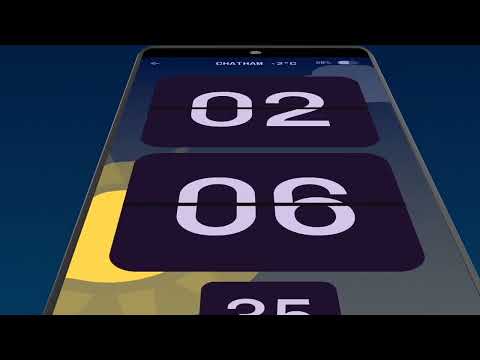
Turn your phone into a beautiful bedside alarm clock or desk clock with optional live weather sky animation. Choose from animated flip clocks or analog clocks, set reliable alarms, add world clocks, and schedule hourly chimes—or have the time announced aloud. Set a bedtime reminder and listen to sleep sounds as you fall asleep.
What you can do
Wake up your way: Powerful alarms with snooze, custom days, vibration, and fade-in volume.
Screensaver/Nightstand mode: Auto-starts when charging or docked so a stunning clock is always on display.
World clocks: Select multiple cities to track time around the globe at a glance. See the live weather and moon animated for each city.
Hourly chimes & announcements: Chime on the hour (or any times you choose). Use text-to-speech to hear the time, or pick classic sounds like cuckoo, bell, rooster, and more.
Themes & styles: Animated faces with analog and digital readouts; 12/24-hour support. Choose from flipclock, mechanical clock or classic clock dials.
Designed for clarity
Large, elegant typography and smooth animations make it easy to read across the room—day or night.
Privacy-friendly
Works offline. No sign-up. You’re always in control of notifications and permissions.
Use it as: alarm clock • world clock • night clock • desk clock • hourly chime announcer • sleep schedule reminder • sleep sounds
Tip: Enable screen saver to show the clock automatically when you plug in your phone, and grant notifications permission so alarms and full-screen alerts can appear when you need them.
What you can do
Wake up your way: Powerful alarms with snooze, custom days, vibration, and fade-in volume.
Screensaver/Nightstand mode: Auto-starts when charging or docked so a stunning clock is always on display.
World clocks: Select multiple cities to track time around the globe at a glance. See the live weather and moon animated for each city.
Hourly chimes & announcements: Chime on the hour (or any times you choose). Use text-to-speech to hear the time, or pick classic sounds like cuckoo, bell, rooster, and more.
Themes & styles: Animated faces with analog and digital readouts; 12/24-hour support. Choose from flipclock, mechanical clock or classic clock dials.
Designed for clarity
Large, elegant typography and smooth animations make it easy to read across the room—day or night.
Privacy-friendly
Works offline. No sign-up. You’re always in control of notifications and permissions.
Use it as: alarm clock • world clock • night clock • desk clock • hourly chime announcer • sleep schedule reminder • sleep sounds
Tip: Enable screen saver to show the clock automatically when you plug in your phone, and grant notifications permission so alarms and full-screen alerts can appear when you need them.
Beautiful Alarm clock & world clocks, with screensaver and hourly chimes/voice.
Updated on
Safety starts with understanding how developers collect and share your data. Data privacy and security practices may vary based on your use, region, and age. The developer provided this information and may update it over time.
- No data shared with third partiesLearn more about how developers declare sharing
- No data collectedLearn more about how developers declare collection


Ratings and reviews
93 reviews

J Ch
- Flag inappropriate
- Show review history
July 9, 2026
The screen saver isn't necessary, it's more of a pointless feature than anything else. It's frustrating that I have to exit and enter the app again just so it goes away. I'm going to need to replace this with a better clock app because it's something that I simply shouldn't be bothered with. Three stars is generous, I usually only give one star when dealing with annoyingly stupid issues that could have been avoided by simply not adding unnecessary features. People want a basic app, no bull$hit.

H D
- Flag inappropriate
January 12, 2026
Straight forward user interface. Nice customisation options, looks very clean. Have yet to test most features but set up alarms for later. Uses a clockface dial to select the time and also has keyboard option to type. Quick to edit alarms, no excessive tapping needed for updates. However, seems to be no inbuilt timer? The option launches the playstore to download another app
Jupiter Apps
January 12, 2026
Thanks for the review. We have our stopwatch and timer app as a separate install. If you do install it then that link acts as a shortcut and opens the app.

Fredde Alburtis
- Flag inappropriate
January 28, 2026
I got this a few weeks ago and have it as my screen saver I was just in the hospital and doctors and staff fell in love in love with it I showed to a lot of people and they all said they were going to loan it on there phone. For me after theirty years in the Computer industry working for places like the Supreme Court, IBM and many more I think you will find it very easy to set up very enjoyable and the upgrade to pro is very enjoyable. I am from Chicago so other countries may not work as wel
Jupiter Apps
January 28, 2026
Thanks for the great review and being one of the early users. Apart from the original animated mechanical clock we've added several other clock face options including a flipclock with live weather, all are available in the themes screen.
Everyone
Learn moreApp support
About the developer
Samuel Lawson
support@jupiterapps.com
Dunster Cottage
Easole Street, Nonington
DOVER
CT15 4EU
United Kingdom


