
PaintVoice(歌声合成&作曲アプリ)
Contains ads


Everyone
info
100K+
Downloads

Everyone
Learn more


About this app
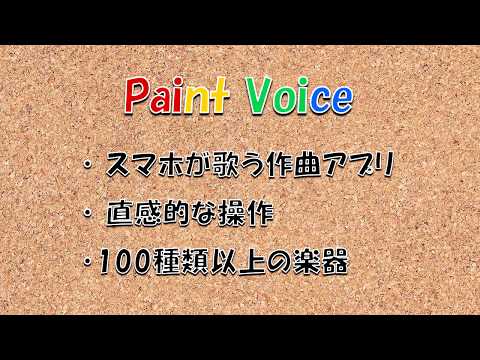
Your smartphone sings!
This app plays and sings simply by inputting musical notes and lyrics.
It supports UTAU voicebanks, allowing you to enjoy various singing voices available online, such as Teto Kasane (*3) and Ritsu Namine (*4).
Its intuitive operation makes songwriting and composing fun.
This app is recommended for those looking for an easy-to-use app for songwriting, composing, or music studies, such as:
* Want to create original songs!
* Want to include vocals, like with Vocaloid (*1) or UTAU (*2)!
* Want to try tuning Vocaloid songs!
* Want to play melodies you've thought of using various instruments!
* Want to check (play) and arrange melodies found in books!
* Want to check melodies you've transcribed by ear!
*While it can't create high-function, high-quality songs like Vocaloid (*1) or UTAU (*2), if you want to try it out for free on your smartphone, please give it a try.
*This app is a DTM software generally known as a piano roll-style MIDI sequencer.
*You can import songs created with "Paint Music 2".
[Announcement]
From Version 2.0, you can now import singing voices (UTAU sound sources).
https://youtu.be/aUHb6_3RqSM
Many sound sources for UTAU (*2) are available on the internet, and you can import them and make them sing with PaintVoice.
Please try it out.
[How to Use]
Operation is simple.
You can input and play notes with the same feel as drawing software, using a pen, eraser, copy & paste, and undo/redo!
Entering musical notes is as simple as dragging your finger across a chart called the piano roll to select the desired note.
Entering lyrics is also easy; simply enter the lyrics (pronunciation) in hiragana.
Detailed instructions are currently being prepared.
Basic operation is almost identical to PaintMusic2, except for the vocal track, so please refer to the following video.
* Paint Music 2 Tutorial
https://www.youtube.com/watch?v=2NLAmrkyqAY&t=18s
* Basic Operation of Paint Music 2
https://www.youtube.com/watch?v=WMxDDnRlfTA&t=1s
[Specifications]
* 8 vocal tracks
* 16 instrument tracks
* 128 types of instruments + drum set
* Import vocals from UTAU sound sources (continuous and single notes)
* Adjust vocals (pitch editing, vibrato, etc.)
* Input notes while checking the pitch by ear
* Easily input chords
* Input short notes (up to 128th notes)
* Supports triplets, quintuplets, and sextuplets
* Compose up to 1024 measures in 3/4 or 4/4 time
* Play tempo from 30 to 240 (BPM: (Beats per minute) can be specified within this range.
- Copy and paste function for efficient composition.
- Pitch can be changed in bulk.
- Undo up to 10 times if you make a mistake.
- Created songs can be exported as audio (AAC), video (MP4), MIDI, or UST files.
- Supports import and export of MIDI files.
- Supports import and export of UST files.
【Output Format】
Created songs can be saved and shared (sent via SNS or email, saved to the cloud, etc.) in the following formats.
• Audio (AAC)
• Video (MP4) ----- Displays lyrics as text overlays on a still image background
• MIDI File ----- Instrument track only
• UST File ----- Vocal track only (unprocessed)
【Related Information】
• Introduction page for this app:
https://www.kumapps.com/kumaoworks/app_intro/paintvoice/paintvoice_lp.html
【Disclaimer】
This app has been tested on the developer's own device and is also used by the developer. However, the developer assumes no responsibility for any damages incurred by users as a result of using this app.
Furthermore, support (email support, etc.) for this app is not provided. Please use it to the extent you understand and can use it in its current state.
----------
(*1) What is VOCALOID? (※Quoted from Wikipedia below)
It is a general term for the voice synthesis technology developed by Yamaha and its applied products. The abbreviation "Vocaloid" is also used.
By inputting melodies and lyrics, it is possible to synthesize singing voices based on sampled human voices.
Regarding compatible sound sources, various companies that have licensed Yamaha have independently produced singer libraries containing sampled voices, which are then combined with Yamaha's software and sold as products.
"VOCALOID" and "Vocaloid" are registered trademarks of Yamaha Corporation.
(*2) UTAU (Utau) (※Quoted from Wikipedia below)
UTAU is a singing voice synthesis software for Windows and Mac OS distributed as freeware by Ameya/Ayame.
Distribution began in March 2008. On May 27, 2011, the Mac OS X version, "UTAU-Synth," was released.
It is one of the singing synthesis software programs that "allows users to create sound sources by sampling their own voices and then have them sing (adjust pitch, etc.)."
(*3) Kasane Teto is a character who can actually sing, possessing a voice library created through the collaborative efforts of volunteers on the internet.
From the official website: https://kasaneteto.jp/utau/
(*4) Namine Ritsu is a character who works as a virtual singer. Her characteristics include a cool and calm demeanor and a supple singing voice.
From the official website: https://www.canon-voice.com/
[About Open Source Software]
●This application includes works distributed under the Apache License, Version 2.0.
(http://www.apache.org/licenses/LICENSE-2.0)
・javax.sound.midi-for-Android
●This application utilizes the ICU4J library.
This app plays and sings simply by inputting musical notes and lyrics.
It supports UTAU voicebanks, allowing you to enjoy various singing voices available online, such as Teto Kasane (*3) and Ritsu Namine (*4).
Its intuitive operation makes songwriting and composing fun.
This app is recommended for those looking for an easy-to-use app for songwriting, composing, or music studies, such as:
* Want to create original songs!
* Want to include vocals, like with Vocaloid (*1) or UTAU (*2)!
* Want to try tuning Vocaloid songs!
* Want to play melodies you've thought of using various instruments!
* Want to check (play) and arrange melodies found in books!
* Want to check melodies you've transcribed by ear!
*While it can't create high-function, high-quality songs like Vocaloid (*1) or UTAU (*2), if you want to try it out for free on your smartphone, please give it a try.
*This app is a DTM software generally known as a piano roll-style MIDI sequencer.
*You can import songs created with "Paint Music 2".
[Announcement]
From Version 2.0, you can now import singing voices (UTAU sound sources).
https://youtu.be/aUHb6_3RqSM
Many sound sources for UTAU (*2) are available on the internet, and you can import them and make them sing with PaintVoice.
Please try it out.
[How to Use]
Operation is simple.
You can input and play notes with the same feel as drawing software, using a pen, eraser, copy & paste, and undo/redo!
Entering musical notes is as simple as dragging your finger across a chart called the piano roll to select the desired note.
Entering lyrics is also easy; simply enter the lyrics (pronunciation) in hiragana.
Detailed instructions are currently being prepared.
Basic operation is almost identical to PaintMusic2, except for the vocal track, so please refer to the following video.
* Paint Music 2 Tutorial
https://www.youtube.com/watch?v=2NLAmrkyqAY&t=18s
* Basic Operation of Paint Music 2
https://www.youtube.com/watch?v=WMxDDnRlfTA&t=1s
[Specifications]
* 8 vocal tracks
* 16 instrument tracks
* 128 types of instruments + drum set
* Import vocals from UTAU sound sources (continuous and single notes)
* Adjust vocals (pitch editing, vibrato, etc.)
* Input notes while checking the pitch by ear
* Easily input chords
* Input short notes (up to 128th notes)
* Supports triplets, quintuplets, and sextuplets
* Compose up to 1024 measures in 3/4 or 4/4 time
* Play tempo from 30 to 240 (BPM: (Beats per minute) can be specified within this range.
- Copy and paste function for efficient composition.
- Pitch can be changed in bulk.
- Undo up to 10 times if you make a mistake.
- Created songs can be exported as audio (AAC), video (MP4), MIDI, or UST files.
- Supports import and export of MIDI files.
- Supports import and export of UST files.
【Output Format】
Created songs can be saved and shared (sent via SNS or email, saved to the cloud, etc.) in the following formats.
• Audio (AAC)
• Video (MP4) ----- Displays lyrics as text overlays on a still image background
• MIDI File ----- Instrument track only
• UST File ----- Vocal track only (unprocessed)
【Related Information】
• Introduction page for this app:
https://www.kumapps.com/kumaoworks/app_intro/paintvoice/paintvoice_lp.html
【Disclaimer】
This app has been tested on the developer's own device and is also used by the developer. However, the developer assumes no responsibility for any damages incurred by users as a result of using this app.
Furthermore, support (email support, etc.) for this app is not provided. Please use it to the extent you understand and can use it in its current state.
----------
(*1) What is VOCALOID? (※Quoted from Wikipedia below)
It is a general term for the voice synthesis technology developed by Yamaha and its applied products. The abbreviation "Vocaloid" is also used.
By inputting melodies and lyrics, it is possible to synthesize singing voices based on sampled human voices.
Regarding compatible sound sources, various companies that have licensed Yamaha have independently produced singer libraries containing sampled voices, which are then combined with Yamaha's software and sold as products.
"VOCALOID" and "Vocaloid" are registered trademarks of Yamaha Corporation.
(*2) UTAU (Utau) (※Quoted from Wikipedia below)
UTAU is a singing voice synthesis software for Windows and Mac OS distributed as freeware by Ameya/Ayame.
Distribution began in March 2008. On May 27, 2011, the Mac OS X version, "UTAU-Synth," was released.
It is one of the singing synthesis software programs that "allows users to create sound sources by sampling their own voices and then have them sing (adjust pitch, etc.)."
(*3) Kasane Teto is a character who can actually sing, possessing a voice library created through the collaborative efforts of volunteers on the internet.
From the official website: https://kasaneteto.jp/utau/
(*4) Namine Ritsu is a character who works as a virtual singer. Her characteristics include a cool and calm demeanor and a supple singing voice.
From the official website: https://www.canon-voice.com/
[About Open Source Software]
●This application includes works distributed under the Apache License, Version 2.0.
(http://www.apache.org/licenses/LICENSE-2.0)
・javax.sound.midi-for-Android
●This application utilizes the ICU4J library.
Your smartphone can sing! This app supports UTAU voicebanks, allowing you to simply input notes and lyrics, and it will play and sing for you. Enjoy creating lyrics and composing music with its easy-to-use interface.
Updated on
Safety starts with understanding how developers collect and share your data. Data privacy and security practices may vary based on your use, region, and age. The developer provided this information and may update it over time.
- No data shared with third partiesLearn more about how developers declare sharing
- This app may collect these data typesLocation, Personal info and 5 others
- Data is encrypted in transit
- You can request that data be deleted


What’s new
[Version 24.0.0]
・自分の歌声を作成できるようになりました。
・ホーム画面のメニューをグループ化しました。
・Android16のセキュリティー強化に対応しました。
[Version 23.0.0]
・リズム入力パッドを追加しました(編集画面のメニュー)。
・音符の移動ツールを追加しました(消しゴムボタンの長押し)。
・貼り付け機能を拡張しました(重ね書き)。
・いくつかの不具合を修正しました。
[Version 22.0.0]
・鍵盤をタップしたときの反応を改善しました。
・いくつかの不具合を修正しました。
[Version 21.0.0]
・ホーム画面の曲リストで最後に編集した曲が上にくるようになりました。
・再生中に歌詞字幕の表示や画面の連続スクロールができるようになりました。
[Version 20.0.0]
・ボーカルトラックの数が8トラックに増えました。
[Version 19.0.1]
・USTファイルのインポート・エクスポートに対応しました。
[Version 18.0.0]
・歌声の調声ができるようになりました。
・自分の歌声を作成できるようになりました。
・ホーム画面のメニューをグループ化しました。
・Android16のセキュリティー強化に対応しました。
[Version 23.0.0]
・リズム入力パッドを追加しました(編集画面のメニュー)。
・音符の移動ツールを追加しました(消しゴムボタンの長押し)。
・貼り付け機能を拡張しました(重ね書き)。
・いくつかの不具合を修正しました。
[Version 22.0.0]
・鍵盤をタップしたときの反応を改善しました。
・いくつかの不具合を修正しました。
[Version 21.0.0]
・ホーム画面の曲リストで最後に編集した曲が上にくるようになりました。
・再生中に歌詞字幕の表示や画面の連続スクロールができるようになりました。
[Version 20.0.0]
・ボーカルトラックの数が8トラックに増えました。
[Version 19.0.1]
・USTファイルのインポート・エクスポートに対応しました。
[Version 18.0.0]
・歌声の調声ができるようになりました。
Everyone
Learn moreApp support
About the developer
Takayama工房
takayama-kobo-apps@kumapps.com
1-11-12, NIHOMBASHIMUROMACHI
NIHOMBASHI MIZUNO BLDG. 7F.
CHUO-KU, 東京都 103-0022
Japan
+81 90-4122-9288


