
Napco iLock

Everyone
info
500+
Downloads

Everyone
Learn more


About this app
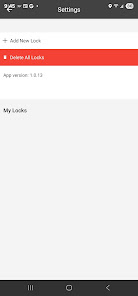
Introducing iLock®, the easy smartphone mobile solution for unlocking your Trilogy®Networx™ ArchiTech™ Series Designer Access Control Locks from any smart device without the need to carry cumbersome ID cards or keys. Password protected access is secure through the use of Bluetooth LE and proprietary encryption. Additionally, an optional feature can be utilized, requiring a password for each unlock request.
iLock® App is supported by Alarm Lock, ContinentalAccess & Marks USA lines; all divisions of Napco Security Technologies, Inc.
The following special permissions are required: (Android 6.0.0 and up will ask after launching the application)
• Device Location
• File Access
iLock® App is supported by Alarm Lock, ContinentalAccess & Marks USA lines; all divisions of Napco Security Technologies, Inc.
The following special permissions are required: (Android 6.0.0 and up will ask after launching the application)
• Device Location
• File Access
Use the iLock® App to unlock your ArchiTech™ Series Door Lock in seconds!
Updated on
Featured stories

Safety starts with understanding how developers collect and share your data. Data privacy and security practices may vary based on your use, region, and age. The developer provided this information and may update it over time.
- No data shared with third partiesLearn more about how developers declare sharing
- No data collectedLearn more about how developers declare collection


What’s new
- Latest Android OS support
- Improved stability and smoothness
- Hardware support includes most Alarm Lock ArchiTech/Bluetooth door locks
- Software support includes DL-Windows version 5.5.4 or greater
- All enrolled locks support a "Password Required" option for access
- Each enrolled lock has a detailed "Lock Settings" screen
- Improved stability and smoothness
- Hardware support includes most Alarm Lock ArchiTech/Bluetooth door locks
- Software support includes DL-Windows version 5.5.4 or greater
- All enrolled locks support a "Password Required" option for access
- Each enrolled lock has a detailed "Lock Settings" screen
Everyone
Learn moreApp support
phone
Phone number
+16318429400
About the developer
NAPCO Security Technologies, Inc.
myousaf@napcosecurity.com
333 Bayview Ave
Amityville, NY 11701
United States
+1 631-746-4271


