
Onshape 3D CAD
3.4star
4.06K reviews
1M+
Downloads

Everyone
info



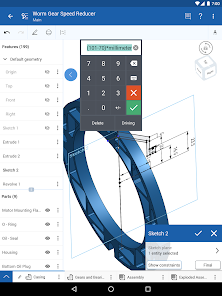
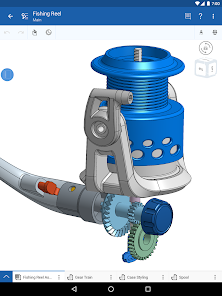
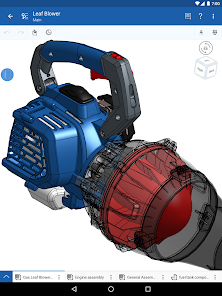

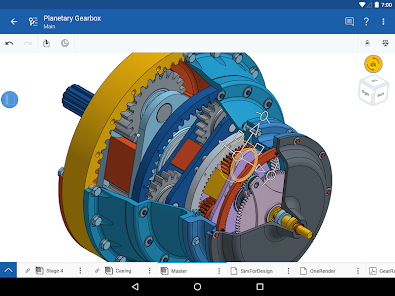
About this app
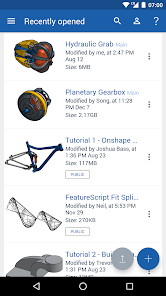
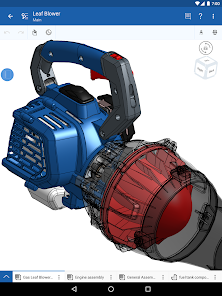
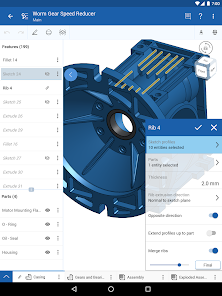
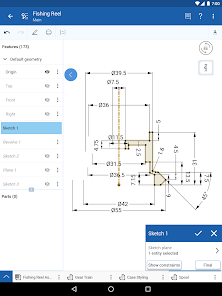
Onshape is a full mechanical CAD platform designed for professional users and extended teams. Create, edit, collaborate, and comment in real time with others from any computer or mobile device with an internet connection (free sign-up required).
With Onshape’s secure cloud workspace teams can work together from anywhere on any device without the hassles of file management, IT overhead, and license key distribution, helping engineers focus more on doing their best work.
Parametric CAD:
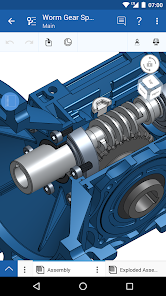
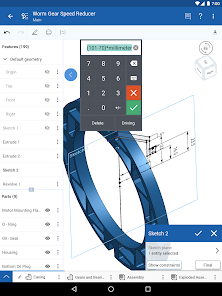
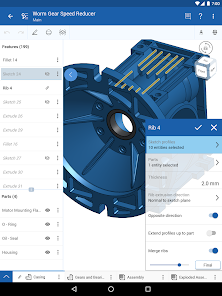
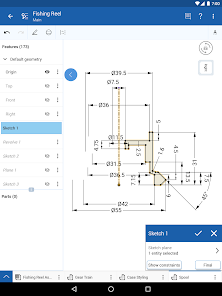
Design parts together in Part Studios with a full suite of parametric modeling tools
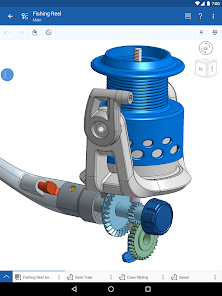
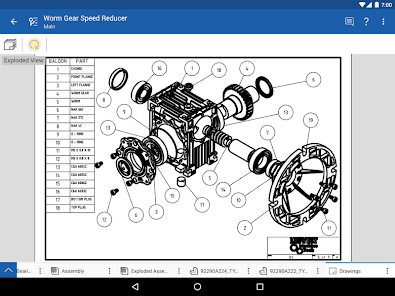
Create mechanical Assemblies to capture complex motion
Ease of Access:
Create, edit, and view from any computer or mobile device (internet connection required)
Begin a project from one device and seamlessly continue from another
Collaboration:
Instantly share your CAD data with your teams and partners. Monitor, change, and revoke permissions at any time
Work together with other users and view changes in real-time as they are made
Use Follow mode to see exactly what your teammate sees and add suggestions using Onshape’s built-in commenting tools
Data Management:
Maintain a single source of truth for your data, no more sending around or checking in and out of files
Never worry about losing your work, all of your changes are saved automatically
Explore multiple design ideas in parallel and create professional release and approval processes for your designs
Onshape proudly supports students and educators free of charge and is available free for non-commercial projects in an open-source public work space.
Since Onshape is updated every few weeks with dozens of new features and user-requested enhancements, keep an eye out for update notifications from the Google Play Store.
With Onshape’s secure cloud workspace teams can work together from anywhere on any device without the hassles of file management, IT overhead, and license key distribution, helping engineers focus more on doing their best work.
Parametric CAD:
Design parts together in Part Studios with a full suite of parametric modeling tools
Create mechanical Assemblies to capture complex motion
Ease of Access:
Create, edit, and view from any computer or mobile device (internet connection required)
Begin a project from one device and seamlessly continue from another
Collaboration:
Instantly share your CAD data with your teams and partners. Monitor, change, and revoke permissions at any time
Work together with other users and view changes in real-time as they are made
Use Follow mode to see exactly what your teammate sees and add suggestions using Onshape’s built-in commenting tools
Data Management:
Maintain a single source of truth for your data, no more sending around or checking in and out of files
Never worry about losing your work, all of your changes are saved automatically
Explore multiple design ideas in parallel and create professional release and approval processes for your designs
Onshape proudly supports students and educators free of charge and is available free for non-commercial projects in an open-source public work space.
Since Onshape is updated every few weeks with dozens of new features and user-requested enhancements, keep an eye out for update notifications from the Google Play Store.
Updated on
Safety starts with understanding how developers collect and share your data. Data privacy and security practices may vary based on your use, region, and age. The developer provided this information and may update it over time.

No data shared with third parties
Learn more about how developers declare sharing

This app may collect these data types
Location and Personal info

Data is encrypted in transit

You can request that data be deleted
Ratings and reviews
3.4
3.43K reviews

Bryce Wilson
- Flag inappropriate
March 2, 2024
Such a nice app, but has it's quirks. I use Onshape a lot. It is my go-to tool for 3D design. I even prefer the app over the website, most of the time. However, with recent updates, make the measuring tool useless. The measurement displays behind the menu at the bottom of the screen, where it cannot be seen. I guess I'll have to pull out the laptop just to see if this design works for me.
23 people found this review helpful

Mike Simms
- Flag inappropriate
- Show review history
May 11, 2024
Edit in 2024: the devs clearly just don't care, cause the app is still really bad. Constant disconnects, still no close sketch confirmation, still lacking basic features and slower than a turtle on heroin doing literally anything. I've given up and uninstalled. I used this as a kind of start point to jump into solidworks but it's literally easier to just draw it on paper and wait to get to a computer to model it. I won't be trying this app again.
12 people found this review helpful

Dumpster Fire
- Flag inappropriate
July 14, 2023
This is the best 3D drafting app on the market! If you're used to a system like solidworks, try this. My only gripe is how easy it is to lose progress on a draft by clicking "back" on your phone, clicking the back arrow on the top left of the screen, or the little X on the bottom right of the screen. If there was a little popup that asked "do you want to discard this drawing?" It would be literally perfect. I only bring that up because I've mistouched these buttons and lost hours of work.
109 people found this review helpful
What's new
• Support 'Graded' and 'Needs revision' statuses for classroom assignments
• Allow exporting 3MF tabs
• Prevent measure tool from exiting active sketch
• Fixed a crash when inserting parts from current document after browsing other documents
• Fixed a crash when opening menu options for configured group feature
• Fixed a crash when opening context menu after selecting an instance from BOM
• Fixed placement of measure dialog for view only documents
• Various crash and bug fixes
• Allow exporting 3MF tabs
• Prevent measure tool from exiting active sketch
• Fixed a crash when inserting parts from current document after browsing other documents
• Fixed a crash when opening menu options for configured group feature
• Fixed a crash when opening context menu after selecting an instance from BOM
• Fixed placement of measure dialog for view only documents
• Various crash and bug fixes


