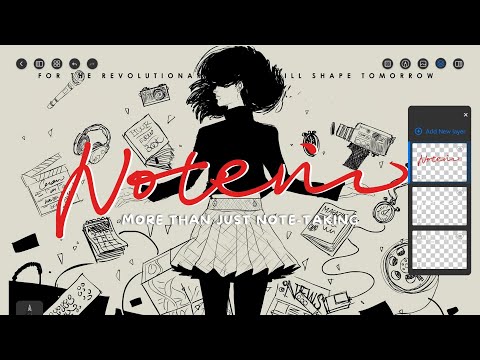

Orion Notes: Handwrite & PDFs
In-app purchases

star
336 reviews

Everyone
info
10K+
Downloads


About this app
Take notes, annotate documents, and organize your ideas — all in one intuitive Android app built for stylus users.
✍️ Precise Stylus Note-Taking
Experience responsive, realistic handwriting with pressure-sensitive brushes
Great for journaling, sketching, and classroom note-taking
Infinite canvas and classic page templates for flexible layouts
📚 Organize Notes Effortlessly
Create and sort notebooks
Use folders, tags, and page links to structure your knowledge
Search by keyword to find what you need instantly
📄 Annotate PDFs and Documents
Highlight, draw, and comment directly on PDFs, Word, or image files
Split or merge documents with custom workflows
Perfect for study, reading, and review
🎙️ Audio-Synced Note-Taking
Record lectures or meetings while taking notes
Tap your handwriting to replay the matching audio
Speed control, silence skip, and loop tools for efficient learning
🎨 Creative Tools & Layers
Use shape tools, rulers, and layers to build clean diagrams
Ideal for students, architects, and visual thinkers
Customize pens, colors, stickers, and paper styles
🤖 AI-Powered Features
OCR handwriting recognition to convert notes into text
Smart summaries and auto-generated outlines
Built-in translation for multilingual notes
☁️ Cloud Sync Across Devices
Sync your notebooks via Google Drive or OneDrive
Access notes securely from any Android device
💡 Your Android Stylus Workspace
Built for tablets and digital pens, Orion Notes helps you think freely and work smarter — with tools designed for precision and creativity.
✍️ Precise Stylus Note-Taking
Experience responsive, realistic handwriting with pressure-sensitive brushes
Great for journaling, sketching, and classroom note-taking
Infinite canvas and classic page templates for flexible layouts
📚 Organize Notes Effortlessly
Create and sort notebooks
Use folders, tags, and page links to structure your knowledge
Search by keyword to find what you need instantly
📄 Annotate PDFs and Documents
Highlight, draw, and comment directly on PDFs, Word, or image files
Split or merge documents with custom workflows
Perfect for study, reading, and review
🎙️ Audio-Synced Note-Taking
Record lectures or meetings while taking notes
Tap your handwriting to replay the matching audio
Speed control, silence skip, and loop tools for efficient learning
🎨 Creative Tools & Layers
Use shape tools, rulers, and layers to build clean diagrams
Ideal for students, architects, and visual thinkers
Customize pens, colors, stickers, and paper styles
🤖 AI-Powered Features
OCR handwriting recognition to convert notes into text
Smart summaries and auto-generated outlines
Built-in translation for multilingual notes
☁️ Cloud Sync Across Devices
Sync your notebooks via Google Drive or OneDrive
Access notes securely from any Android device
💡 Your Android Stylus Workspace
Built for tablets and digital pens, Orion Notes helps you think freely and work smarter — with tools designed for precision and creativity.
Smart Stylus Note-Taking & PDF Tools
Updated on
Safety starts with understanding how developers collect and share your data. Data privacy and security practices may vary based on your use, region, and age. The developer provided this information and may update it over time.
- No data shared with third partiesLearn more about how developers declare sharing
- This app may collect these data typesPersonal info, App activity and 2 others
- Data is encrypted in transit
- You can request that data be deleted
- Committed to follow the Play Families Policy


Ratings and reviews
58 reviews

Cynthia Zheng
- Flag inappropriate
August 31, 2026
I'm very stressed because my notes have disappeared. I paid for this, and now I have to worry that my notes will randomly stop working and show a black screen. Edit: I recently decided to use this again and my premium membership is now gone??? I emailed them and got no response
4 people found this review helpful

Darin Yantzer
- Flag inappropriate
May 14, 2026
I have tried sooo many notes apps and while many are good, their was always features missing or writing was unresponsive... Not with Orion! I wanted an app that would allow me to import a pdf planner and allow me to hyperlink pages or buttons together and this does it seemlessly. The pressure sensitive brush strokes are a premium feel for us who like using a stylus. It's intuitive, responsive, and has all the features you want without overwhelming you or appearing cluttered. Excellent App!
1 person found this review helpful

Shawn Axsom
- Flag inappropriate
April 4, 2026
Almost perfect but... every time I draw, lines glitch out of the line I drew, only for a split second. Terribly annoying. Are others not experiencing this? It works well on my Galaxy Tab S11, but not my S26U.
1 person found this review helpful
What’s new
The text box font library has been updated: 10 new fonts have been added, and some older fonts are no longer included.
App support
About the developer
ORION STUDIO PTE. LTD.
support@notein.cn
60 PAYA LEBAR ROAD
#08-11 PAYA LEBAR SQUARE
Singapore 409051
+65 9860 0241


