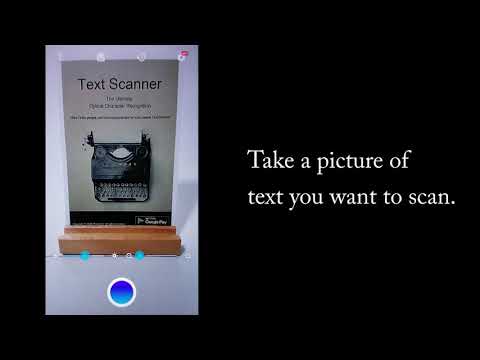

Text Scanner [OCR]
Contains adsIn-app purchases

star
186K reviews

Everyone
info
10M+
Downloads

Everyone
Learn more


About this app
This is the best Text Scanner [OCR] !
Highest Speed & Highest Quality
in All Android Apps!
You can convert an image to text.
When you access the URL or phone number written in magazines or brochures,
it's really hard to input the URL or phone number by the keyboard.
So please use Text Scanner [OCR]!
Because it automatically recognize the characters from an image,
it's possible to access to the URL or phone number immediately!
When you record the memo written on the blackboard or white board,
it's very troublesome to transcript it by the keyboard.
But you can do it very easily by Text Scanner [OCR]!
It's possible to record contents immediately!
[Features of Text Scanner[OCR]]
● World highest speed reading
● World highest accuracy reading
● Support photos of your album
● Support more than 50 languages
● Support handwriting
● Recognized text, it is possible to perform the following operation
- URL access
- Telephone call
- Copy to clipboard
- Send e-mail
- Save to Google Drive
- Save to Google Keep
- Share on Google+
- Share on Google Hangouts
- etc...
[Permission of the Text Scanner [OCR]]
Use only "Camera" permission.
Highest Speed & Highest Quality
in All Android Apps!
You can convert an image to text.
When you access the URL or phone number written in magazines or brochures,
it's really hard to input the URL or phone number by the keyboard.
So please use Text Scanner [OCR]!
Because it automatically recognize the characters from an image,
it's possible to access to the URL or phone number immediately!
When you record the memo written on the blackboard or white board,
it's very troublesome to transcript it by the keyboard.
But you can do it very easily by Text Scanner [OCR]!
It's possible to record contents immediately!
[Features of Text Scanner[OCR]]
● World highest speed reading
● World highest accuracy reading
● Support photos of your album
● Support more than 50 languages
● Support handwriting
● Recognized text, it is possible to perform the following operation
- URL access
- Telephone call
- Copy to clipboard
- Send e-mail
- Save to Google Drive
- Save to Google Keep
- Share on Google+
- Share on Google Hangouts
- etc...
[Permission of the Text Scanner [OCR]]
Use only "Camera" permission.
This is the world's highest accuracy OCR. You can convert images to text. Enjoy!
Updated on
Safety starts with understanding how developers collect and share your data. Data privacy and security practices may vary based on your use, region, and age. The developer provided this information and may update it over time.
- No data shared with third partiesLearn more about how developers declare sharing
- This app may collect these data typesApp info and performance and Device or other IDs
- Data is encrypted in transit
- Data can’t be deleted


Ratings and reviews
182K reviews

Paul Sperry
- Flag inappropriate
- Show review history
January 16, 2025
This app is useful for capturing book pages, even when they aren't totally flat or centered. It quickly converts files to text or PDF for later searching and study. I lowered my initial rating, however, when I found a few dropped letters and a couple of sentences shifted out of order (of 7 pages). This app never made a misspelling, but the few random errors mean I have to carefully review the result and make corrections. When I was surprised to learn it costs $119/yr, I sadly un-installed it.
15 people found this review helpful

A Google user
- Flag inappropriate
- Show review history
November 27, 2018
I tried taking a picture of some writing but when I read it, every word was misspelled or goofed up in some way. My handwriting is not THAT hard to read! Also a bunch of random dashes and numbers and random capital letters where they shouldn't be. Also, I had quite a bit of writing in the picture, and yet it had maybe 1/12 of the amount of words typed. Please fix your app. If it's working for other people, GREAT! Maybe it's just my stupid phone! But honestly, it doesn't work for me. Thank you for your time
4 people found this review helpful

Scott Bresky
- Flag inappropriate
August 29, 2020
I was looking for a replacement for the KNFB app that cost $99. It stopped working about a year ago. This is the first app that has similar accuracy and ease of use. I also like that I can use ReadALoud text to speech app along with this scanner. Nothing wrong with the built in speech... Just a preference. I do not believe that this developer offers an ad free version for an additional cost but if they did I would surely sign up. The ads do not block or cause lag it's just that I am use no ads
What’s new
■■■■ Important Notice ■■■■
To continue using the app, you need to update it to the latest version. If you are using an older version, please update it.
・Scan accuracy improvements for the following items
- Dense text and documents
- Handwriting
・Performance improvements
・Minor bug fixes
[Update Info]
Thank you for using "Text Scanner" all the time. We regularly update it on Google Play.
Please update it to the latest version and use it in the best condition.
To continue using the app, you need to update it to the latest version. If you are using an older version, please update it.
・Scan accuracy improvements for the following items
- Dense text and documents
- Handwriting
・Performance improvements
・Minor bug fixes
[Update Info]
Thank you for using "Text Scanner" all the time. We regularly update it on Google Play.
Please update it to the latest version and use it in the best condition.
Everyone
Learn moreApp support
About the developer
Peace株式会社
support@peace-app.com
2-2-15, HAMAMATSUCHO
HAMAMATSUCHO DIA BLDG. 2F.
MINATO-KU, 東京都 105-0013
Japan
+81 90-6711-1413


