
Media Vault: Hide Photos
Contains adsIn-app purchases

star
182 reviews

Everyone
info
50K+
Downloads

Everyone
Learn more


About this app
**Media Vault: Private Photos & Videos**
Keep your personal photos and videos private with Media Vault. Store sensitive media in a secure vault protected by a secret calculator passcode. Organize files into albums, recover deleted items from Trash, and back up your vault when needed.
Media Vault looks and works like a normal calculator. Enter your private passcode and tap "=" to access your hidden vault. If the entered code is not your passcode, the calculator functions normally.
🔒 **Key Features**
• Hide photos and videos in a private vault
• Secret calculator access with passcode protection
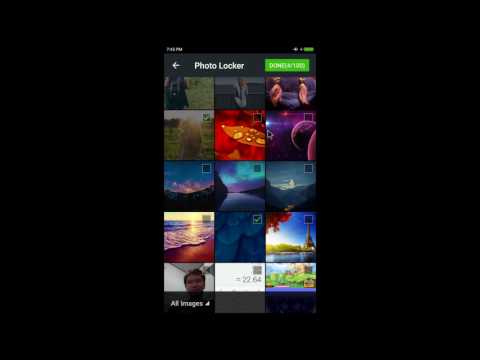
• Import media from your gallery
• Capture private photos directly from the app
• Create and organize private albums
• Move files between albums easily
• Trash recovery for accidentally deleted files
• Backup and restore your private vault
• Restore media back to your device gallery
• Multiple grid layout options
• Light and dark theme support
📷 **Private Media Storage**
Import photos and videos from your device and keep them organized in a secure private space. Your media can be grouped into albums for easier management.
📁 **Album Management**
Create custom albums, move files between folders, rename albums, and keep your private collection organized exactly the way you want.
🗑️ **Trash & Recovery**
Deleted files are moved to Trash first, giving you a chance to recover them before permanent removal.
💾 **Backup & Restore**
Create backup files to help protect your private media and restore them when needed.
🔐 **Calculator Lock**
Access your vault through a calculator interface. Enter your passcode and press "=" to unlock your private storage.
Important:
Always export or restore your files before uninstalling the app, resetting your device, or changing phones to avoid losing media stored inside the vault.
Keep your personal photos and videos private with Media Vault. Store sensitive media in a secure vault protected by a secret calculator passcode. Organize files into albums, recover deleted items from Trash, and back up your vault when needed.
Media Vault looks and works like a normal calculator. Enter your private passcode and tap "=" to access your hidden vault. If the entered code is not your passcode, the calculator functions normally.
🔒 **Key Features**
• Hide photos and videos in a private vault
• Secret calculator access with passcode protection
• Import media from your gallery
• Capture private photos directly from the app
• Create and organize private albums
• Move files between albums easily
• Trash recovery for accidentally deleted files
• Backup and restore your private vault
• Restore media back to your device gallery
• Multiple grid layout options
• Light and dark theme support
📷 **Private Media Storage**
Import photos and videos from your device and keep them organized in a secure private space. Your media can be grouped into albums for easier management.
📁 **Album Management**
Create custom albums, move files between folders, rename albums, and keep your private collection organized exactly the way you want.
🗑️ **Trash & Recovery**
Deleted files are moved to Trash first, giving you a chance to recover them before permanent removal.
💾 **Backup & Restore**
Create backup files to help protect your private media and restore them when needed.
🔐 **Calculator Lock**
Access your vault through a calculator interface. Enter your passcode and press "=" to unlock your private storage.
Important:
Always export or restore your files before uninstalling the app, resetting your device, or changing phones to avoid losing media stored inside the vault.
Hide photos & videos with calculator lock, albums, trash and backup
Updated on
Safety starts with understanding how developers collect and share your data. Data privacy and security practices may vary based on your use, region, and age. The developer provided this information and may update it over time.
- This app may share these data types with third partiesLocation and Device or other IDs
- No data collectedLearn more about how developers declare collection
- Data is encrypted in transit
- Data can’t be deleted


Ratings and reviews
173 reviews

A Google user
- Flag inappropriate
- Show review history
January 25, 2019
I loved the app its great i dont know why others say its bad but i personally used it and its very easy to work. The photos u hide here will be hidden from everywhere infact in file manager also it will not show. Its really great but one thing we cant hide pictures that are in internal space or folder if we have to hide than we need move it to sd card..... but for me its not a problem I recommend to everyone just have a try if u dont satisfied with what i said..... try it than tell
5 people found this review helpful
A Google user
- Flag inappropriate
- Show review history
October 7, 2018
Hw can i recover my password as i have forget my master key and partern lock
4 people found this review helpful
The Tree Team
October 7, 2018
please send mail to me

Anuj Jayant
- Flag inappropriate
February 22, 2021
Plz help me forgetting password
1 person found this review helpful
Everyone
Learn moreApp support
About the developer
Phan Tuấn Phong
phongphan.dev@gmail.com
596 Tỉnh lộ 8
Thành phố Hồ Chí Minh 733100
Vietnam


