
Wireless Display
Contains adsIn-app purchases

star
5.02K reviews

Everyone
info
1M+
Downloads

Everyone
Learn more


About this app
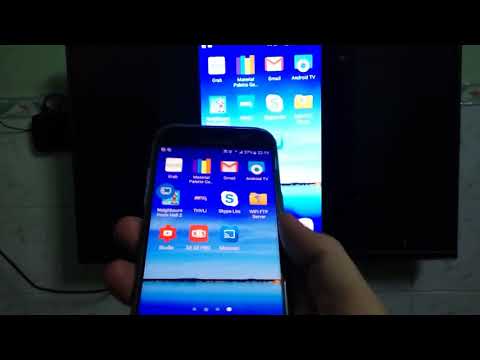
Wireless Display makes it easier to open your phone’s built-in casting controls and connect to a compatible TV or wireless display.
Before casting, you can check detailed information about your current Wi-Fi connection to make sure your phone and TV are using the correct network.
Key features:
• Quickly open your device’s wireless display controls
• Connect to compatible TVs and Miracast-enabled displays
• View the current Wi-Fi network name and connection status
• Check signal strength, frequency band, link speed, and security
• View IP address, gateway, DNS, BSSID, and Wi-Fi standard
• Refresh network information after changing connections
• Open Android Wi-Fi settings directly from the app
• Supports both light and dark themes
• Works while a VPN is active by detecting the underlying Wi-Fi connection
How to connect:
1. Enable Miracast, Wireless Display, Screen Mirroring, or Screen Share on your TV.
2. Connect your phone and TV to the same Wi-Fi network.
3. Open Wireless Display and tap Connect.
4. Select your TV from the available device list.
Important compatibility information:
Wireless display availability depends on your Android device, TV, and manufacturer. This app opens the casting features provided by your device and cannot add Miracast support to unsupported hardware.
Some protected Wi-Fi information, such as the network name or BSSID, may require Nearby Wi-Fi Devices or Location permission. The information displayed may vary depending on the Android version and device manufacturer.
A compatible wireless display adapter may be required if your TV does not include built-in casting support.
Before casting, you can check detailed information about your current Wi-Fi connection to make sure your phone and TV are using the correct network.
Key features:
• Quickly open your device’s wireless display controls
• Connect to compatible TVs and Miracast-enabled displays
• View the current Wi-Fi network name and connection status
• Check signal strength, frequency band, link speed, and security
• View IP address, gateway, DNS, BSSID, and Wi-Fi standard
• Refresh network information after changing connections
• Open Android Wi-Fi settings directly from the app
• Supports both light and dark themes
• Works while a VPN is active by detecting the underlying Wi-Fi connection
How to connect:
1. Enable Miracast, Wireless Display, Screen Mirroring, or Screen Share on your TV.
2. Connect your phone and TV to the same Wi-Fi network.
3. Open Wireless Display and tap Connect.
4. Select your TV from the available device list.
Important compatibility information:
Wireless display availability depends on your Android device, TV, and manufacturer. This app opens the casting features provided by your device and cannot add Miracast support to unsupported hardware.
Some protected Wi-Fi information, such as the network name or BSSID, may require Nearby Wi-Fi Devices or Location permission. The information displayed may vary depending on the Android version and device manufacturer.
A compatible wireless display adapter may be required if your TV does not include built-in casting support.
Connect to wireless displays and check Wi-Fi details before casting.
Updated on
Safety starts with understanding how developers collect and share your data. Data privacy and security practices may vary based on your use, region, and age. The developer provided this information and may update it over time.
- This app may share these data types with third partiesLocation and Device or other IDs
- No data collectedLearn more about how developers declare collection
- Data is encrypted in transit
- Data can’t be deleted


Ratings and reviews
4.71K reviews

Tomasz Kowal
- Flag inappropriate
March 27, 2026
Yes, this is a link to internal Android Miracast functionality, which is included in the system anyway. This app is not meant to replace or complement it, but it allows to access the feature directly on devices, which intentionally hide this feature (like ZTE Nubia / RedMagic devices, which promotes its own Z-Share app instead). This app will not be useful to majority of users, but where it's needed it just works.
3 people found this review helpful

Bedside Venue
- Flag inappropriate
May 13, 2021
MIRACAST FIX!! They updated the app for screenbeam that no longer works. Thankfully, this app works! Not sure about ads and the like, but I'm giving 5 stars just bc this app saved me from throwing out a $40 dongle. Thank you app makers!
80 people found this review helpful

Sean Stamm
- Flag inappropriate
April 10, 2024
It's just a link to the castable devices. This works in Android natively with no app required and no ads. This app has no reason to exist.
26 people found this review helpful
Everyone
Learn moreApp support
About the developer
Phan Tuấn Phong
phongphan.dev@gmail.com
596 Tỉnh lộ 8
Thành phố Hồ Chí Minh 733100
Vietnam


