

Rotation | Orientation Manager
Contains ads

3.8star
5.34K reviews
500K+
Downloads

Everyone
info






About this app
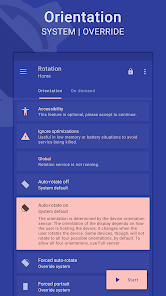
Rotation is a tool to manage the device screen orientation. It offers all the modes that Android supports and can be configured according to the apps or various events like call, lock, headset, charging and dock. Let's give it a try to explore its other features.
FEATURES
Orientations
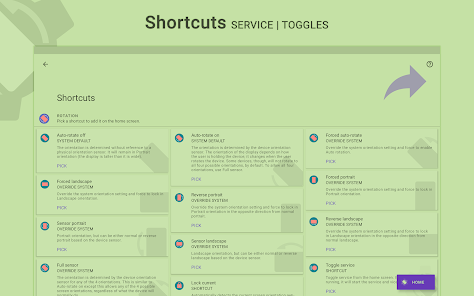
• Auto-rotate on • Auto-rotate off
• Forced auto-rotate • Forced portrait • Forced landscape
• Reverse portrait • Reverse landscape • Sensor portrait • Sensor landscape
• Forced full sensor • Lock Current – Lock current orientation
Conditions
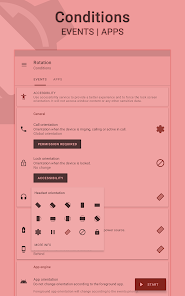
• Call orientation • Lock orientation • Headset orientation
• Charging orientation • Dock orientation • App orientation
• Events priority - Customizable events preference in case of two or more events occur simultaneously.
On demand
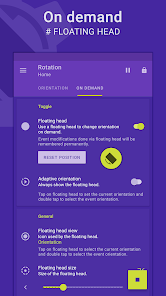
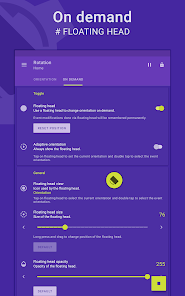
# Change the orientation of the foreground app or events with a fully customizable floating head (or notification or tile) available on the top of supported tasks.
Themes
• A dynamic theme engine with background-aware functionality to avoid any visibility issues.
Others
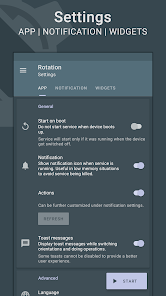
• Start on boot • Notification • Vibration and more.
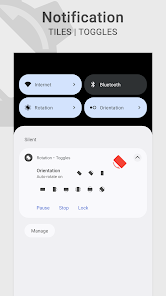
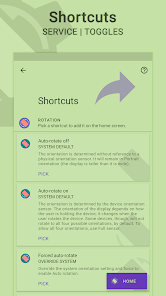
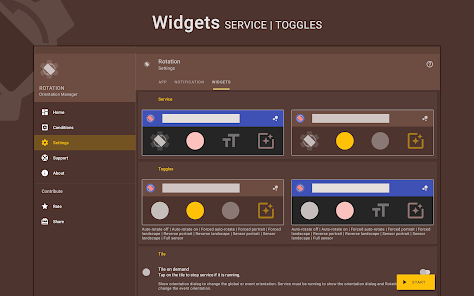
• Widgets, shortcuts and notification tiles to perform various operations.
# Rotation extension to automate over 40 actions via Locale / Tasker plugin.
Support
• Quick setup to configure major features at once.
• Dedicated support section to troubleshoot general issues.
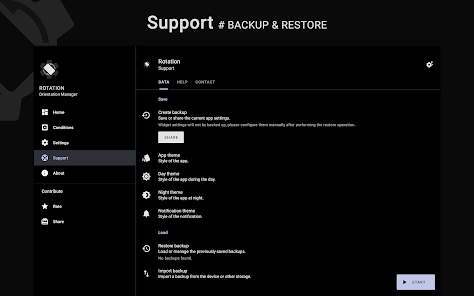
# Perform backup and restore operations to save and load the app settings.
Features marked with # are paid and Rotation Key is required to use them.
LANGUAGES
English, Deutsch, Español, Indonesia, Italiano, Português, Русский, Türkçe, 中文 (简体), 中文 (繁體)
PERMISSIONS
Internet access – To display ads in free version.
Retrieve running apps – To detect foreground app.
Usage statistics (Android 5.0+) – To detect foreground app.
Modify system settings – To change display orientation settings.
Draw over other apps – To change foreground orientation.
Read device state and identity – To change the phone call orientation.
Run at startup – To start service when the device boots up.
Control vibration – To vibrate device when orientation changes.
Post notifications (Android 13 and above) – To show notifications that help (and are required) in keeping the service running during various restrictions.
Modify USB storage (Android 4.3 and below) – To create and restore backup.
ACCESSIBILITY
It uses an accessibility service to provide a better experience and to force the lock screen orientation on Android 8.0+ devices. It will not access window content or any other sensitive data.
Rotation > Conditions > Events > Accessibility.
------------------------------
- Buy Rotation Key for more features and to support the development.
- In case of bugs/issues, please contact me via email for better support.
- Some apps might not work properly when forced to work in certain orientations. Use Auto-rotate on/off from conditions to use system settings for those apps.
- Reverse portrait is disabled on some Xiaomi (MIUI) devices with the default launcher. Please try any other launcher (home screen) to make it work.
Android is a trademark of Google LLC.
FEATURES
Orientations
• Auto-rotate on • Auto-rotate off
• Forced auto-rotate • Forced portrait • Forced landscape
• Reverse portrait • Reverse landscape • Sensor portrait • Sensor landscape
• Forced full sensor • Lock Current – Lock current orientation
Conditions
• Call orientation • Lock orientation • Headset orientation
• Charging orientation • Dock orientation • App orientation
• Events priority - Customizable events preference in case of two or more events occur simultaneously.
On demand
# Change the orientation of the foreground app or events with a fully customizable floating head (or notification or tile) available on the top of supported tasks.
Themes
• A dynamic theme engine with background-aware functionality to avoid any visibility issues.
Others
• Start on boot • Notification • Vibration and more.
• Widgets, shortcuts and notification tiles to perform various operations.
# Rotation extension to automate over 40 actions via Locale / Tasker plugin.
Support
• Quick setup to configure major features at once.
• Dedicated support section to troubleshoot general issues.
# Perform backup and restore operations to save and load the app settings.
Features marked with # are paid and Rotation Key is required to use them.
LANGUAGES
English, Deutsch, Español, Indonesia, Italiano, Português, Русский, Türkçe, 中文 (简体), 中文 (繁體)
PERMISSIONS
Internet access – To display ads in free version.
Retrieve running apps – To detect foreground app.
Usage statistics (Android 5.0+) – To detect foreground app.
Modify system settings – To change display orientation settings.
Draw over other apps – To change foreground orientation.
Read device state and identity – To change the phone call orientation.
Run at startup – To start service when the device boots up.
Control vibration – To vibrate device when orientation changes.
Post notifications (Android 13 and above) – To show notifications that help (and are required) in keeping the service running during various restrictions.
Modify USB storage (Android 4.3 and below) – To create and restore backup.
ACCESSIBILITY
It uses an accessibility service to provide a better experience and to force the lock screen orientation on Android 8.0+ devices. It will not access window content or any other sensitive data.
Rotation > Conditions > Events > Accessibility.
------------------------------
- Buy Rotation Key for more features and to support the development.
- In case of bugs/issues, please contact me via email for better support.
- Some apps might not work properly when forced to work in certain orientations. Use Auto-rotate on/off from conditions to use system settings for those apps.
- Reverse portrait is disabled on some Xiaomi (MIUI) devices with the default launcher. Please try any other launcher (home screen) to make it work.
Android is a trademark of Google LLC.
Updated on
Safety starts with understanding how developers collect and share your data. Data privacy and security practices may vary based on your use, region, and age. The developer provided this information and may update it over time.

No data shared with third parties
Learn more about how developers declare sharing

No data collected
Learn more about how developers declare collection

Committed to follow the Play Families Policy
Ratings and reviews
4.0
4.6K reviews

Chris
- Flag inappropriate
June 30, 2024
Was tired of missing reverse portrait on my unrooted pixel⁷ after 5+ yrs of not running custom roms on my phones. Figured it was worth a shot and googled, found this, installed. Works great after 20s of intuitive setup 👍. Even has a notification pane quick settings toggle baked into the free version. Everything I wanted on my first try. Awesome. Take my ad revenue, clicked on some of the ads in the app too. Now I can use my pixel⁷ while charging -without- a 90° cable. Huzzah.
3 people found this review helpful
Pranav Pandey
July 20, 2024
Thanks for you support and the detailed review. 🙏

William Taft
- Flag inappropriate
- Show review history
June 28, 2024
Complicated interface. Got it set up and working the way I want finally but have no idea which settings I changed to do that. Only want it turned on some of the time and want to turn it off the rest of the time. Don’t want to uninstall as I do not want to stumble through set up again. Can’t find any website with instructions? How to turn the app off, not pause? How to save settings in case I need to setup again? Edit: Thanks for the reply and instruction.
3 people found this review helpful
Pranav Pandey
June 24, 2024
Hello! Sorry for the inconvenience caused. When the Rotation accessibility service is enabled, the "System" must handle the service lifecycle. You can enable the system "Shortcut" (a floating button) via to enable/disable the Rotation accessibility service on demand.
Settings -- Accessibility -- Installed apps -- Rotation -- Rotation shortcut.

Aaron Thomas
- Flag inappropriate
- Show review history
March 7, 2023
Thanks to the dev for explaining how to import and export settings. However the app's theming is excessively granular while the interface to customize it is extremely unintuitive. It is unclear what is being changed. The save button is part of the preview. There is both a "color" and "tint color" for every color option. I repeatedly ended up with unviewable text. And I can't figure out which color I need to change because the preview colors don't match the displayed colors.
14 people found this review helpful
Pranav Pandey
March 11, 2023
EDIT: Hello Aaron! Thanks for the feedback. You may have "background aware" enabled. Kindly scroll down to the bottom and change it to "Disable" and then it will show you the exact colors in the preview as well.
You try theme presets via the Palettes app to speed up the process or import a QR Code via:
https://theme.pranavpandey.com/codes
What's new
Various internal improvements.


