
PassKeep: Simple Offline Vault
In-app purchases
4.5star
16.7K reviews
1M+
Downloads

Everyone
info




About this app
PASSKEEP: OFFLINE PASSWORD VAULT — PRIVATE, SIMPLE, SECURE
Your passwords. Your device. No cloud required.
Passkeep is the offline password manager that keeps your entire vault stored locally on your device—fully encrypted, completely private, zero cloud dependency. Unlike cloud-based managers that require internet connectivity, Passkeep works perfectly without internet access. Your data never leaves your phone.
🔒 PRIVATE PASSWORD VAULT — ZERO-KNOWLEDGE ENCRYPTION
• Zero-Knowledge Security Model: Only you can access your passwords (not even Passkeep developers can see them)
• RSA-2048 + AES-256 Encryption: Military-grade encryption stored on your device
• Offline-First Design: Works without internet; your data never sent to cloud servers
• No Account Signup Required: Anonymous access; complete privacy guaranteed
• Master Password Protected: You retain full control of your vault
• Private data stays private: No tracking, no analytics, no cloud backup without consent
✨ SIMPLE PASSWORD MANAGER — CLEAN, MODERN INTERFACE
• Intuitive Design: Password management made simple; no complex menus
• Fast Setup: Open app → Set master password → Start storing (3 minutes, done)
• One-Tap Access: Find and use passwords instantly
• Beautiful Dark Theme: Modern design that's easy on your eyes
• Works Fully Offline: Perfect for airplane mode, remote areas, or by choice
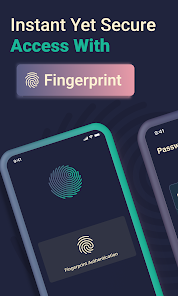
• Fingerprint + Master Password: Convenient biometric unlock with security
🛡️ SECURE PASSWORD VAULT WITH MULTI-CREDENTIAL SUPPORT
• Store Passwords: Generate strong, unique passwords for all accounts
• PIN Code Manager: Dedicated storage for door codes, WiFi, security questions (4–6 digits)
• Credit Card Storage: Secure vault for card numbers, expiration, CVV
• Account Numbers: Store bank accounts, ID numbers safely
• Secure Notes: Free-form encrypted storage for any sensitive text
• Password Generator: Create strong passwords on demand (built-in)
⚡ OFFLINE PASSWORD STORAGE — ZERO INTERNET DEPENDENCY
• No Sign-Up: Install, set password, start storing—no account needed
• No Cloud Sync Headaches: Data stored locally; no conflicts, no data loss
• No Internet Required: Access passwords in airplane mode, offline, anywhere
• You Stay in Control: If you forget master password, it's recoverable by YOU only
• Privacy Guarantee: We cannot access your data even if we wanted to
• Works Everywhere: Unreliable connectivity? No problem—Passkeep works offline perfectly
🎯 FREE PASSWORD STORAGE (UP TO 3 ENTRIES) — UPGRADE WHEN YOU NEED MORE
• Free Tier: Store up to 3 passwords, PINs, or credentials completely free
• Pro Version: Unlimited storage, password analyzer, secure sharing with other Passkeep users
• No Ads: Clean interface, no data mining, no forced upgrades
• No Tracking: Your privacy is paramount; we don't track your usage
• Export Anytime: Move your vault whenever you want; never locked in
💡 WHY CHOOSE PASSKEEP VS. BITWARDEN OR KEEPASS
✓ Simpler than Bitwarden: Modern design, zero learning curve, intuitive for everyone
✓ More Modern than KeePass: Beautiful UI, active development, 2024-optimized experience
✓ More Private than Google Manager: Offline-first, no cloud required, device-side encryption
✓ Affordable Alternative: Free tier + Pro at fraction of enterprise pricing
✓ Works Without Internet: Perfect for travelers, remote workers, digital nomads
Works on all Android 8.0+ devices.
🔐 SECURITY & PRIVACY
✓ No internet required
✓ No cloud storage
✓ No sign-up needed
✓ No data sharing
✓ Your passwords stay on your device, protected by military-grade encryption
DOWNLOAD PASSKEEP TODAY
Secure password storage offline. Simple to use. Private by design. Free to try (3 passwords).
Privacy Policy: https://passkeep.pro/privacy
Passkeep: The offline password manager you've been looking for.
Offline. Private. Simple. Secure. No cloud required.
Your passwords. Your device. No cloud required.
Passkeep is the offline password manager that keeps your entire vault stored locally on your device—fully encrypted, completely private, zero cloud dependency. Unlike cloud-based managers that require internet connectivity, Passkeep works perfectly without internet access. Your data never leaves your phone.
🔒 PRIVATE PASSWORD VAULT — ZERO-KNOWLEDGE ENCRYPTION
• Zero-Knowledge Security Model: Only you can access your passwords (not even Passkeep developers can see them)
• RSA-2048 + AES-256 Encryption: Military-grade encryption stored on your device
• Offline-First Design: Works without internet; your data never sent to cloud servers
• No Account Signup Required: Anonymous access; complete privacy guaranteed
• Master Password Protected: You retain full control of your vault
• Private data stays private: No tracking, no analytics, no cloud backup without consent
✨ SIMPLE PASSWORD MANAGER — CLEAN, MODERN INTERFACE
• Intuitive Design: Password management made simple; no complex menus
• Fast Setup: Open app → Set master password → Start storing (3 minutes, done)
• One-Tap Access: Find and use passwords instantly
• Beautiful Dark Theme: Modern design that's easy on your eyes
• Works Fully Offline: Perfect for airplane mode, remote areas, or by choice
• Fingerprint + Master Password: Convenient biometric unlock with security
🛡️ SECURE PASSWORD VAULT WITH MULTI-CREDENTIAL SUPPORT
• Store Passwords: Generate strong, unique passwords for all accounts
• PIN Code Manager: Dedicated storage for door codes, WiFi, security questions (4–6 digits)
• Credit Card Storage: Secure vault for card numbers, expiration, CVV
• Account Numbers: Store bank accounts, ID numbers safely
• Secure Notes: Free-form encrypted storage for any sensitive text
• Password Generator: Create strong passwords on demand (built-in)
⚡ OFFLINE PASSWORD STORAGE — ZERO INTERNET DEPENDENCY
• No Sign-Up: Install, set password, start storing—no account needed
• No Cloud Sync Headaches: Data stored locally; no conflicts, no data loss
• No Internet Required: Access passwords in airplane mode, offline, anywhere
• You Stay in Control: If you forget master password, it's recoverable by YOU only
• Privacy Guarantee: We cannot access your data even if we wanted to
• Works Everywhere: Unreliable connectivity? No problem—Passkeep works offline perfectly
🎯 FREE PASSWORD STORAGE (UP TO 3 ENTRIES) — UPGRADE WHEN YOU NEED MORE
• Free Tier: Store up to 3 passwords, PINs, or credentials completely free
• Pro Version: Unlimited storage, password analyzer, secure sharing with other Passkeep users
• No Ads: Clean interface, no data mining, no forced upgrades
• No Tracking: Your privacy is paramount; we don't track your usage
• Export Anytime: Move your vault whenever you want; never locked in
💡 WHY CHOOSE PASSKEEP VS. BITWARDEN OR KEEPASS
✓ Simpler than Bitwarden: Modern design, zero learning curve, intuitive for everyone
✓ More Modern than KeePass: Beautiful UI, active development, 2024-optimized experience
✓ More Private than Google Manager: Offline-first, no cloud required, device-side encryption
✓ Affordable Alternative: Free tier + Pro at fraction of enterprise pricing
✓ Works Without Internet: Perfect for travelers, remote workers, digital nomads
Works on all Android 8.0+ devices.
🔐 SECURITY & PRIVACY
✓ No internet required
✓ No cloud storage
✓ No sign-up needed
✓ No data sharing
✓ Your passwords stay on your device, protected by military-grade encryption
DOWNLOAD PASSKEEP TODAY
Secure password storage offline. Simple to use. Private by design. Free to try (3 passwords).
Privacy Policy: https://passkeep.pro/privacy
Passkeep: The offline password manager you've been looking for.
Offline. Private. Simple. Secure. No cloud required.
Updated on
Safety starts with understanding how developers collect and share your data. Data privacy and security practices may vary based on your use, region, and age. The developer provided this information and may update it over time.


Ratings and reviews
4.5
16.4K reviews

Antoine Simmons
- Flag inappropriate
April 21, 2025
I added this app to my phone several years ago after using the free version for a few weeks. There was a nominal one time fee for the PRO and while annoying, I paid it with the expectations that I'd have full access to the app's features uninhibited forever. At some point the developers switched to a SUBSCRIPTION business model. This change locked me out of being able to add any further passwords . I can edit the 2 dozen or so I have now but can add no more. Classic bait & switch. Time to move.
1,863 people found this review helpful

Vince
- Flag inappropriate
October 23, 2022
I enjoyed the app for a while. But then they implemented something new, which essentially rendered the app useless. You'll input your password, save it. Go back to it later to copy, and for some reason, the password is not what you input and is instead a mix of numbers, letters, and symbols. There's no "decrypt" option, as I thought it was a security thing to encrypt the password or something? No. It just deleted the password you input for a new one that is not the password you need.
425 people found this review helpful

Pete
- Flag inappropriate
February 3, 2023
More expensive than what it used to be. Disappointing you need to pay subscription to import or export passcodes. This ought to be free as it is core feature, suggested by someone I know. And it was free. However, the primary plus is does not compell the user to store passcodes on cloud. Ought to become optional ? I gave it 2 stars due to the import / export functions not being on the free version
237 people found this review helpful
BearMinds
February 5, 2023
Dear Pete, thank you for your review.
Import/export was always part of Pro version. We understand it may be disappointing. To give you a chance to try our app's features, we'd like to offer you a free Pro subscription. Please email us at hello@bearminds.com to get started.
Thank you again for your feedback.
Best regards,
Brad @ BearMinds
What’s new
Check out our latest update! We've enhanced the password creation feature, enabling you to store multiple fields along with your password. We've also boosted the overall app speed and improved our password strength analysis. Update today for a smoother and more secure experience!
App support
About the developer
ULADZIMIR KHUDNITSKI BEARMINDS
hello@bearminds.com
Ul. Kazimierza Górskiego 12-26
80-336 Gdańsk
Poland
+46 70 558 51 03


