
My Font - Font Keyboard
Contains adsIn-app purchases

star
270 reviews

Everyone
info
50K+
Downloads

Everyone
Learn more


About this app
"Handwriting says a million things about a person" and in the digital world, your text fonts says about you, so choose your fonts wisely.
Writing in your own handwriting adds feeling to your words. Create your own handwritten fonts using this app - "My Font - My Keyboard"
Also you can choose from ready to use fonts from available assets.
App Features:
- Create your own handwritten font with capital & small alphabets, numbers & special characters.
- Create artistic fonts with your creativity : sparkles, can share as a image.
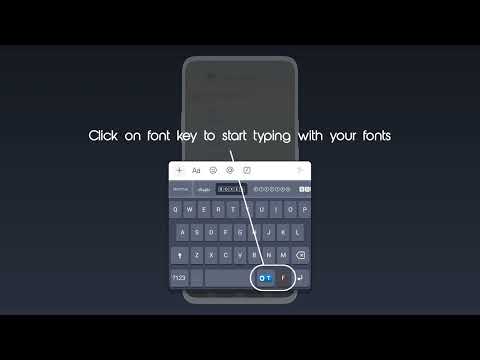
- View your created fonts in my font list. Enable that fonts to My font keyboard to start using those fonts with your keyboard. You can anytime edit or delete those fonts.
- Stylish Text : See list of stylish text fonts on your screen. Type & apply that stylish text on it.
- When you want to use your font you have to select My Font Keyboard.
- Now no more boring old fonts, use your own fonts.
Permission :
- Keyboard & input method : To set Font keyboard as default keyboard of device.
Writing in your own handwriting adds feeling to your words. Create your own handwritten fonts using this app - "My Font - My Keyboard"
Also you can choose from ready to use fonts from available assets.
App Features:
- Create your own handwritten font with capital & small alphabets, numbers & special characters.
- Create artistic fonts with your creativity : sparkles, can share as a image.
- View your created fonts in my font list. Enable that fonts to My font keyboard to start using those fonts with your keyboard. You can anytime edit or delete those fonts.
- Stylish Text : See list of stylish text fonts on your screen. Type & apply that stylish text on it.
- When you want to use your font you have to select My Font Keyboard.
- Now no more boring old fonts, use your own fonts.
Permission :
- Keyboard & input method : To set Font keyboard as default keyboard of device.
Create own handwritten font capital & small alphabets, numbers & characters.
Updated on
Safety starts with understanding how developers collect and share your data. Data privacy and security practices may vary based on your use, region, and age. The developer provided this information and may update it over time.
- No data shared with third partiesLearn more about how developers declare sharing
- No data collectedLearn more about how developers declare collection
- Data isn’t encrypted
- Data can’t be deleted


Ratings and reviews
250 reviews

Wouldn't you like to know weather boy
- Flag inappropriate
April 8, 2026
Way too many ads, want to click anything? Here's an ad first, also you can't even use your own font you make! At least not on android, and there isn't a period mark either! Oh, and there's no readily available option to switch back to your regular keyboard either, you have to manually do that in your phone's settings
3 people found this review helpful

TheRealestNerd
- Flag inappropriate
August 4, 2026
It works really well! But I wish there were more line width options because the line width is very thin. Overall, better than every other app I have used for this purpose.

Vargheese Baby
- Flag inappropriate
May 11, 2026
about this app,I absolutely did not get that many adds fir me but I can't even use my own font!only the others.I use my handwriting and work so hard to trace all the symbols and than boom can't even use the font like literally I wasted my time and I can only use the other fonts and this was so useless before I did this review I un-installed it!
2 people found this review helpful
SM Infotech
August 12, 2026
Thankyou for reporting this issue. We're sorry for this inconvenience you have experienced while using our app. Our team is continuously working to improve it.
Everyone
Learn moreApp support
About the developer
BHAVESH VIRJIBHAI RAMOLIA
samadhiyala.mandal@gmail.com
PLOT 144,LAXMI SOCIETY KATARGAM,
SURAT CITY, Gujarat 395004
India


