
iCenter OS 16: X - Charging
Contains ads

3.7star
278 reviews
100K+
Downloads

Everyone
info






About this app
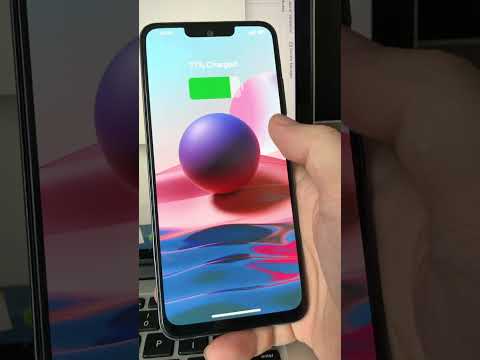
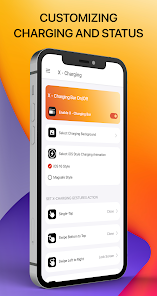
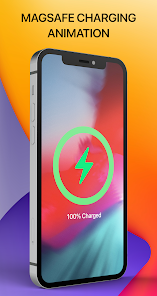
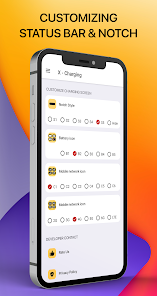
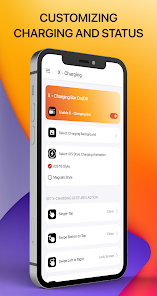
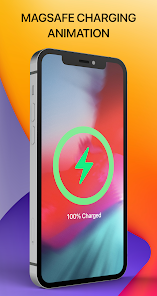
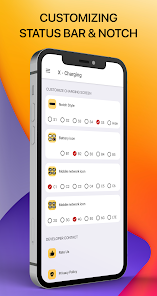
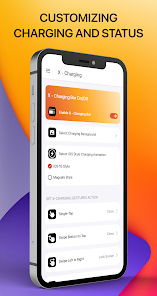
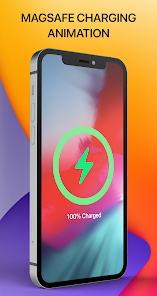
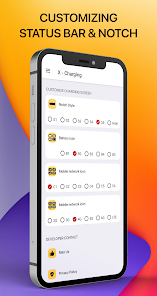
Customize status bar & charging screen with iCenter OS 16: X - Charging. When you charge your phone, the charging screen will display battery information along with the remaining battery percentage. In addition, the status bar will also show the time, network information, and Wi-Fi details.
The battery charging screen, along with the status bar, will automatically turn off after 5 seconds or when you touch the charging screen. Make your phone unique with just you with iOS Style Changing Screen.
FEATURES:
* Custom your status bar in charging screen like iOS 16 style in few step, no root needed, simple and easy to use, turn it on or off, make you phone look like iOS Style
* Show time, battery, connection status in your Charging Screen when you charge your phone
PERMISSION REQUIREMENT:
Term Of Service: Accessibility Access
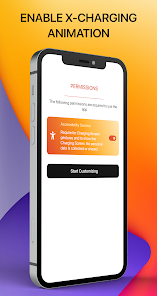
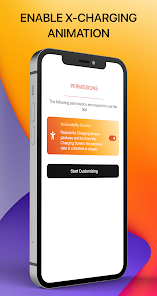
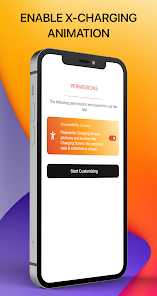
This app requires the Accessibility Service permission for:
• Show the Charging Screen above the System's one when you charge your phone.
• To start Accessibility Service actions: By enabling the service, the application will support command for press, long press and swipe actions on Charging Screen with following features:
- Back, Home, Recent actions.
- Popup notification, Quick settings.
- Popup Power dialogs.
- Take a Screenshot.
If you disable the Accessibility service, the features cannot work properly. We do not collect or share any sensitive or personal information.
The application commits not to collect or share any user information about this accessibility right. Please open application and grant permission to enable iCenter OS 16 X Charging.
Thank you!
The battery charging screen, along with the status bar, will automatically turn off after 5 seconds or when you touch the charging screen. Make your phone unique with just you with iOS Style Changing Screen.
FEATURES:
* Custom your status bar in charging screen like iOS 16 style in few step, no root needed, simple and easy to use, turn it on or off, make you phone look like iOS Style
* Show time, battery, connection status in your Charging Screen when you charge your phone
PERMISSION REQUIREMENT:
Term Of Service: Accessibility Access
This app requires the Accessibility Service permission for:
• Show the Charging Screen above the System's one when you charge your phone.
• To start Accessibility Service actions: By enabling the service, the application will support command for press, long press and swipe actions on Charging Screen with following features:
- Back, Home, Recent actions.
- Popup notification, Quick settings.
- Popup Power dialogs.
- Take a Screenshot.
If you disable the Accessibility service, the features cannot work properly. We do not collect or share any sensitive or personal information.
The application commits not to collect or share any user information about this accessibility right. Please open application and grant permission to enable iCenter OS 16 X Charging.
Thank you!
Updated on
Safety starts with understanding how developers collect and share your data. Data privacy and security practices may vary based on your use, region, and age. The developer provided this information and may update it over time.

No data shared with third parties
Learn more about how developers declare sharing

No data collected
Learn more about how developers declare collection

Data is encrypted in transit
Ratings and reviews
3.5
274 reviews

Shivam Tribedi
- Flag inappropriate
October 14, 2025
I downloaded this app thinking it would be useful, but it completely messed up my phone. Right after installing, my phone started lagging. I had to waste my whole day fixing the problems it caused. This app is full of issues. Stay away from this app!
7 people found this review helpful

Keshun
- Flag inappropriate
- Show review history
February 23, 2025
Woow soo cool.......... THIS APP DOSENT EVEN HAVE A BACKGROUND CHANGER???????? HORRIBLE
15 people found this review helpful
Southern Studio
January 5, 2025
Please rate me 5 stars 🤩🤩🤩🤩🤩

nomonde sigwavu
- Flag inappropriate
April 1, 2025
on that setup thing it stays like that and does not budge but I like it
1 person found this review helpful
App support
About the developer
LÊ THỊ YẾN PHI
southernstudiovn@gmail.com
Vietnam


