

3CX

2.9star
5.97K reviews
1M+
Downloads

Everyone
info


About this app
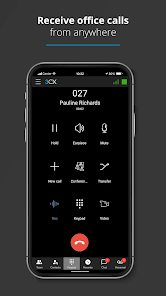
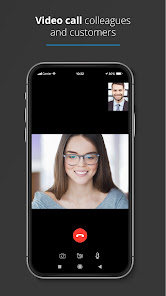
With the 3CX App you can make and receive work calls, schedule conferences, video call and chat from anywhere. The 3CX App is truly your one-stop tool for working remotely - easily and efficiently.
Getting Started:
Once the app is downloaded, open it and:
1. Agree to the license agreement.
2. Follow the on screen instructions to configure your app with your extension - you need your 3CX Welcome Email email with your credentials, sent from your Administrator.
3. Allow camera access to scan the QR code from your 3CX web client - details in your email.
4. Grant all the necessary permissions in the next screens.
5. Make sure to follow the battery optimization instructions for the app to work efficiently.
And that's all! You can now stay connected on-the-go!
Important read: This app is only for use with 3CX v18 and is not a standalone app.
More information: https://www.3cx.com/user-manual/installation-android/
Getting Started:
Once the app is downloaded, open it and:
1. Agree to the license agreement.
2. Follow the on screen instructions to configure your app with your extension - you need your 3CX Welcome Email email with your credentials, sent from your Administrator.
3. Allow camera access to scan the QR code from your 3CX web client - details in your email.
4. Grant all the necessary permissions in the next screens.
5. Make sure to follow the battery optimization instructions for the app to work efficiently.
And that's all! You can now stay connected on-the-go!
Important read: This app is only for use with 3CX v18 and is not a standalone app.
More information: https://www.3cx.com/user-manual/installation-android/
Updated on
Safety starts with understanding how developers collect and share your data. Data privacy and security practices may vary based on your use, region, and age. The developer provided this information and may update it over time.


Ratings and reviews
2.8
5.85K reviews

Nick Zupan
- Flag inappropriate
March 19, 2024
Works okay as an app while the phone is unlocked. Difficult to use when the phone is locked, as it requires the phone to be unlocked to pickup or answer a call. Handsfree via Bluetooth doesn't work to pickup as the app requires the green button to be pressed directly on the phone. I also get late notices from missed calls as push notifications don't always work if the screen is dark on the phone. Notifications are eager to pop up the second the screen is lit or unlocked.
6 people found this review helpful

L M
- Flag inappropriate
- Show review history
January 28, 2021
Went from usable to terrible. I get multiple instances of the same one incoming phone call, then the call drops completely. No matter the setting, none of the calls ring. Even if you have the application set to run in the background, and set to use data regardless, the app disconnects completely everytime the window is minimized. You can have the app open, staring at it, and you'll get an automatic missed call when it never even rang. Don't waste your time or your company's money.
44 people found this review helpful

Gail Van Dreel
- Flag inappropriate
February 16, 2021
There are so very few things you can adjust with this app & I dislike the layout, the fact that my phone can't control the settings, and as of a few days ago I don't even get the whole screen to come up when a call cones in. On the tiny ribbon I get, it takes forever for the data to scroll so I can see who is calling. If I had another option, I'd use it!!!
42 people found this review helpful
What's new
New: Conference Management
New: Call quality monitoring
New: Add contacts to M365/CRM
Fixed: Changes to SMS validations
Fixed: Bring back Out of office hours voicemails
Fixed: Add 3CX specific params to HTTP Requests
Fixed: Disable provisioning camera on scan QR Code errors
Fixed: Do not permit queues to be added to a conference
Fixed: Add ability to add a few participants to the private conference immediately
Fixed: Call badge duration timer being reset for video when going to background
New: Call quality monitoring
New: Add contacts to M365/CRM
Fixed: Changes to SMS validations
Fixed: Bring back Out of office hours voicemails
Fixed: Add 3CX specific params to HTTP Requests
Fixed: Disable provisioning camera on scan QR Code errors
Fixed: Do not permit queues to be added to a conference
Fixed: Add ability to add a few participants to the private conference immediately
Fixed: Call badge duration timer being reset for video when going to background


