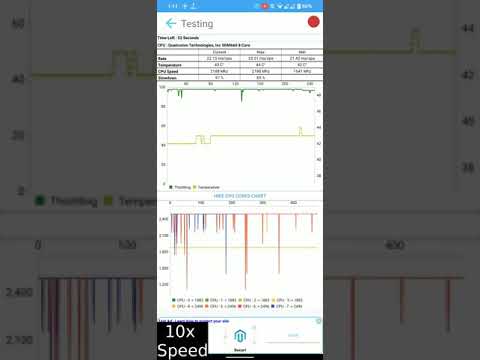

CPU Throttling Test
Contains adsIn-app purchases

star
7.7K reviews

Everyone
info
500K+
Downloads

Everyone
Learn more


About this app
Why Choose This App?
This app is proudly developed in India from the ground up! Support locally made apps and innovation.
Informative Results
Whether you’re playing CPU-intensive games or not, having a throttling test app helps you understand your device’s performance. CPU Throttling Test tracks maximum, minimum, and average GIPS (Giga Instructions Per Second) over time. For better analysis, a 20-minute test is recommended.
For accurate results:
✔ Allow your device to cool down for at least 10 minutes before testing.
✔ Close all background apps.
✔ Note that longer tests may consume more battery and generate heat.
Easy Performance Testing
✔ Real-time monitoring of CPU usage, GIPS, and clock speeds.
If you notice performance drops during extended use, thermal throttling might be the cause. This app helps you:
✔ Measure thermal throttling on your device.
✔ Compare your results with other users running similar devices on the scoreboard page.
Test Durations
The app supports multiple test durations:
🟢 5 Min (Available in the Free version)
🔵 10 Min, 20 Min, 40 Min (Available in the Pro version)
For a detailed analysis, the 20-minute test is recommended.
This app is proudly developed in India from the ground up! Support locally made apps and innovation.
Informative Results
Whether you’re playing CPU-intensive games or not, having a throttling test app helps you understand your device’s performance. CPU Throttling Test tracks maximum, minimum, and average GIPS (Giga Instructions Per Second) over time. For better analysis, a 20-minute test is recommended.
For accurate results:
✔ Allow your device to cool down for at least 10 minutes before testing.
✔ Close all background apps.
✔ Note that longer tests may consume more battery and generate heat.
Easy Performance Testing
✔ Real-time monitoring of CPU usage, GIPS, and clock speeds.
If you notice performance drops during extended use, thermal throttling might be the cause. This app helps you:
✔ Measure thermal throttling on your device.
✔ Compare your results with other users running similar devices on the scoreboard page.
Test Durations
The app supports multiple test durations:
🟢 5 Min (Available in the Free version)
🔵 10 Min, 20 Min, 40 Min (Available in the Pro version)
For a detailed analysis, the 20-minute test is recommended.
Check your phone’s CPU thermal throttling with ease!
Updated on
Safety starts with understanding how developers collect and share your data. Data privacy and security practices may vary based on your use, region, and age. The developer provided this information and may update it over time.


Ratings and reviews
7.37K reviews

Arghya Roy
- Flag inappropriate
- Show review history
July 10, 2026
App is good for cpu and gpu testing and to heat up your phone to dry it in humid weather. I purchased the pro version on 30th Dec 2024. But due to some reason it was not showing the purchase, which got resolved after contacting the developer.
7 people found this review helpful
Texts Dev
July 10, 2026
Thank you for the updated review ☺️

John Doe (anonymous)
- Flag inappropriate
July 20, 2026
as many ads as you'd find in some indian meme. you cannot even open the app if you blocked ad domains just like every average advanced user.
2 people found this review helpful
Texts Dev
July 20, 2026
thank you for the review ☺️, please try the weekly free trial thank you

NAITIk Patil
- Flag inappropriate
July 24, 2026
this app is nice to bench mark as it is easy to navigate and to understand but they should reduce the number of ads.
4 people found this review helpful
Everyone
Learn moreApp support
About the developer
Aishik Kirtaniya
textsmessaging@gmail.com
Aryabhatta
Durgapur, West Bengal 713205
India


