
Planimeter - GPS area measure
In-app purchases

star
1.91K reviews

Everyone
info
100K+
Downloads


About this app
Planimeter is the best land surveying app and field area measurement tool.
With the free version, you can start measuring right away by simply touching the map. But for a comprehensive toolkit, unlock all features with a subscription.
Unlock features like:
- measure distance, perimeter, bearing, angle, and GPS coordinates in various formats directly on the map.
- save, edit, label, view, and share your measurements as KML data files and screenshots.
- live measurement using GPS tracking (walk/drive around) with time interval and accuracy settings;
- achieve pinpoint precision with a magnifying glass for accurate pin placement: https://youtu.be/Hha_nmC032M
- add points with exact distance and angle input for precise measurements. (Distance and Bearing Feature): http://goo.gl/8XbhJU
Other exclusive features include:
- creating, sharing, and viewing KML files: http://goo.gl/2cdI8w
- Intuitive label addition in Notes Mode: http://goo.gl/s52VdU
- quick access to directions and navigation from Notes Mode: http://goo.gl/nCRTQi
- smart tools for removing redundant points and generating convex areas.
- support for various geo-coordinate formats
- quick switch and view measured paths and polygons in the Google Earth app
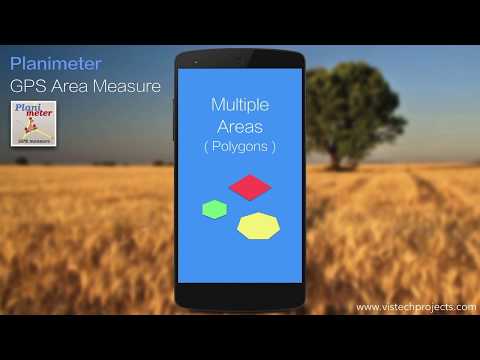
- multiple areas measurements: https://goo.gl/SrFMj3
- circle Mode - radius around point: https://goo.gl/dkHuvy
- volume/cost calculator when height or rate per area unit entered https://goo.gl/dkHuvy
Languages: English, Portuguese, Russian, German, Italian
Join thousands of satisfied users who've applied Planimeter in diverse scenarios:
- outdoor activities: golf (distance between two points or holes), bike and hike trail planning, quick path measure or mapping a run
- garden and yard: landscape planning, grass cutting, lawn care and mowing, fencing, grass seeding.
- agriculture and farming: harvesting, fertilizing, crop planning, and estimation, field labeling, field area measure, paddocks, and area fencing,
- solar energy: solar panels placement estimation, flat roof area estimation
- construction: land and site survey, road sealing, parking lot repair, pole lines planning
- forestry: objects and tree mapping, damage area estimation, measuring land area
- insurance: crop adjuster tool, verify data and support claims
- property: check location context by measuring distances to nearby schools, parks, police stations, and shopping centers.
- other: fence calculation, geocaching, quick estimation, and quotes for land-related work
More about the app, tips, and updates: https://vistechprojects.blogspot.com/search/label/Planimeter
With the free version, you can start measuring right away by simply touching the map. But for a comprehensive toolkit, unlock all features with a subscription.
Unlock features like:
- measure distance, perimeter, bearing, angle, and GPS coordinates in various formats directly on the map.
- save, edit, label, view, and share your measurements as KML data files and screenshots.
- live measurement using GPS tracking (walk/drive around) with time interval and accuracy settings;
- achieve pinpoint precision with a magnifying glass for accurate pin placement: https://youtu.be/Hha_nmC032M
- add points with exact distance and angle input for precise measurements. (Distance and Bearing Feature): http://goo.gl/8XbhJU
Other exclusive features include:
- creating, sharing, and viewing KML files: http://goo.gl/2cdI8w
- Intuitive label addition in Notes Mode: http://goo.gl/s52VdU
- quick access to directions and navigation from Notes Mode: http://goo.gl/nCRTQi
- smart tools for removing redundant points and generating convex areas.
- support for various geo-coordinate formats
- quick switch and view measured paths and polygons in the Google Earth app
- multiple areas measurements: https://goo.gl/SrFMj3
- circle Mode - radius around point: https://goo.gl/dkHuvy
- volume/cost calculator when height or rate per area unit entered https://goo.gl/dkHuvy
Languages: English, Portuguese, Russian, German, Italian
Join thousands of satisfied users who've applied Planimeter in diverse scenarios:
- outdoor activities: golf (distance between two points or holes), bike and hike trail planning, quick path measure or mapping a run
- garden and yard: landscape planning, grass cutting, lawn care and mowing, fencing, grass seeding.
- agriculture and farming: harvesting, fertilizing, crop planning, and estimation, field labeling, field area measure, paddocks, and area fencing,
- solar energy: solar panels placement estimation, flat roof area estimation
- construction: land and site survey, road sealing, parking lot repair, pole lines planning
- forestry: objects and tree mapping, damage area estimation, measuring land area
- insurance: crop adjuster tool, verify data and support claims
- property: check location context by measuring distances to nearby schools, parks, police stations, and shopping centers.
- other: fence calculation, geocaching, quick estimation, and quotes for land-related work
More about the app, tips, and updates: https://vistechprojects.blogspot.com/search/label/Planimeter
Leading tool for land survey, fields area measure, perimeter, distance with GPS
Updated on
Safety starts with understanding how developers collect and share your data. Data privacy and security practices may vary based on your use, region, and age. The developer provided this information and may update it over time.
- No data shared with third partiesLearn more about how developers declare sharing
- This app may collect these data typesLocation, Financial info, and App activity
- Data is encrypted in transit
- You can request that data be deleted


Ratings and reviews
1.74K reviews

Braden Freed
- Flag inappropriate
May 13, 2024
So I had at 5 stars but here's the deal, the app was better before the last update, now I'm having to pay and I'm getting less than when it was free. Specifically, the clarity with satellite view is worse, this was my favorite feature. Hopefully they can figure a way to get it as clear as before... otherwise I might cancel and look elsewhere 😞
9 people found this review helpful
vistech.projects
May 15, 2024
Thank you for your feedback, as we explained in the app, we had to move to this model in order to be able to update for newer versions, to support and provide new map sources (check again, new one up-to-date just added, more are coming ). Let us know if it's better now. support@vistechprojects.com

Jason B
- Flag inappropriate
August 9, 2024
I bought this app 11 years ago and gave it 5 stars all those years. Recently, it auto updated, killing the app I owned and replacing it with a subscription app. I contacted the author and was offered a code to make the new app work for a limited-time, which I declined. This should have been rolled out as a separate app to avoid auto update being essentially a kill packet for a purchased app. I'm sorry Google started charging for map access, but still, it was wrong to do this via update.
35 people found this review helpful

Bert Davis
- Flag inappropriate
June 6, 2024
I recently was forced to update to the pay version and I'm not happy with the new version. The old free version did everything I needed it to. The new pay version has horrible resolution which is very important to me. The new version also is hit miss on picking up satelites. Sometimes it works but most times it seems like it's not even trying to find gps satelites. Again this is and important feature that worked fine with the free version. I currently have version 5.4.4. Please help!
5 people found this review helpful
vistech.projects
June 6, 2024
GPS works as before, the changes are only applied to map-related services. Now there are several maps, of different degrees of relevance, see which one is best suited for your region. We are working on further app improvements, including more map options with better quality and updates. Contact support@vistechprojects.com for further help
What’s new
READ BEFORE UPDATE:
5.4.5
fixes and more polygons allowed
5.4.3
- brighter polygon colors
- file browser improved: select the working folder, read files from previous versions
5.4.2
- support new Android versions
- migrated to a new map source and subscription model (DO NOT UPDATE if you want to use legacy version)
- address search fixed
5.4.5
fixes and more polygons allowed
5.4.3
- brighter polygon colors
- file browser improved: select the working folder, read files from previous versions
5.4.2
- support new Android versions
- migrated to a new map source and subscription model (DO NOT UPDATE if you want to use legacy version)
- address search fixed
App support
About the developer
VisTech.Projects LLC
support@vistechprojects.com
2332 Addison Ln
Johns Creek, GA 30005
United States
+1 678-250-8478


