
DroidDash: Device & Apps Info

star
49 reviews

Everyone
info
1K+
Downloads

Everyone
Learn more


About this app
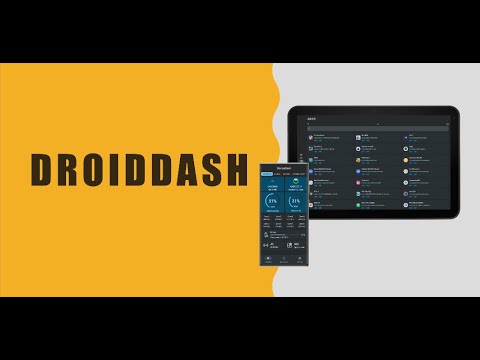
DroidDash - Dashboard for Android, is a software designed specifically for the Android platform, designed to provide you with detailed information about your device.
1. Overview:
- Brief information of CPU, ROM, RAM, OS, Battery and Apps.
2. Device:
- Model, Manufacturer, Board, Brand, Device ID, Product, Build ID, Unique ID.
3. System:
- Name, Version, SDK Version, Security Patch, Build Time, Bootloader, Boot Time, VM, Kernel Name, Kernel Arch, Kernel Version.
4. Connectivity:
- Network Status, Wi-Fi Status, Mobile Status, Wi-Fi Direct, 5GHz, 6GHz, Bluetooth, Bluetooth LE, LE 2M PHY, LE Coded PHY, LE Extended Advertising, LE Periodic Advertising, LE Audio, NFC, Secure NFC, UWB, USB.
5. Battery:
- Current, Power, Temperature, Health, Technology, Voltage, Capacity.
6. Screen:
- Name, Width, Height, Size Level, Size, Fresh Rates, HDR, Dpi, Scale, Density.
7. Sensors:
- Type, Vendor, Power.
8. SoC:
- Vendor, Renderer, ABI, Cores, Frequency, Vulkan, OpenGL ES, L1~L3 Cache, Extensions.
9. App Filter:
- Installed Apps, User Apps, System Apps.
10. App Details:
- Overview: Package Name, Version Code, Version Name, Target SDK, Min SDK, Process Name, First Install Time, Last Update Time, UID, Source Dir, Data Dir, App Source.
- Signature: Signature Algorithm, Valid Date, Serial Number, Signers, Issuer Info, Subject Info.
- Activities: Stack Name, Launch Mode, Screen Orientation.
- Services: Process Name, Isolated Process, Singleton.
- Native Libraries: Path.
- Features.
- Permissions.
- Save App Icon.
- View Manifest.xml.
- Export .apk File.
Our app has been adapted to the latest API 34 and adopted Material Design 3 to provide you with a smooth and consistent user experience. We promise not to collect any personal privacy data to protect your information security.
1. Overview:
- Brief information of CPU, ROM, RAM, OS, Battery and Apps.
2. Device:
- Model, Manufacturer, Board, Brand, Device ID, Product, Build ID, Unique ID.
3. System:
- Name, Version, SDK Version, Security Patch, Build Time, Bootloader, Boot Time, VM, Kernel Name, Kernel Arch, Kernel Version.
4. Connectivity:
- Network Status, Wi-Fi Status, Mobile Status, Wi-Fi Direct, 5GHz, 6GHz, Bluetooth, Bluetooth LE, LE 2M PHY, LE Coded PHY, LE Extended Advertising, LE Periodic Advertising, LE Audio, NFC, Secure NFC, UWB, USB.
5. Battery:
- Current, Power, Temperature, Health, Technology, Voltage, Capacity.
6. Screen:
- Name, Width, Height, Size Level, Size, Fresh Rates, HDR, Dpi, Scale, Density.
7. Sensors:
- Type, Vendor, Power.
8. SoC:
- Vendor, Renderer, ABI, Cores, Frequency, Vulkan, OpenGL ES, L1~L3 Cache, Extensions.
9. App Filter:
- Installed Apps, User Apps, System Apps.
10. App Details:
- Overview: Package Name, Version Code, Version Name, Target SDK, Min SDK, Process Name, First Install Time, Last Update Time, UID, Source Dir, Data Dir, App Source.
- Signature: Signature Algorithm, Valid Date, Serial Number, Signers, Issuer Info, Subject Info.
- Activities: Stack Name, Launch Mode, Screen Orientation.
- Services: Process Name, Isolated Process, Singleton.
- Native Libraries: Path.
- Features.
- Permissions.
- Save App Icon.
- View Manifest.xml.
- Export .apk File.
Our app has been adapted to the latest API 34 and adopted Material Design 3 to provide you with a smooth and consistent user experience. We promise not to collect any personal privacy data to protect your information security.
View details of SoC, ROM, RAM, OS, Battery, Screen, Sensors & Apps.
Updated on
Safety starts with understanding how developers collect and share your data. Data privacy and security practices may vary based on your use, region, and age. The developer provided this information and may update it over time.
- No data shared with third partiesLearn more about how developers declare sharing
- No data collectedLearn more about how developers declare collection


Ratings and reviews
47 reviews

Jahongir
- Flag inappropriate
- Show review history
September 1, 2025
Very useful app. Can you please do: 1) Update Android 16 logo. Now for Android 16 app show logo of Android 15 (triangle) 2) Add ability to stop floating monitor, now to stop it I should disable permission
1 person found this review helpful
Yang's Codehub
April 9, 2025
❤️🔥

M H
- Flag inappropriate
April 30, 2025
this is NicE ❤️🔥❤️ shows so much hw-sw info., with intuitive navigation, works on Android 10/11/13 phones, see and do everything you need without root
1 person found this review helpful
Yang's Codehub
May 4, 2025
❤️🔥

Tushar Kanti Das
- Flag inappropriate
June 4, 2025
useful app with nice interface
1 person found this review helpful
Yang's Codehub
June 7, 2025
❤️🔥
What’s new
The app is now fully compatible with Android 16
Everyone
Learn moreApp support
About the developer
Yang Dai
dy15800837435@gmail.com
Berzeliusstraße 3
80939 München
Germany


