
Strobe
Contains adsIn-app purchases

star
5.67K reviews

Everyone
info
1M+
Downloads


About this app
More visible at night with your phone. Or let your phone flash the 1–4–3 (I LOVE YOU) light!
Use phone LED flash as a strobe light or flashlight.
Sound activated feature to flash to ambient sound (requires microphone permission).
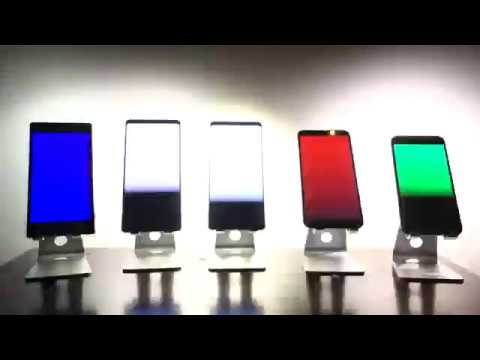
Splash of colors. Flash the screen, alone or synchronized with camera LED flashes, with one or more colors.
Widgets support. Launch strobe lights with different frequencies from the launcher screen by creating app widgets.
Supports front flash, if any.
May be used as a coarse stroboscope, with limitations due to device hardware, on devices that support fast turning on/off of the LED flash.
Use phone LED flash as a strobe light or flashlight.
Sound activated feature to flash to ambient sound (requires microphone permission).
Splash of colors. Flash the screen, alone or synchronized with camera LED flashes, with one or more colors.
Widgets support. Launch strobe lights with different frequencies from the launcher screen by creating app widgets.
Supports front flash, if any.
May be used as a coarse stroboscope, with limitations due to device hardware, on devices that support fast turning on/off of the LED flash.
Mobile strobe
Updated on
Safety starts with understanding how developers collect and share your data. Data privacy and security practices may vary based on your use, region, and age. The developer provided this information and may update it over time.


Ratings and reviews
5.6K reviews

R 9
- Flag inappropriate
August 24, 2020
It does what you want it to do without any hassle. Thank you to the developer. I personally used this while I was kayaking on the Hudson at night. I set this to blink at a specific frequency so I have a light on my kayak for other boats to see. Very little battery usage. It gives you the option to choose the rate of flash with frequency or flash per minute (FPM). It also let's you choose how long of a pause in between flashes you want and how long you want each flash to be.
71 people found this review helpful

A Google user
- Flag inappropriate
- Show review history
August 3, 2019
During the strobe, the frequency of the blinking is not displayed. On the display with the adjustments, there are a half dozen virtual sliders and buttons, but they are not labeled. Lack of labeling makes using the app overly complicated. However, if you just want some blinking, this app will accomplish that. It really doesn't like to strobe 40 Hz. It will do a solid 39 or 41, your phone may vary.
39 people found this review helpful
Zidsoft
December 19, 2019
Frequency of a strobe is displayed clearly in Hz on the main screen and also optionally in flashes per minute.

Sam Oultram
- Flag inappropriate
- Show review history
August 2, 2026
just want to open the app and press play on aad strobe .. can't figure it out. I don't need a standard flashlight everyone's phone has that! when I open and press play.. strobe that ting out. the app definitely does not default to strobe on mine, only flashlight
Zidsoft
August 7, 2026
Open app, initial default tab is strobe tab, press big button in the middle of the screen to start/stop LED strobe. App remembers/restores last tab you used. So if you changed tabs from the default strobe tab and want to navigate back to the strobe tab, tap the strobe icon (third icon) in the bottom tab strip.
What’s new
Add translate, skew and scale canvas support at slide, layer and cell level.
Optional layer label.
More flags.
Optional layer label.
More flags.
App support
About the developer
ZIDSOFT CONSULTING LLC
support@zidsoft.com
290 Grove St Apt 8
Auburndale, MA 02466
United States
+1 805-253-2743


