
Files To Other Devices
Contains ads

4.2star
1.42K reviews
100K+
Downloads

Everyone
info







About this app
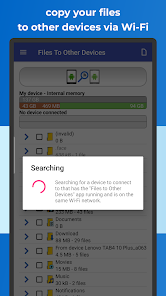
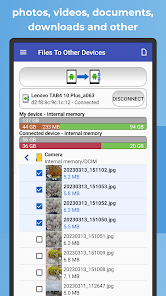
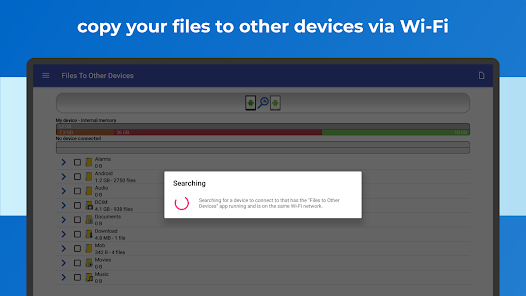
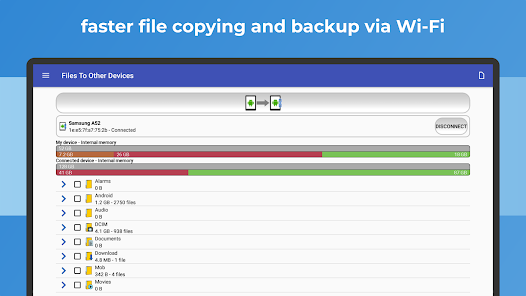
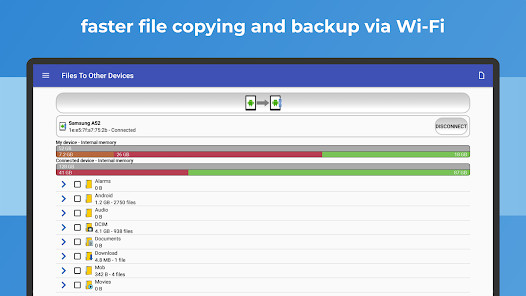
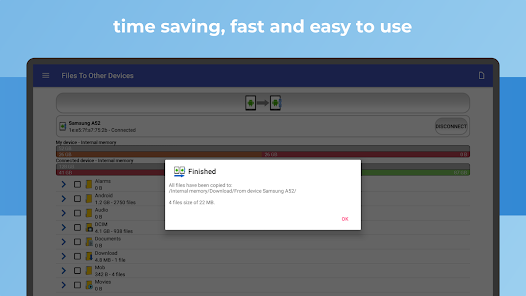
"Files To Other Devices" is a convenient and efficient application available on Google Play that allows you to seamlessly transfer files between Android devices using Wi-Fi P2P connectivity.
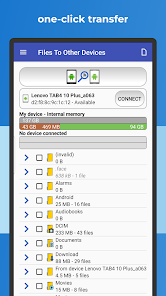
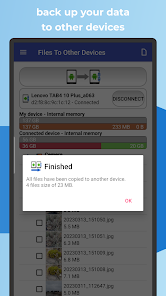
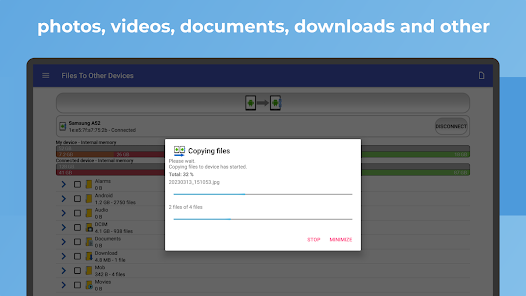
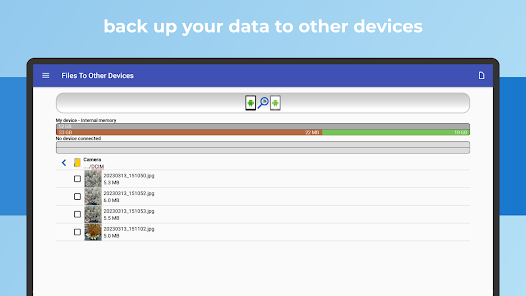
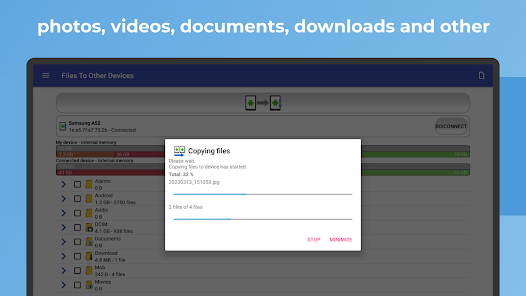
With just a single click, you can effortlessly copy various file types, including photos, videos, documents, and downloads, from your device's internal memory or SD card to another Android device within your Wi-Fi range.
Key Features:
✔️ Copy files to another device wirelessly and instantly.
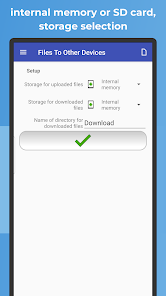
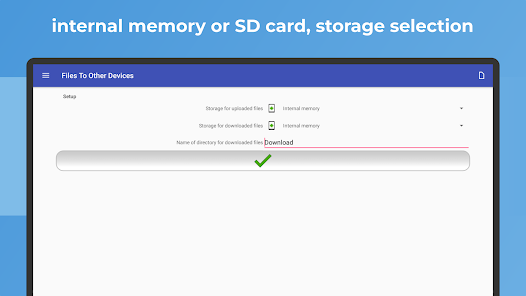
✔️ Transfer files from internal memory or SD card to your preferred destination.
✔️ Enable hassle-free Wi-Fi file sharing without the need for any cables or internet connectivity.
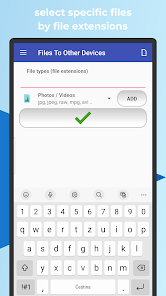
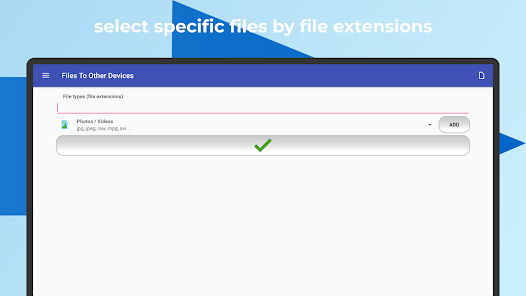
✔️ Select specific files for transfer based on file extensions, ensuring quick and targeted sharing.
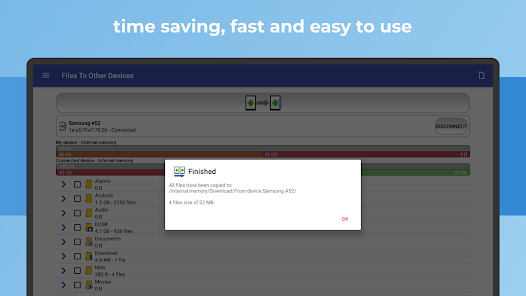
By integrating "Files To Other Devices" into your daily routine, you gain immediate access to a user-friendly interface that simplifies file sharing with your friends, family, or colleagues. Whether you need to swiftly distribute vacation photos or collaborate on work-related documents, this app streamlines the entire process.
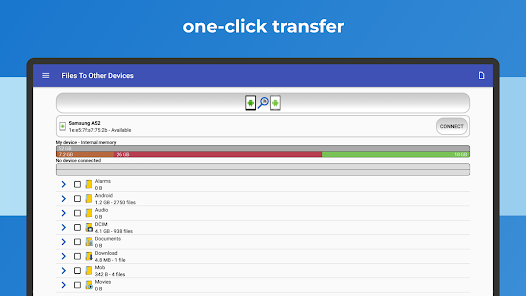
To get started, simply pair the target device with your Android phone or tablet, select the files you wish to transfer, and initiate the process with a single tap. Experience the freedom of wireless file sharing, where data transmission is secure, efficient, and stress-free.
This versatile app caters to your specific needs, allowing you to choose whether you want to copy files from your device's internal memory or SD card to another device, or vice versa. In addition, the app provides comprehensive file previews with detailed information, accessible through a long touch on the selected file.
Enhance your file management capabilities by effortlessly moving or backing up files based on specific file extensions. This functionality allows you to save valuable time when handling large volumes of data.
To ensure seamless access to your SD card, "Files To Other Devices" requires an initial permission setup during the first installation and subsequent access after each device restart.
Upgrade your file sharing experience with "Files To Other Devices" on Google Play and enjoy the convenience of wireless, fast, and secure transfers. Start efficiently managing and distributing your files today!
With just a single click, you can effortlessly copy various file types, including photos, videos, documents, and downloads, from your device's internal memory or SD card to another Android device within your Wi-Fi range.
Key Features:
✔️ Copy files to another device wirelessly and instantly.
✔️ Transfer files from internal memory or SD card to your preferred destination.
✔️ Enable hassle-free Wi-Fi file sharing without the need for any cables or internet connectivity.
✔️ Select specific files for transfer based on file extensions, ensuring quick and targeted sharing.
By integrating "Files To Other Devices" into your daily routine, you gain immediate access to a user-friendly interface that simplifies file sharing with your friends, family, or colleagues. Whether you need to swiftly distribute vacation photos or collaborate on work-related documents, this app streamlines the entire process.
To get started, simply pair the target device with your Android phone or tablet, select the files you wish to transfer, and initiate the process with a single tap. Experience the freedom of wireless file sharing, where data transmission is secure, efficient, and stress-free.
This versatile app caters to your specific needs, allowing you to choose whether you want to copy files from your device's internal memory or SD card to another device, or vice versa. In addition, the app provides comprehensive file previews with detailed information, accessible through a long touch on the selected file.
Enhance your file management capabilities by effortlessly moving or backing up files based on specific file extensions. This functionality allows you to save valuable time when handling large volumes of data.
To ensure seamless access to your SD card, "Files To Other Devices" requires an initial permission setup during the first installation and subsequent access after each device restart.
Upgrade your file sharing experience with "Files To Other Devices" on Google Play and enjoy the convenience of wireless, fast, and secure transfers. Start efficiently managing and distributing your files today!
Updated on
Safety starts with understanding how developers collect and share your data. Data privacy and security practices may vary based on your use, region, and age. The developer provided this information and may update it over time.


Ratings and reviews
4.3
1.33K reviews

A Google user
- Flag inappropriate
- Show review history
December 11, 2019
My first review was erroneous so i had to come back to edit it. There seems to be too many bugs and problems using this app which need sorting out, e.g. downloads ending up in wrong storage when everything visibly in order, repeatedly 'hanging up' and failing to copy after informing me 'copying in progress please wait', and other annoying and time consuming things. As i said yesterday better instructions are also needed to use this app effectively & without undue problems. Brent Collins .
148 people found this review helpful
A Google user
- Flag inappropriate
- Show review history
June 29, 2019
app looks ok but: instructions are cryptic or non existent, assumes knowledge an ordinary user doesn't have ("root"???), will not recognize my tablet 3 inches away, doesn't register choices in "setup," "help" section is worthless. Other than that, it looks pretty.
129 people found this review helpful

Maggie Wildash
- Flag inappropriate
July 10, 2024
When I used it, it was easy & straight forward, an excellent app. But it's been discontinued for years.
Michal Bukáček
July 24, 2024
Thank you very much
What's new
- Ready for Android 14 Upside Down Cake
- Fixed bugs
- Fixed bugs


