
Pingly
In-app purchases


Everyone
info
100+
Downloads


About this app
Hey, partner—your Pingly Sloth here.
Have you ever picked up your phone to check one simple thing, only to end up jumping between five different apps—or, even worse, forgetting why you picked it up in the first place?
Same here. That’s exactly why Pingly exists.
The problem isn’t that you lack information. It’s that everything you care about is scattered across multiple apps.
Pingly connects the things you care about with the things you need to do.
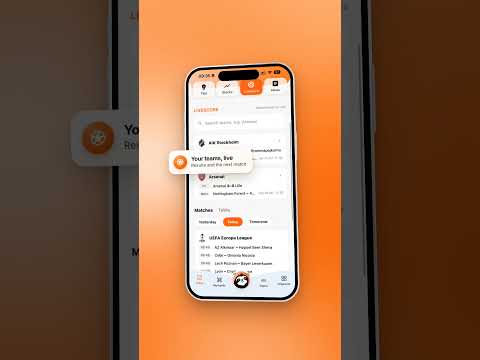
- Your personal feed keeps you informed without overwhelming you with posts you never asked for. Use Keywords to track the specific things that matter to you—like your local sports club or someone you want to keep up with. Create Topics when you want to go deeper, from living a healthier life to finally mastering something you’ve always been curious about.
You choose what matters. Pingly does the digging.
- Pingly brings your inbox, calendar, and notes under one roof—then gives the whole place an AI brain, turning everyday tools into seriously smart ones.
- The Today page keeps your schedule in focus and catches the little things you might forget, all in one daily brief.
- Pingly News keeps you in the loop with 100 local and global stories throughout the day, while the Tips page turns free moments into better ones—like a new lunch spot to try or a nearby event that fits perfectly into a free evening.
- When the week starts looking like a puzzle, Pingly Planner turns your tasks into a clear plan for the day. One tap can also sum up the next two weeks of your calendar—
so your brain can start closing all the open tabs.
- Whenever you need help—or simply feel like talking—your personal AI sloth is right there with you.
And like any good companion, Pingly checks in too, with caring messages, a quote to brighten your day, and gentle reminders of what really matters.
/ Pingly team
— an app that gets you.
Have you ever picked up your phone to check one simple thing, only to end up jumping between five different apps—or, even worse, forgetting why you picked it up in the first place?
Same here. That’s exactly why Pingly exists.
The problem isn’t that you lack information. It’s that everything you care about is scattered across multiple apps.
Pingly connects the things you care about with the things you need to do.
- Your personal feed keeps you informed without overwhelming you with posts you never asked for. Use Keywords to track the specific things that matter to you—like your local sports club or someone you want to keep up with. Create Topics when you want to go deeper, from living a healthier life to finally mastering something you’ve always been curious about.
You choose what matters. Pingly does the digging.
- Pingly brings your inbox, calendar, and notes under one roof—then gives the whole place an AI brain, turning everyday tools into seriously smart ones.
- The Today page keeps your schedule in focus and catches the little things you might forget, all in one daily brief.
- Pingly News keeps you in the loop with 100 local and global stories throughout the day, while the Tips page turns free moments into better ones—like a new lunch spot to try or a nearby event that fits perfectly into a free evening.
- When the week starts looking like a puzzle, Pingly Planner turns your tasks into a clear plan for the day. One tap can also sum up the next two weeks of your calendar—
so your brain can start closing all the open tabs.
- Whenever you need help—or simply feel like talking—your personal AI sloth is right there with you.
And like any good companion, Pingly checks in too, with caring messages, a quote to brighten your day, and gentle reminders of what really matters.
/ Pingly team
— an app that gets you.
One place for your inbox, calendar, news and the things you care about.
Updated on
Safety starts with understanding how developers collect and share your data. Data privacy and security practices may vary based on your use, region, and age. The developer provided this information and may update it over time.


What’s new
Hey there.
We've been busy, and your pocket just got a bit smarter:
Dark Mode: easily switch between light and dark themes anytime in your profile settings.
Fresher Sign-In: enjoy a brand-new design for both your sign-in and sign-up screens.
Sleeker Navigation: a slimmer navigation bar with a new buttons.
Swipeable Menus: cleaner email and notes experience.
Plus the usual polish and bug fixes across the app.
Update now, and let us know what you think!
/ Pingly team
- an app that gets you.
We've been busy, and your pocket just got a bit smarter:
Dark Mode: easily switch between light and dark themes anytime in your profile settings.
Fresher Sign-In: enjoy a brand-new design for both your sign-in and sign-up screens.
Sleeker Navigation: a slimmer navigation bar with a new buttons.
Swipeable Menus: cleaner email and notes experience.
Plus the usual polish and bug fixes across the app.
Update now, and let us know what you think!
/ Pingly team
- an app that gets you.
App support
About the developer
PINGLY APP LIMITED
isac@pingly.info
EDEN BEACH APARTMENTS, BLOCK 4, Flat 112, 227 28 Oktovriou
Limassol 3035
Cyprus
+357 94 090504


