
ProtoPie Player — Prototyping
4.4star
270 reviews
100K+
Downloads

Everyone
info





About this app
ProtoPie Player is a free companion app to ProtoPie Studio, a code-free prototyping tool on macOS & Windows. View, experience, and test prototypes on Android and WearOS easily. Access prototypes in the cloud, save prototypes locally, and more—all from your Android device.
Ideal for yourself, your colleagues, stakeholders, clients, or users. ProtoPie Player is perfect for quickly testing prototypes made with ProtoPie, getting prototypes in anyone's hands, and (remote) usability testing.
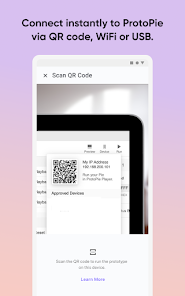
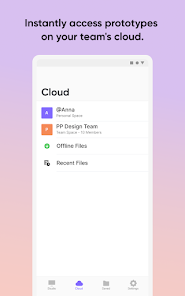
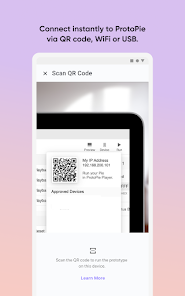
To open prototypes on your Android device, connect ProtoPie Player to ProtoPie Studio via WiFi or USB. Or just log in with your ProtoPie account to access your prototypes in the cloud.
Also, it's possible to open any prototype on Android with a shareable link or shared via any other third-party solution—without connecting to ProtoPie Studio.
With ProtoPie Player, you can:
- Open any prototypes—shared via ProtoPie Cloud, email, Google Drive, Slack, or any other messaging and storage solution.
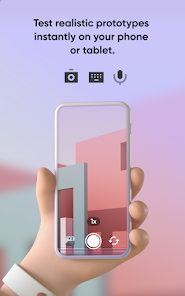
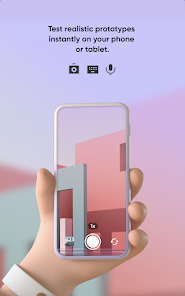
- Use Android its native capabilities in prototypes, e.g., camera, gyroscope, microphone, and more.
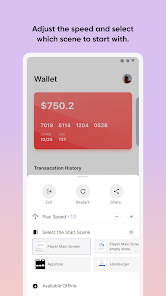
- Control the play speed: slow down the prototype to experience the interactions with more detail.
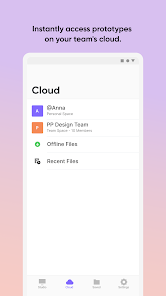
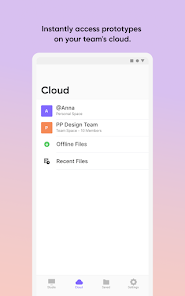
- Access prototypes in ProtoPie Cloud.
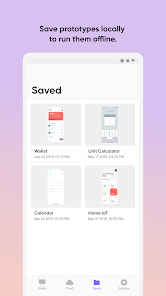
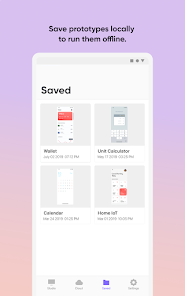
- Save prototypes locally for offline usage.
ProtoPie Player is part of the ProtoPie ecosystem. ProtoPie is a prototyping tool to easily turn your interaction design ideas into realistic prototypes. Create interactive prototypes for mobile, desktop, web, and IoT.
Get started with ProtoPie at https://www.protopie.io/
Wear
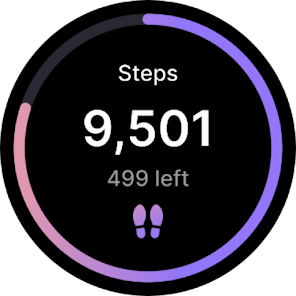
ProtoPie Player for Wear OS is a free companion app, part of the ProtoPie Smartwatch Solution—ProtoPie's offering for realistic smartwatch prototyping and fully immersive connected experiences involving a smartwatch.
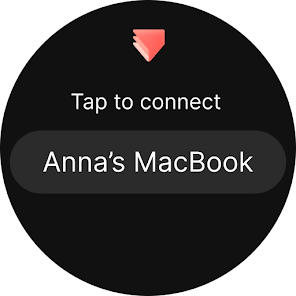
- To open prototypes on your Wear OS device, connect ProtoPie Player to ProtoPie Connect (not ProtoPie Studio) via WiFi.
- **ProtoPie Connect should be installed to use ProtoPie Smartwatch Solution**
- Here is for test account if you want to explore.ProtoPie Connect : Download [Link](https://www.notion.so/48d4c63b292341d2aace7bb5f40d862b)
(Guide for basic ‘how to use’ included)
- For more details how to use Wear OS - refer here(https://www.protopie.io/learn/docs/player/player-for-wear-os)
**Wear OS is only for Enterprise plan**
Get started with the ProtoPie Smartwatch Solution at (https://www.protopie.io/solutions/smartwatch)
Ideal for yourself, your colleagues, stakeholders, clients, or users. ProtoPie Player is perfect for quickly testing prototypes made with ProtoPie, getting prototypes in anyone's hands, and (remote) usability testing.
To open prototypes on your Android device, connect ProtoPie Player to ProtoPie Studio via WiFi or USB. Or just log in with your ProtoPie account to access your prototypes in the cloud.
Also, it's possible to open any prototype on Android with a shareable link or shared via any other third-party solution—without connecting to ProtoPie Studio.
With ProtoPie Player, you can:
- Open any prototypes—shared via ProtoPie Cloud, email, Google Drive, Slack, or any other messaging and storage solution.
- Use Android its native capabilities in prototypes, e.g., camera, gyroscope, microphone, and more.
- Control the play speed: slow down the prototype to experience the interactions with more detail.
- Access prototypes in ProtoPie Cloud.
- Save prototypes locally for offline usage.
ProtoPie Player is part of the ProtoPie ecosystem. ProtoPie is a prototyping tool to easily turn your interaction design ideas into realistic prototypes. Create interactive prototypes for mobile, desktop, web, and IoT.
Get started with ProtoPie at https://www.protopie.io/
Wear
ProtoPie Player for Wear OS is a free companion app, part of the ProtoPie Smartwatch Solution—ProtoPie's offering for realistic smartwatch prototyping and fully immersive connected experiences involving a smartwatch.
- To open prototypes on your Wear OS device, connect ProtoPie Player to ProtoPie Connect (not ProtoPie Studio) via WiFi.
- **ProtoPie Connect should be installed to use ProtoPie Smartwatch Solution**
- Here is for test account if you want to explore.ProtoPie Connect : Download [Link](https://www.notion.so/48d4c63b292341d2aace7bb5f40d862b)
(Guide for basic ‘how to use’ included)
- For more details how to use Wear OS - refer here(https://www.protopie.io/learn/docs/player/player-for-wear-os)
**Wear OS is only for Enterprise plan**
Get started with the ProtoPie Smartwatch Solution at (https://www.protopie.io/solutions/smartwatch)
Updated on
Safety starts with understanding how developers collect and share your data. Data privacy and security practices may vary based on your use, region, and age. The developer provided this information and may update it over time.


Ratings and reviews
4.4
262 reviews

James Franklin
- Flag inappropriate
- Show review history
May 17, 2024
Great, used for a short film, works amazing

Ravi Verma
- Flag inappropriate
August 21, 2023
I think its the slowest app i have ever used. The biggest problem is whenever i open the app i have to login again. Each and every time i have to go to web browser and login and its damn frustrating. I have prototype my app which has more thn 100+ pages and each and every time i open this in app it takes ages to open. For me previewing my work on app, takes more time thn prototyping the my work. I dont know they knew about all of these or not but its too much to handle now.
3 people found this review helpful

Nova Cafe
- Flag inappropriate
June 10, 2024
Keeps restricting features and has unreasonable pricing plans, especially for people coming from developing countries. Mostly centered around big companies that have hard cash to spare. Not startup or entrepreneur friendly.
What's new
- Improved the interaction model supporting new features
- UI improvement
- Bug Fixes
- UI improvement
- Bug Fixes


