Canon PRINT
Contains ads
4.6star
650K reviews
50M+
Downloads

Everyone
info


About this app
Previously: Canon PRINT Inkjet/SELPHY.
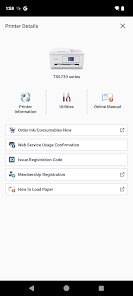
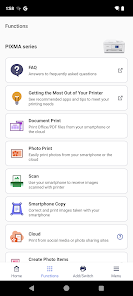
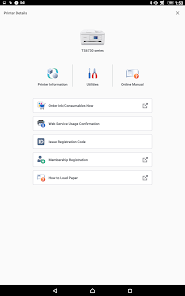
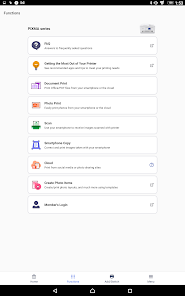
Canon PRINT is a companion app for your Canon printer.
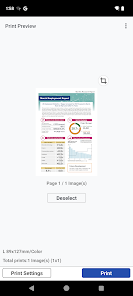
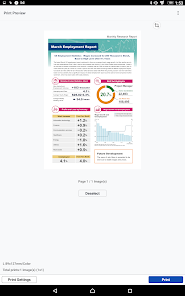
With this app you can set up your printer, and start printing and scanning. It also provides various handy functions such as checking consumable levels, and printing via the cloud.
We recommend using Canon PRINT with your Canon printer.
Some functions and services may not be available in certain printers, countries or regions and environments.
[Supported printers]
- Inkjet Printers
PIXMA TS series, TR series, MG series, MX series, G series, E series, PRO series, MP series, iP series, iX series
MAXIFY MB series, iB series, GX series
imagePROGRAF PRO, TM, TA, TX, TZ, GP, TC series
*Except for some models
- Laser Printers
imageCLASS series, imageCLASS X series, i-SENSYS series, i-SENSYS X series, Satera series
- Compact Photo Printers
SELPHY CP900 series, CP910, CP1200, CP1300, CP1500
*CP900 does not support printing in Ad Hoc mode. Please use Infrastructure mode.
Canon PRINT is a companion app for your Canon printer.
With this app you can set up your printer, and start printing and scanning. It also provides various handy functions such as checking consumable levels, and printing via the cloud.
We recommend using Canon PRINT with your Canon printer.
Some functions and services may not be available in certain printers, countries or regions and environments.
[Supported printers]
- Inkjet Printers
PIXMA TS series, TR series, MG series, MX series, G series, E series, PRO series, MP series, iP series, iX series
MAXIFY MB series, iB series, GX series
imagePROGRAF PRO, TM, TA, TX, TZ, GP, TC series
*Except for some models
- Laser Printers
imageCLASS series, imageCLASS X series, i-SENSYS series, i-SENSYS X series, Satera series
- Compact Photo Printers
SELPHY CP900 series, CP910, CP1200, CP1300, CP1500
*CP900 does not support printing in Ad Hoc mode. Please use Infrastructure mode.
Updated on
Safety starts with understanding how developers collect and share your data. Data privacy and security practices may vary based on your use, region, and age. The developer provided this information and may update it over time.


Ratings and reviews
4.6
606K reviews

Suzzanne
- Flag inappropriate
July 23, 2024
My 5 year old Canon Pixma 5300 series printer was not in use for over a year. I was able to restart it easily. I synced it up to both my new phone and older computer wirelessly with shockingly small amounts of difficulty. I'm not terribly tech savvy, so was pleasantly surprised that it just warmed up in no time and works like a champ printing beautifully from either device with only about a minutes warm up. I'm just in love with this printer because it's so reliable and easy to navigate.
1 person found this review helpful

Scott T
- Flag inappropriate
- Show review history
July 6, 2024
This really is a smooth app. I had my doubts because printers and phone/desktop applications have been so cludgy for so long that my bar was really low. This app actually worked all the time. I'm sure they will update it so it works as horribly as I've come to expect from printer apps. Updated July 6, 2024: just got an updated terms of service that I have to are to or I can no longer use the software. I've been using this software for years &now I can't use it without agreeing. Why?
57 people found this review helpful

Ruth Anderson
- Flag inappropriate
July 1, 2024
Clunky, many problems, not user friendly, slow. Very minimum options for print changes. Huge, huge difference whether using OTC ink or program ink. While waiting over 2 months for program ink, only fuzzy, faded color pics produced. Most of the time the printer was "unavailable", can't connect. After program ink, this app suddenly connects and works better. So app is designed to increase profits. You don't know what you don't know - used HP for years and NEVER had any of these problems.
11 people found this review helpful
What's new
Some functions have been improved.


