
南山堂医学大辞典第20版
50+
Downloads

Everyone
info

About this app
<================================
The most popular comprehensive medical dictionary in Japan.
You can also use it as an app!
<================================
■ Dictionary content information ■
・"Nanzando Medical Dictionary 20th Edition" is the latest edition of the first full-fledged medical dictionary published in 1954 by a Japanese author.
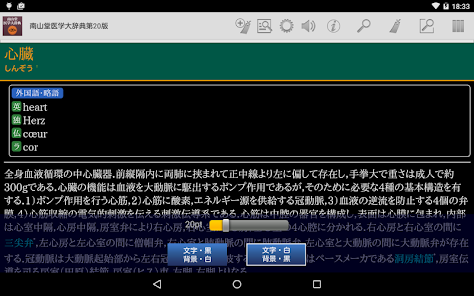
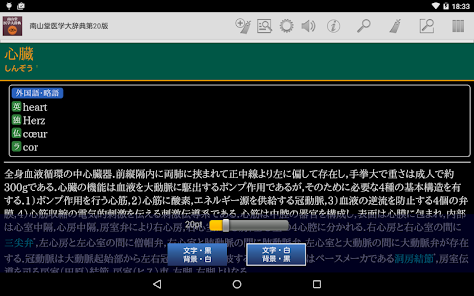
- Contains approximately 40,000 headwords and features detailed explanations that deepen understanding.
・In addition to adding pronunciations to headwords, Japanese words are also listed in the foreign language index, and it also functions as a glossary.
・The 20th edition has added the latest terminology and completely reviewed the content, and now includes a comprehensive list of medical terminology in a wide range of fields, from basic medicine to clinical medicine.
・The content contains a wealth of detailed information written by a team of over 1,300 first-class writers.
・This is Japan's most well-established comprehensive medical dictionary, widely trusted by medical and medical professionals for over 60 years.
・Furthermore, it is widely used in medicine-related fields such as pharmacy and nursing, as well as in the legal profession, government, and mass media.
■ Power up the features of dictionary content with app functions! ■
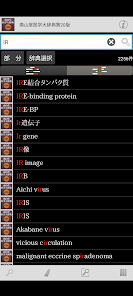
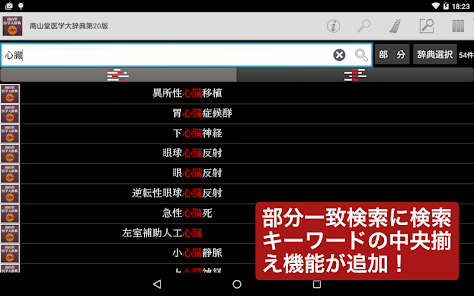
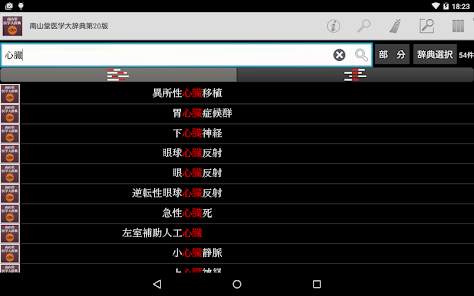
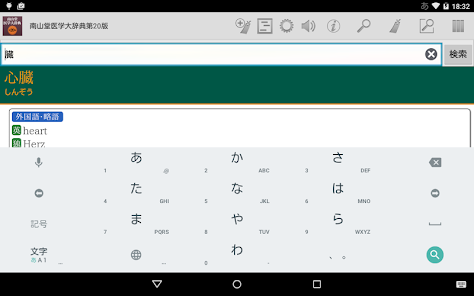
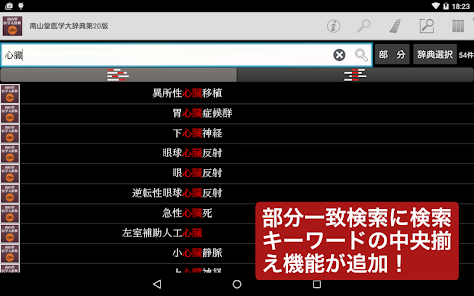
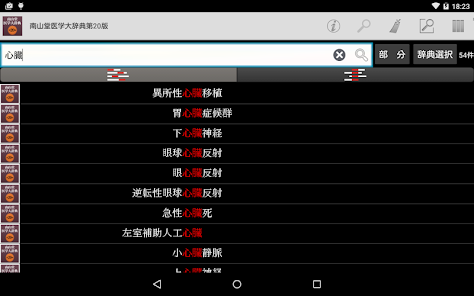
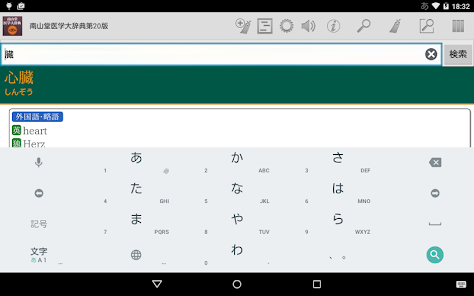
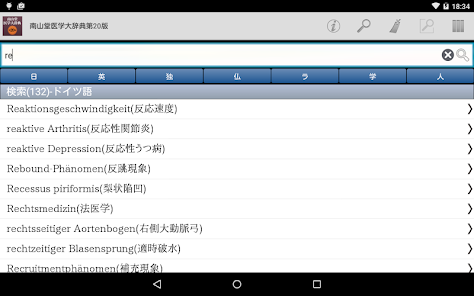
- Equipped with a special keyword partial match "KWIT search" function.
It is possible to display the list of search results "aligned" at the locations that match the search keyword.
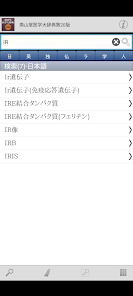
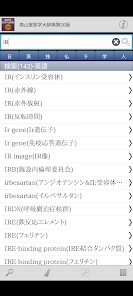
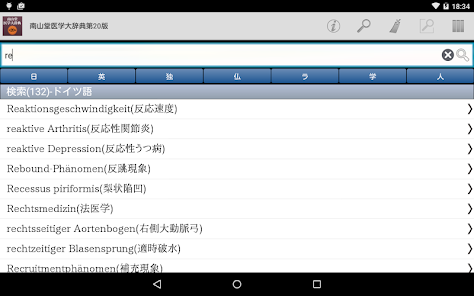
-Equipped with an "index search" function that reorganizes the foreign language index of books for the app.
You can narrow down the contents of the index by classification of five languages + scientific names, human names, and search keywords.
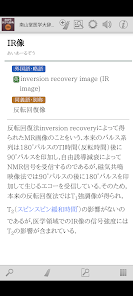
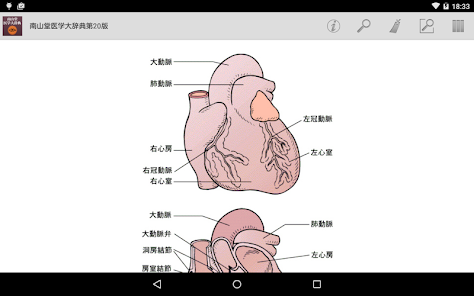
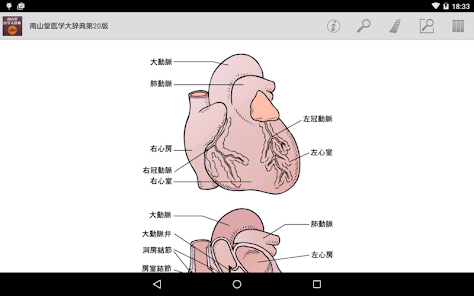
- Contains many color images and illustrations.
■ Complete search function! ■
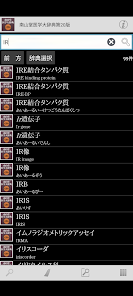
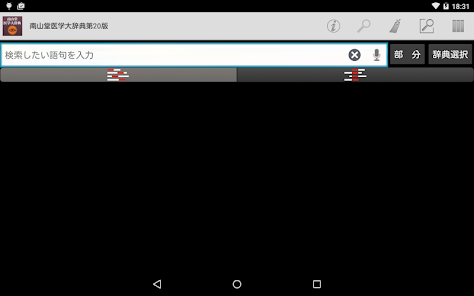
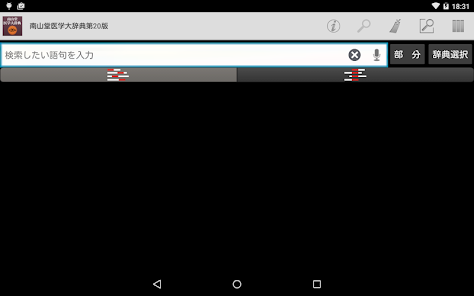
・Automatic search every time you enter a keyword. Instantly update search results with "Incremental Search".
- Search keyword input is of course also supported by voice input.
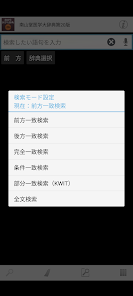
- Match conditions for search keywords can be specified in detail, such as "starting match" or "suffix matching". Instantly re-search even when conditions change.
・You can use "Full text search" to search the text of all items in almost all dictionaries.
・It is possible to search within the text of the dictionary entry you are currently reading.
- Automatically records the history of entered keywords and displayed items. Re-entering and re-displaying is easy.
■ Since it is an app, you can share operations with other apps! ■
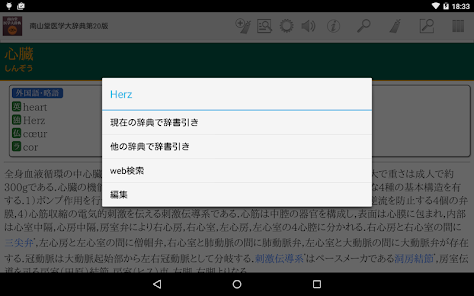
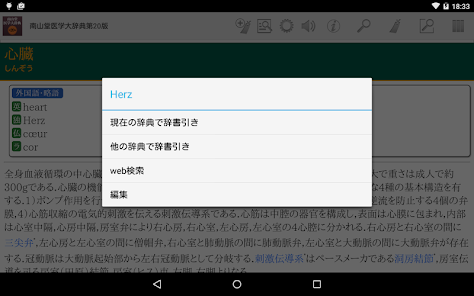
・Supports basic Android operation "Share"! It is possible to have the dictionary browser search for text selected in another app.
- You can freely specify the dictionary you want to search using "Shared" from among the dictionary apps you already have.
・Contrary to "Share", you can search the web using the text of the dictionary entry. Of course, you can also search in dictionary apps.
■ Customize the text to make it easier to read! ■
- Font size can be set in detail for text in dictionary entries.
- Equipped with a dark theme type display mode (black background + white text) that is less tiring on the eyes.
- Of course, you can also change the item size using touch operations.
■ Register important information as a bookmark! ■
-You can register bookmarks to dictionary items at any time.
- Bookmarks can be divided into 10 color patterns and memo text can be set.
- The bookmark list screen is equipped with a filter function that displays only bookmarks of a specific color.
- The display order on the bookmark list screen can be sorted by registration date, item order, etc.
■ Strong cooperation between dictionary series! ■
- You can freely group dictionary series and search them all at once.
・In the group dictionary search result list, you can jump to the beginning of each member's dictionary.
・Duplicate is also OK! One dictionary can be registered as a member of various groups at the same time.
・Of course, the bookmarks of the group dictionary can be displayed all at once.
-You can immediately search in another dictionary using the text of the displayed dictionary item.
■ Equipped with convenient additional/expanded functions! ■
・You can have the text of dictionary entries read out loud with a synthesized voice.
■ No need to connect to the internet after preparations are complete! ■
- All data required by the dictionary is saved within the app.
・After installation and preparation for use, it can be used completely offline.
■ Update history [Latest version 2.01] ■
- We have significantly revised the acquisition and management of dictionary data.
- The auxiliary (dictionary browser) app used in conjunction with the dictionary app has been switched to a new, separate app.
■ Regarding handwritten input function ■
・The handwriting input function “Rakuhira” that was built into the dictionary browser app is
Due to development issues at the function provider, we are no longer able to provide this service in the future.
We apologize for the inconvenience, but please consider using the "GBoard-Google Keyboard" app instead.
■ Notes ■
- To use this app, you will need a free auxiliary app to search and display the LogoVista electronic dictionary series.
When launching the app, if the existence of the auxiliary app cannot be confirmed, an option to move to Google Play will be displayed.
Please obtain "LogoVista Electronic Dictionary Viewing Browser Ver.2 for Android" from Google Play.
・To use the text reading function using synthesized voice, you need to install the separate free "Google Text-to-Speech" app.
-If you have any questions about our products, please contact us at the address below.
android.dev@logovista.co.jp
■ About saving data to external storage (external SD card) ■
・You can save some of the dictionary app data to external storage (external SD card).
*There are precautions such as conditions for use. For more information, please check Q8 from our Q&A page below.
https://www.logovista.co.jp/LVERP/information/support/user_qa/android/top.html#08
■ Operating environment ■
・Android OS 6.0 to 13.0
*The operating environment is the latest version released. If you are using an earlier version, the terms may be different.
■ About Chromebook compatible models
To use the LogoVista electronic dictionary series for Android app on your Chromebook, you need a Chromebook that supports Google Play (Android app).
■ Operation not guaranteed ■
・Android OS 1.0 to 5.1.1
・Android device equipped with a non-ARM CPU
・“Go Edition” version of each Android OS
■ Operation confirmed model (terminal) information ■
・Please check our website below.
https://www.logovista.co.jp/LVERP/information/android/kishu.html
*For information regarding the device you are using, please contact the manufacturer.
■Developer/Distributor ■
Logovista Co., Ltd. https://www.logovista.co.jp/
■ Content publisher ■
Nanzando Co., Ltd.
The most popular comprehensive medical dictionary in Japan.
You can also use it as an app!
<================================
■ Dictionary content information ■
・"Nanzando Medical Dictionary 20th Edition" is the latest edition of the first full-fledged medical dictionary published in 1954 by a Japanese author.
- Contains approximately 40,000 headwords and features detailed explanations that deepen understanding.
・In addition to adding pronunciations to headwords, Japanese words are also listed in the foreign language index, and it also functions as a glossary.
・The 20th edition has added the latest terminology and completely reviewed the content, and now includes a comprehensive list of medical terminology in a wide range of fields, from basic medicine to clinical medicine.
・The content contains a wealth of detailed information written by a team of over 1,300 first-class writers.
・This is Japan's most well-established comprehensive medical dictionary, widely trusted by medical and medical professionals for over 60 years.
・Furthermore, it is widely used in medicine-related fields such as pharmacy and nursing, as well as in the legal profession, government, and mass media.
■ Power up the features of dictionary content with app functions! ■
- Equipped with a special keyword partial match "KWIT search" function.
It is possible to display the list of search results "aligned" at the locations that match the search keyword.
-Equipped with an "index search" function that reorganizes the foreign language index of books for the app.
You can narrow down the contents of the index by classification of five languages + scientific names, human names, and search keywords.
- Contains many color images and illustrations.
■ Complete search function! ■
・Automatic search every time you enter a keyword. Instantly update search results with "Incremental Search".
- Search keyword input is of course also supported by voice input.
- Match conditions for search keywords can be specified in detail, such as "starting match" or "suffix matching". Instantly re-search even when conditions change.
・You can use "Full text search" to search the text of all items in almost all dictionaries.
・It is possible to search within the text of the dictionary entry you are currently reading.
- Automatically records the history of entered keywords and displayed items. Re-entering and re-displaying is easy.
■ Since it is an app, you can share operations with other apps! ■
・Supports basic Android operation "Share"! It is possible to have the dictionary browser search for text selected in another app.
- You can freely specify the dictionary you want to search using "Shared" from among the dictionary apps you already have.
・Contrary to "Share", you can search the web using the text of the dictionary entry. Of course, you can also search in dictionary apps.
■ Customize the text to make it easier to read! ■
- Font size can be set in detail for text in dictionary entries.
- Equipped with a dark theme type display mode (black background + white text) that is less tiring on the eyes.
- Of course, you can also change the item size using touch operations.
■ Register important information as a bookmark! ■
-You can register bookmarks to dictionary items at any time.
- Bookmarks can be divided into 10 color patterns and memo text can be set.
- The bookmark list screen is equipped with a filter function that displays only bookmarks of a specific color.
- The display order on the bookmark list screen can be sorted by registration date, item order, etc.
■ Strong cooperation between dictionary series! ■
- You can freely group dictionary series and search them all at once.
・In the group dictionary search result list, you can jump to the beginning of each member's dictionary.
・Duplicate is also OK! One dictionary can be registered as a member of various groups at the same time.
・Of course, the bookmarks of the group dictionary can be displayed all at once.
-You can immediately search in another dictionary using the text of the displayed dictionary item.
■ Equipped with convenient additional/expanded functions! ■
・You can have the text of dictionary entries read out loud with a synthesized voice.
■ No need to connect to the internet after preparations are complete! ■
- All data required by the dictionary is saved within the app.
・After installation and preparation for use, it can be used completely offline.
■ Update history [Latest version 2.01] ■
- We have significantly revised the acquisition and management of dictionary data.
- The auxiliary (dictionary browser) app used in conjunction with the dictionary app has been switched to a new, separate app.
■ Regarding handwritten input function ■
・The handwriting input function “Rakuhira” that was built into the dictionary browser app is
Due to development issues at the function provider, we are no longer able to provide this service in the future.
We apologize for the inconvenience, but please consider using the "GBoard-Google Keyboard" app instead.
■ Notes ■
- To use this app, you will need a free auxiliary app to search and display the LogoVista electronic dictionary series.
When launching the app, if the existence of the auxiliary app cannot be confirmed, an option to move to Google Play will be displayed.
Please obtain "LogoVista Electronic Dictionary Viewing Browser Ver.2 for Android" from Google Play.
・To use the text reading function using synthesized voice, you need to install the separate free "Google Text-to-Speech" app.
-If you have any questions about our products, please contact us at the address below.
android.dev@logovista.co.jp
■ About saving data to external storage (external SD card) ■
・You can save some of the dictionary app data to external storage (external SD card).
*There are precautions such as conditions for use. For more information, please check Q8 from our Q&A page below.
https://www.logovista.co.jp/LVERP/information/support/user_qa/android/top.html#08
■ Operating environment ■
・Android OS 6.0 to 13.0
*The operating environment is the latest version released. If you are using an earlier version, the terms may be different.
■ About Chromebook compatible models
To use the LogoVista electronic dictionary series for Android app on your Chromebook, you need a Chromebook that supports Google Play (Android app).
■ Operation not guaranteed ■
・Android OS 1.0 to 5.1.1
・Android device equipped with a non-ARM CPU
・“Go Edition” version of each Android OS
■ Operation confirmed model (terminal) information ■
・Please check our website below.
https://www.logovista.co.jp/LVERP/information/android/kishu.html
*For information regarding the device you are using, please contact the manufacturer.
■Developer/Distributor ■
Logovista Co., Ltd. https://www.logovista.co.jp/
■ Content publisher ■
Nanzando Co., Ltd.
Updated on
Safety starts with understanding how developers collect and share your data. Data privacy and security practices may vary based on your use, region, and age. The developer provided this information and may update it over time.

No data shared with third parties
Learn more about how developers declare sharing

No data collected
Learn more about how developers declare collection
What's new
■ バージョン3.02の更新内容(2024.03.04) ■
・「南山堂医学辞典セット」に合わせ高解像度アイコンを追加しました。
■ バージョン3.01の更新内容(2023.10.19) ■
・Google Play Android審査基準に対応し、セキュリティとパフォーマンスが改善されました。
■ アップデートに併せて本アプリのご利用には、弊社がGoogle Playで公開している辞典ブラウザアプリ「LogoVista電子辞典 閲覧用ブラウザ Ver.2(無料)」が必要となります。
辞典ブラウザアプリがインストールされていない、またはバージョンが古い場合などは、本アプリの起動時に、ご案内と、Google Playに移動する選択肢が表示されますので、ご利用ください。(Google Playで直接検索して頂くことでも、入手して頂けます。)
■ 製品についてお気づきの点がございましたら、下記のアドレス宛にお問い合わせください。
(お問い合わせの際には、内容の他、ご利用の端末名・ご利用OSのバージョンをお書き添えください。)
android.dev@logovista.co.jp
・「南山堂医学辞典セット」に合わせ高解像度アイコンを追加しました。
■ バージョン3.01の更新内容(2023.10.19) ■
・Google Play Android審査基準に対応し、セキュリティとパフォーマンスが改善されました。
■ アップデートに併せて本アプリのご利用には、弊社がGoogle Playで公開している辞典ブラウザアプリ「LogoVista電子辞典 閲覧用ブラウザ Ver.2(無料)」が必要となります。
辞典ブラウザアプリがインストールされていない、またはバージョンが古い場合などは、本アプリの起動時に、ご案内と、Google Playに移動する選択肢が表示されますので、ご利用ください。(Google Playで直接検索して頂くことでも、入手して頂けます。)
■ 製品についてお気づきの点がございましたら、下記のアドレス宛にお問い合わせください。
(お問い合わせの際には、内容の他、ご利用の端末名・ご利用OSのバージョンをお書き添えください。)
android.dev@logovista.co.jp


