
Video Enhancer Pro
3.8star
834 reviews
50K+
Downloads

Everyone
info




About this app
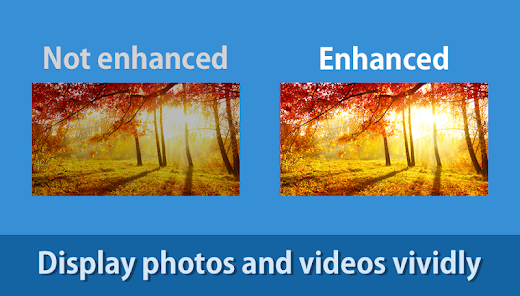
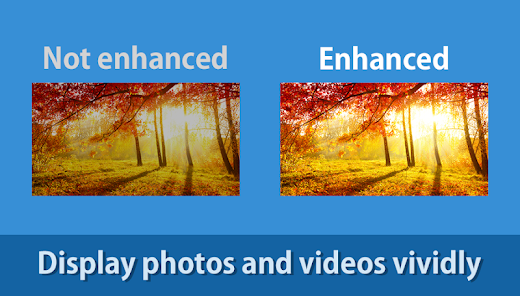
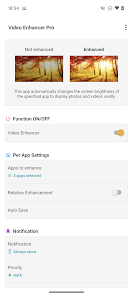
Detects launch / close of specified app and automatically changes the screen brightness.
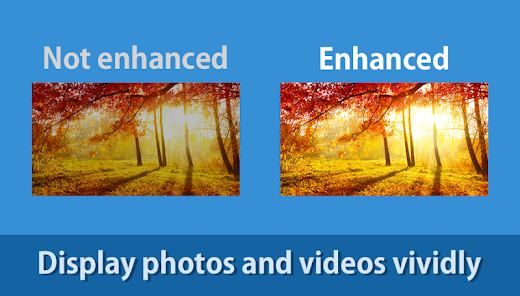
Apps that display photos and videos, such as gallery apps, album apps, Youtube, and Netflix, display more vividly when the screen brightness is higher than other apps.
However, changing the screen brightness for each app is cumbersome and many people watch photos and videos with low screen brightness.
This app automatically changes the screen brightness when the specified app starts up, improving the display and experience.
Features
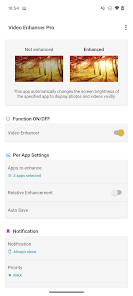
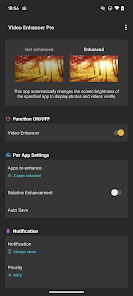
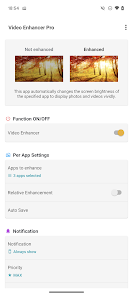
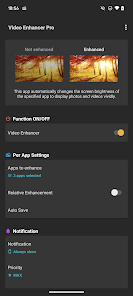
► Video Enhancer
Detects launch / close of specified app and automatically changes the screen brightness.
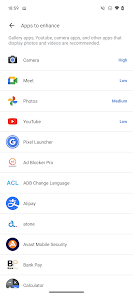
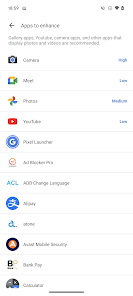
► Apps to enhance
You can set the screen brightness for each app.
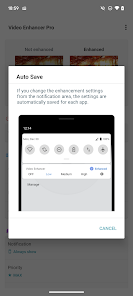
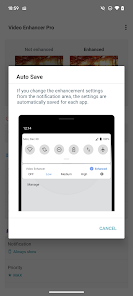
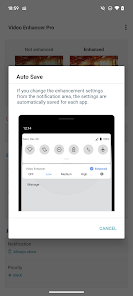
► Auto Save
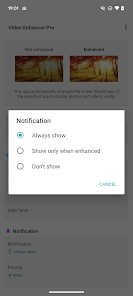
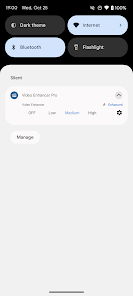
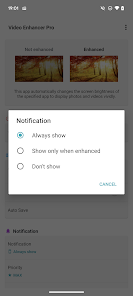
If you change the enhancement settings from the notification area, the settings are automatically saved for each app.
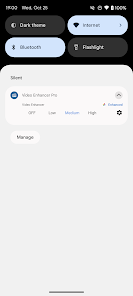
► Shortcut
You can enable / disable the app with a single tap from shortcuts, widgets and quick panels.
【For OPPO users】
This app needs to run a service in the background to detect which app has started.
OPPO devices require special settings to operate app services in the background due to their unique specifications. (If you do not do this, services running in the background will be forcibly terminated, and the app will not operate properly.)
Please drag this app a little down from the recent apps history and lock it.
If you do not know how to set, please search for "OPPO task lock".
Apps that display photos and videos, such as gallery apps, album apps, Youtube, and Netflix, display more vividly when the screen brightness is higher than other apps.
However, changing the screen brightness for each app is cumbersome and many people watch photos and videos with low screen brightness.
This app automatically changes the screen brightness when the specified app starts up, improving the display and experience.
Features
► Video Enhancer
Detects launch / close of specified app and automatically changes the screen brightness.
► Apps to enhance
You can set the screen brightness for each app.
► Auto Save
If you change the enhancement settings from the notification area, the settings are automatically saved for each app.
► Shortcut
You can enable / disable the app with a single tap from shortcuts, widgets and quick panels.
【For OPPO users】
This app needs to run a service in the background to detect which app has started.
OPPO devices require special settings to operate app services in the background due to their unique specifications. (If you do not do this, services running in the background will be forcibly terminated, and the app will not operate properly.)
Please drag this app a little down from the recent apps history and lock it.
If you do not know how to set, please search for "OPPO task lock".
Updated on
Safety starts with understanding how developers collect and share your data. Data privacy and security practices may vary based on your use, region, and age. The developer provided this information and may update it over time.

This app may share these data types with third parties
App info and performance and Device or other IDs

No data collected
Learn more about how developers declare collection

Data is encrypted in transit

Data can’t be deleted
Ratings and reviews
3.9
804 reviews

Peter Phichitsurakij
- Flag inappropriate
March 5, 2022
Works great on my Huawei device. However, why do I need to tap on the app's notification bar to turn it on? Please make it on once the app is run. No need for an additional tap to make it work. It goes back to off every few days and I have to tap the notification panel again.
45 people found this review helpful

Memory Thief (MemoryThief)
- Flag inappropriate
September 9, 2021
If the app does just what you claim, then explain the permissions that require full network access [and basically access to the entire phone via accessability] as I'm unsure why many of them would be required for an offline centric app concept… especially the 'install shortcuts' permission. Explain!
62 people found this review helpful

A Google user
- Flag inappropriate
April 18, 2020
Brilliant app, just wish the Low and medium settings were a little dimmer. Even better would be to allow us to set custom brightness for each level ourselves.
11 people found this review helpful
What's new
- Fixed bugs.


