
MP4Fix Video Repair Tool
In-app purchases

star
26.5K reviews

Everyone
info
1M+
Downloads


About this app
You can't play a video recorded on your phone? It looks like a broken file is lost forever?
No worries, You can easily fix your damaged video with MP4Fix and save your day.
Install now! You are 3 clicks away from playing your video!
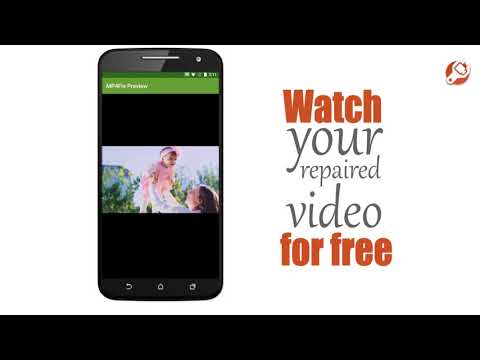
You can watch your repaired files for free as many times as you want! Enjoy:)
Save your repaired videos on your phone and share a joy with your friends by making a small one-time purchase. With Premium Features you can recover as many corrupted files as you want so all your future phone videos are protected.
To restore your crashed file all you need is MP4Fix and another valid video recorded on the same Android phone using the same app.
MP4Fix works with
-> phone camera recordings
-> mp4 files broken by camera crash, dead battery and lack of memory.
This file fixer doesn’t work with:
-> videos downloaded from the Internet
-> broken hardware (if your SD card is corrupt, replace it before running MP4Fix).
We are happy to support you at hello@mp4fix.com
Check Q&A section on our website: https://mp4fix.com/question-and-answer/
This App uses LGPL licensed JAAD decoder library.
INSTALL NOW!
No worries, You can easily fix your damaged video with MP4Fix and save your day.
Install now! You are 3 clicks away from playing your video!
You can watch your repaired files for free as many times as you want! Enjoy:)
Save your repaired videos on your phone and share a joy with your friends by making a small one-time purchase. With Premium Features you can recover as many corrupted files as you want so all your future phone videos are protected.
To restore your crashed file all you need is MP4Fix and another valid video recorded on the same Android phone using the same app.
MP4Fix works with
-> phone camera recordings
-> mp4 files broken by camera crash, dead battery and lack of memory.
This file fixer doesn’t work with:
-> videos downloaded from the Internet
-> broken hardware (if your SD card is corrupt, replace it before running MP4Fix).
We are happy to support you at hello@mp4fix.com
Check Q&A section on our website: https://mp4fix.com/question-and-answer/
This App uses LGPL licensed JAAD decoder library.
INSTALL NOW!
Repair videos broken by camera crash, dead battery or lack of memory.
Updated on
Safety starts with understanding how developers collect and share your data. Data privacy and security practices may vary based on your use, region, and age. The developer provided this information and may update it over time.
- No data shared with third partiesLearn more about how developers declare sharing
- This app may collect these data typesApp activity, App info and performance, and Device or other IDs
- Data is encrypted in transit
- Data can’t be deleted


Ratings and reviews
25.6K reviews

Mark Hamilton
- Flag inappropriate
February 27, 2023
This does work. It will replace the damaged video header with a good one. Unfortunately, in my case, only the first two minutes of an 8 minute video were recovered, probably because my phone reused part of the memory for other pictures or videos. You can preview the repaired file for free, but if you want to save it, you need to pay the $6 for the app.
26 people found this review helpful

James Hrenak
- Flag inappropriate
December 17, 2020
There is nothing I like more than having something important to me be held hostage unless I paid money to buy the app in order for it to actually do anything. You download the app and it does repair video files. However, if you want to do anything beyond preview the file you have to pay $6. It feels cold & extorting vs a proper trial. It should at least allow you to repair a single file to get a taste of things. But instead it's just another app that doesn't allow anything unless you pay up.
65 people found this review helpful

Tim Mccoy
- Flag inappropriate
October 19, 2021
Awesome app!!! I lost an important video due to running out of space on my sd card while recording. The file was there, but nothing could play it. I tried to upload to my computer, but no luck there either. I came across this app while watching a video about recovering corrupt data, and I read the reviews, and decided to give it a shot. Worth every penny!!! For only $6 I got my video that I thought I lost forever!! Great app!
61 people found this review helpful
What’s new
Improved Android 15 support.
App support
About the developer
Magdalena Maciejewska
smamolot@gmail.com
Sędziwoja 59/1
61-063 Poznań
Poland


