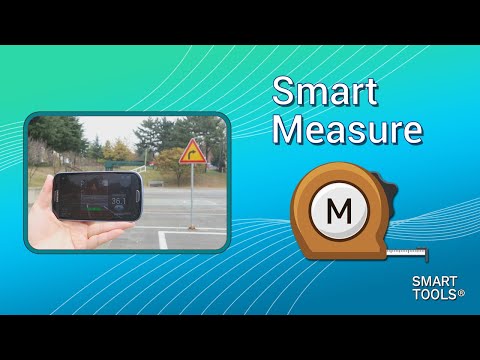

Smart Measure
Contains ads

star
135K reviews

Everyone
info
10M+
Downloads

Everyone
Learn more


About this app
Smart Measure is a tool in the 2nd set of the Smart Tools collection.
This rangefinder (telemeter) measures the distance and height of a target using trigonometry.
Usage is simple : Stand up and press the shutter. The important point is that you must aim your camera at the GROUND, NOT the object. (i.e. In order to measure the distance from someone, aim at his shoes.)
After measuring the distance, you can measure your friend's height.
If it is not accurate, please read the instructions and see checklist diagram in my blog. You can calibrate the measurement app with calibration menu for yourself.
* Main features:
- Meter <-> Feet
- Virtual Horizon
- Screen capture
- Sound effect on/off
- Material design
* Pro version added features:
- No ads
- Width and Area
- Camera Zoom
* 3 tools for distance were completed.
1) Smart Ruler (short, touch) : 1-50cm
2) Smart Measure (medium, trigonometry) : 1-50m
3) Smart Distance (long, perspective) : 10m-1km
* Do you want more tools?
download [Smart Measure Pro] and [Smart Tools] package.
For more information, watch YouTube and visit the blog. Thank you.
Measure the distance and height of an object with your device.
Updated on
Safety starts with understanding how developers collect and share your data. Data privacy and security practices may vary based on your use, region, and age. The developer provided this information and may update it over time.
- No data shared with third partiesLearn more about how developers declare sharing
- No data collectedLearn more about how developers declare collection
- Data is encrypted in transit
- Data can’t be deleted


Ratings and reviews
129K reviews

BoDon Avakian
- Flag inappropriate
September 16, 2026
This app doesn't work and the instructions are complicated and broken. I'm trying to measure the height of a tree in my backyard and it keeps showing max. It asked me to input the height of the tree. That doesn't even make any sense.
3 people found this review helpful
Smart Tools co.
September 17, 2026
We apologize for the inconvenience. Have you watched the YouTube video or viewed the blog page? When measuring the distance to a tree, aim for its roots. When measuring the distance to a person, aim for their shoes.

Samarth R Moudhgalya
- Flag inappropriate
September 6, 2026
this app is really good but there is a limitation, that it can measure only till one decimal point of metres if it had 2 decimal point it would be great
3 people found this review helpful

A Google user
- Flag inappropriate
September 2, 2019
The distance is measured with the camera height as the base for measurement. This might be a tad bit off. However, you can compensate it by manually adjust the camera height based on previously measured distance. After you've calibrated it manually, it works like charm. I've measured ±3.5m and the app shows only ±10cm deviations. Quite accurate for my needs. Suggestion would be to put options to change the measurement unit to cm, inch, feet, etc.
244 people found this review helpful
What’s new
- v1.8.5 : Support for Android 17
- v1.8.4 : More models are calibrated
Everyone
Learn moreApp support
About the developer
스마트툴스(주)
androidboy1@gmail.com
수성구 범어천로 126, 102동 1207호(범어동, 코오롱 하늘채 수)
수성구, 대구광역시 42117
South Korea
+82 53-744-9674


