
My Words: Grow your vocabulary
Contains adsIn-app purchases
1K+
Downloads

Everyone
info
About this app
An effective assistant for memorizing foreign words. This simple and free app helps you learn English, Spanish, German, Italian, and Russian words. It's a convenient tool for organizing your vocabulary and a vocabulary trainer suitable for both advanced and beginner levels.
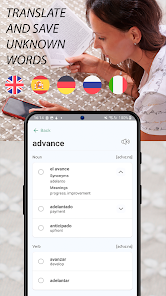
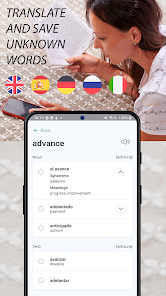
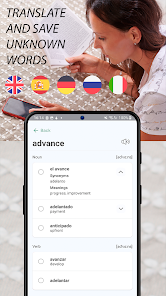
Are you learning English, Spanish or another language? Translate unfamiliar words using the built-in dictionary and save them for further study. Create your own collections, practice pronunciation, and work with phrases. The app offers the following memorization methods:
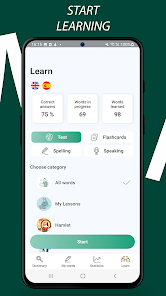
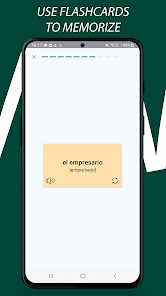
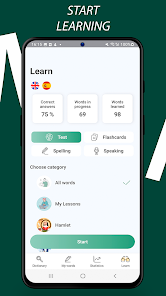
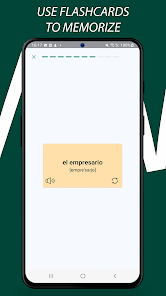
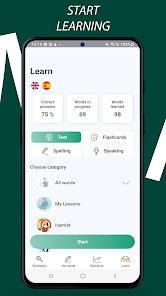
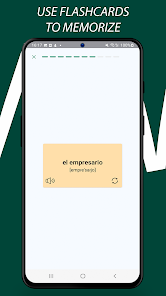
1. Flashcards for reviewing words and translations:
In flashcard mode, you can review words and their translations. Each card contains a word in one language with its translation in another, helping you quickly memorize new words and their meanings.
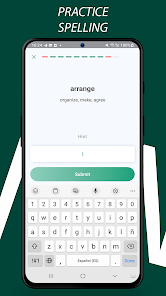
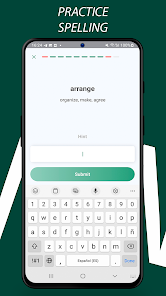
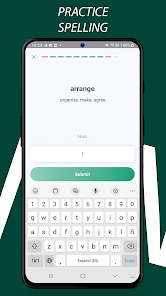
2. Dictation for practicing spelling:
The dictation mode allows you to train your spelling. You will hear a word in the language you're studying and need to write it down as you hear it. This helps improve your spelling and develop listening comprehension.
3. Speaking for pronunciation practice:
In this mode, you can check your pronunciation by repeating words you've added for learning. This helps improve your pronunciation and confidence in speaking the foreign language.
4. Tests for result assessment:
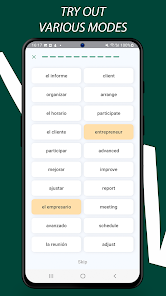
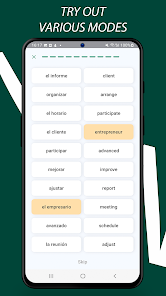
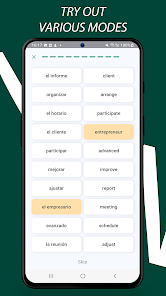
In this task, you are given a word in one language and must either write its translation in another language or choose the correct translation from the options provided.
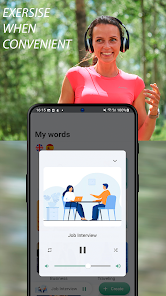
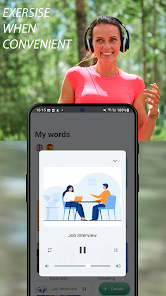
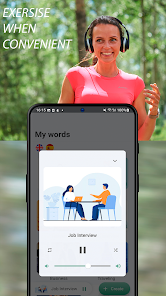
5. Player for passive listening to words and translations:
In this mode, you can listen to words and their translations without actively participating in the learning process. This helps you get accustomed to the sound of the foreign language and memorize words more naturally.
6. Phrases for using words in context:
The phrase mode offers words in the context of sentences. This helps you not only memorize individual words but also understand how they are used in real speech, making your communication in a foreign language more natural and confident.
App features:
• Free basic version;
• Built-in dictionary for translating and learning new words;
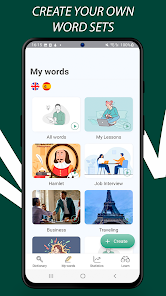
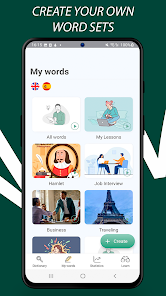
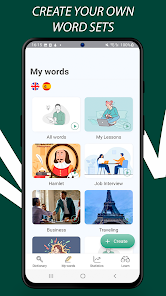
• Ability to create your own word lists;
• Collections of the most commonly used words for efficient learning;
• Vocabulary check for English and other languages;
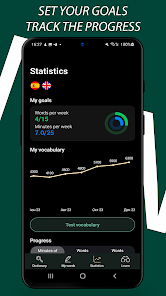
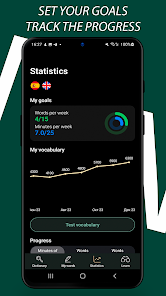
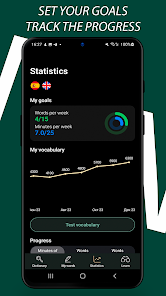
• Goal setting, statistics, and progress graphs;
• Simple widget for quick access on the home screen.
Enhance your vocabulary, expand your word stock, achieve your goals, and track your progress with our convenient app. An effective and simple way to learn English words, Spanish words, German words, Russian words, Italian words, prepare for lessons or interviews. Always keep your vocabulary at hand.
Minimalist design and dark theme support for comfortable use at any time of day.
Are you learning English, Spanish or another language? Translate unfamiliar words using the built-in dictionary and save them for further study. Create your own collections, practice pronunciation, and work with phrases. The app offers the following memorization methods:
1. Flashcards for reviewing words and translations:
In flashcard mode, you can review words and their translations. Each card contains a word in one language with its translation in another, helping you quickly memorize new words and their meanings.
2. Dictation for practicing spelling:
The dictation mode allows you to train your spelling. You will hear a word in the language you're studying and need to write it down as you hear it. This helps improve your spelling and develop listening comprehension.
3. Speaking for pronunciation practice:
In this mode, you can check your pronunciation by repeating words you've added for learning. This helps improve your pronunciation and confidence in speaking the foreign language.
4. Tests for result assessment:
In this task, you are given a word in one language and must either write its translation in another language or choose the correct translation from the options provided.
5. Player for passive listening to words and translations:
In this mode, you can listen to words and their translations without actively participating in the learning process. This helps you get accustomed to the sound of the foreign language and memorize words more naturally.
6. Phrases for using words in context:
The phrase mode offers words in the context of sentences. This helps you not only memorize individual words but also understand how they are used in real speech, making your communication in a foreign language more natural and confident.
App features:
• Free basic version;
• Built-in dictionary for translating and learning new words;
• Ability to create your own word lists;
• Collections of the most commonly used words for efficient learning;
• Vocabulary check for English and other languages;
• Goal setting, statistics, and progress graphs;
• Simple widget for quick access on the home screen.
Enhance your vocabulary, expand your word stock, achieve your goals, and track your progress with our convenient app. An effective and simple way to learn English words, Spanish words, German words, Russian words, Italian words, prepare for lessons or interviews. Always keep your vocabulary at hand.
Minimalist design and dark theme support for comfortable use at any time of day.
Updated on
Safety starts with understanding how developers collect and share your data. Data privacy and security practices may vary based on your use, region, and age. The developer provided this information and may update it over time.


What's new
- Added popular sets of German words


