PDF Pro: Edit, Sign & Fill PDF
Contains adsIn-app purchases
4.3star
106K reviews
10M+
Downloads

Everyone
info

About this app
🏆PDF Reader Pro is an all-in-one PDF reader and PDF annotator/editor. With PDF Reader Pro, you can view, annotate, scan, fill, sign, and share PDF files with the free PDF reader. Create and sign fillable PDF forms, convert PDF documents to Word/Excel/Powerpoint/TXT, and add your e-signature to shared documents. Working with PDF documents has never been so easy.
HIGHLIGHTS:
View and Annotate PDFs
• Read PDFs easily and for free with PDF Reader Pro
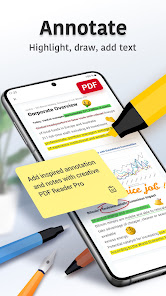
• Add PDF notes and comments, highlight, underline, and strikeout text
• Search to find text fast in your PDF documents
• Bookmark PDF pages for future reference
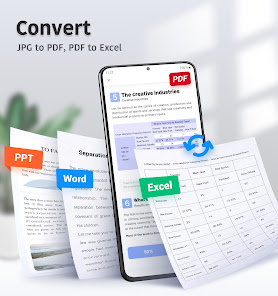
Convert PDFs to Word, Excel, PowerPoint
• Export PDFs to Microsoft Office Word, Excel, or PowerPoint
• Open an existing image to create a new PDF
Manage Files
• Star, rename, copy, move or delete PDF docs
• Access files from your Dropbox and Google Drive
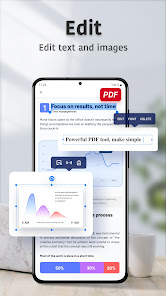
Edit Text and Images
• Edit PDF text and images directly
• Merge and split PDFs, delete pages, change the page order, and insert blank pages
• Add, delete, or rotate images
• Draw on PDFs
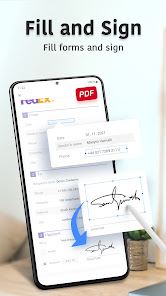
Fill and Sign PDFs
• Fill out, save, and send PDF forms
• Sign PDFs from practically anywhere
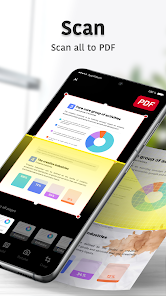
Scan Documents
• Quickly Scan all kinds of document
• Optimize clear and sharp scan quality
IN-APP PURCHASE
Subscribe for even more PDF power. Get a 3-day free trial of PDF Reader Pro now!
• Edit text and images right in your PDF document
• Combine files into one PDF file and organize pages
• Create PDF files from documents or images
• Export PDFs to Microsoft Word, Excel, or PowerPoint
• Fill & sign, save, and send PDF forms
Have an idea to make us even better? We'd love to hear it! Please add your feedback and contact us here: pdffeedback@wps.com
HIGHLIGHTS:
View and Annotate PDFs
• Read PDFs easily and for free with PDF Reader Pro
• Add PDF notes and comments, highlight, underline, and strikeout text
• Search to find text fast in your PDF documents
• Bookmark PDF pages for future reference
Convert PDFs to Word, Excel, PowerPoint
• Export PDFs to Microsoft Office Word, Excel, or PowerPoint
• Open an existing image to create a new PDF
Manage Files
• Star, rename, copy, move or delete PDF docs
• Access files from your Dropbox and Google Drive
Edit Text and Images
• Edit PDF text and images directly
• Merge and split PDFs, delete pages, change the page order, and insert blank pages
• Add, delete, or rotate images
• Draw on PDFs
Fill and Sign PDFs
• Fill out, save, and send PDF forms
• Sign PDFs from practically anywhere
Scan Documents
• Quickly Scan all kinds of document
• Optimize clear and sharp scan quality
IN-APP PURCHASE
Subscribe for even more PDF power. Get a 3-day free trial of PDF Reader Pro now!
• Edit text and images right in your PDF document
• Combine files into one PDF file and organize pages
• Create PDF files from documents or images
• Export PDFs to Microsoft Word, Excel, or PowerPoint
• Fill & sign, save, and send PDF forms
Have an idea to make us even better? We'd love to hear it! Please add your feedback and contact us here: pdffeedback@wps.com
Updated on
Safety starts with understanding how developers collect and share your data. Data privacy and security practices may vary based on your use, region, and age. The developer provided this information and may update it over time.

No data shared with third parties
Learn more about how developers declare sharing

This app may collect these data types
Location, Personal info and 4 others

Data is encrypted in transit

You can request that data be deleted
Ratings and reviews
4.3
104K reviews

Jose Perez
- Flag inappropriate
October 31, 2023
I thought I found it! I was looking for an editing app for my PDF because I can not resize text on Microsoft PDF nor on Google Drive. I was working on it, and I thought I HAD FOUND IT! I was even going to take the time to give it a high rating! I honestly don't understand why it isn't stated before that text editing will COST MONEY! This is so frustrating. 😂 1 STAR. period
124 people found this review helpful

Christopher “Big Tank” Newman
- Flag inappropriate
May 12, 2022
Misleading. Doesn't tell you up front that the "3 day trial" isn't free. You have to initiate a subscription to use it. Just needed to edit one line of text and save. Very annoying. Also, text formatting is sub-optimized. I opened a properly formatted pdf, and in this app, the text lines were all over the place. Some were bunched up, others were placed out of there respective boxes. Don't bother.
227 people found this review helpful
PDF Office Lab
May 12, 2022
Dear Christopher Newman, really appreciate your suggestion.💗 We currently have a three-day free trial, you can try the product to see if it meets your needs, and then decide whether to continue the subscription. Subscription can be cancelled at any time.

Bri Bri
- Flag inappropriate
March 15, 2022
I just needed to edit my resume I had accidentally saved as a PDF. First, the app was completely janky in the editing. Very annoying. Second, after finishing up and trying to save, it smacks you with the paywall. Yeah, I get it. You say it indicates a paid feature with a yellow diamond or whatever. No, it is not immediately obvious to anyone. Hence the several complaints. Regardless, not a big deal to me. Way easier to just pull up Google Drive and rewrite my entire resume for free than this.
236 people found this review helpful
PDF Office Lab
March 16, 2022
Dear BriBri, so sorry not to offer a better service for you. We'll optimize the design of premium functions and make it more distinctive. We offer a 3-day free trial for new users. You can experience it and decide whether it deserves your subscription. The cancellation is available anytime you want.💖
What's new
New Updates!
WPS Office version 7.0.0 is now available and includes some bug fixes and performance enhancements.
WPS Office version 7.0.0 is now available and includes some bug fixes and performance enhancements.


