Prey: Tracking & Security
3.2star
62.3K reviews

Everyone
info
5M+
Downloads

Everyone
Learn more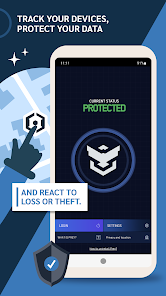





About this app
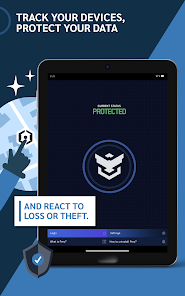
Enroll your Android smartphones and tablets or manage your entire inventory on the go. With this Android app, admins can monitor and secure their mobile fleet directly from any Android device.
UNIFIED FLEET MONITORING
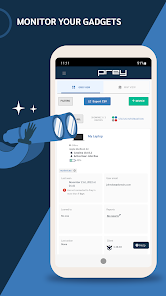
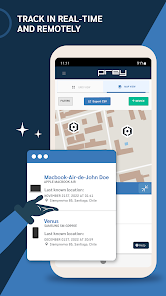
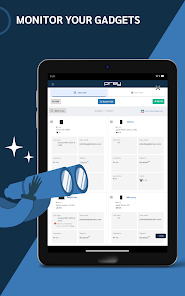
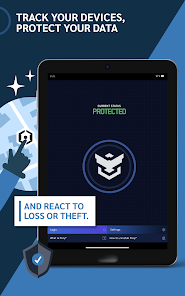
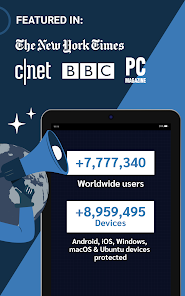
Oversee your entire inventory regardless of the operating system. From this app, you can trigger actions and track locations for devices running Windows, macOS, Ubuntu, ChromeOS, and other Android devices, all from a single mobile dashboard.
Note on OS compatibility: Features such as Kill Switch, Remote Lock, or Missing Reports vary based on the target device's operating system and permissions to ensure the highest security standards.
CORE CAPABILITIES
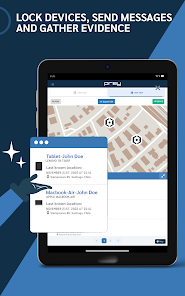
● Always-on Tracking: Precise location data and Geofences with automated alerts for unauthorized movements.
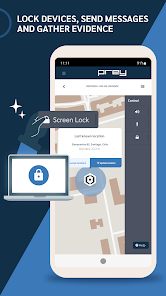
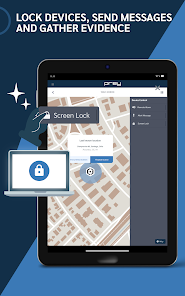
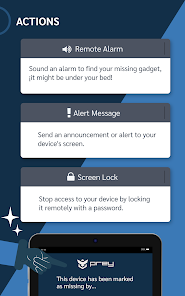
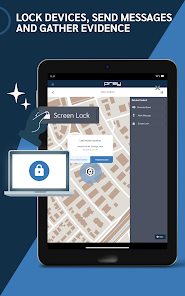
● Remote Security: Wipe data, Screen Lock, Factory Reset, and Retrieve files to protect sensitive information.
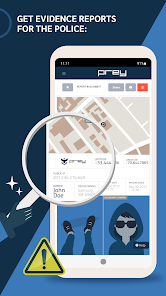
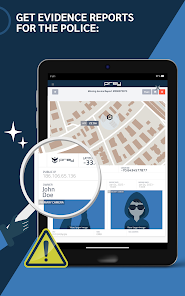
● Evidence Reports: Gather network data, photos (opt-in), and location history from missing assets.
● Inventory management: Schedule security actions, manage device loans, and set custom team roles and permissions.
✽ Note: Features vary by plan. Please select the plan that best suits your organization's needs.
SECURITY FIRST: AUTHENTICATION
To provide the highest level of protection, Prey uses password-only authentication. Requiring full credentials instead of Face-ID or Fingerprints ensures that only authorized admins can execute sensitive security commands, eliminating risks associated with biometric bypasses.
WHY CHOOSE PREY?
● 15+ years of experience: A global leader in device recovery and mobile device management.
● Privacy & transparency: Open Source code ensures your data is only accessed when you explicitly request it via the platform.
● Certified protection: We are SOC2 certified, meeting the highest global standards for data security.
☆ Visit preyproject.com for more information
ACCESSIBILITY SERVICE USAGE
Prey uses Android's AccessibilityService API exclusively to enforce the Remote Screen Lock feature. When the legitimate device owner marks the device as missing or stolen from the Prey control panel and triggers a lock with password, the Accessibility Service blocks other apps from being opened until the correct unlock password is entered.
Prey does NOT use the AccessibilityService API to:
• Record audio, calls, or keystrokes
• Capture content from other apps
• Change user settings without consent
• Prevent uninstallation by the device user
• Bypass Android's privacy controls
Granting the Accessibility permission is optional and is only requested when Remote Screen Lock protection is enabled. You can revoke this permission at any time from Settings → Accessibility → Prey.
⌦ How to Uninstall Prey: For anti-theft protection, Prey requires the Device Admin permission, which prevents unauthorized users from removing the app. This is a separate permission from the Accessibility Service described above. To uninstall Prey, sign in on the login screen, disable the Device Admin permission, and then remove the app like any other.
UNIFIED FLEET MONITORING
Oversee your entire inventory regardless of the operating system. From this app, you can trigger actions and track locations for devices running Windows, macOS, Ubuntu, ChromeOS, and other Android devices, all from a single mobile dashboard.
Note on OS compatibility: Features such as Kill Switch, Remote Lock, or Missing Reports vary based on the target device's operating system and permissions to ensure the highest security standards.
CORE CAPABILITIES
● Always-on Tracking: Precise location data and Geofences with automated alerts for unauthorized movements.
● Remote Security: Wipe data, Screen Lock, Factory Reset, and Retrieve files to protect sensitive information.
● Evidence Reports: Gather network data, photos (opt-in), and location history from missing assets.
● Inventory management: Schedule security actions, manage device loans, and set custom team roles and permissions.
✽ Note: Features vary by plan. Please select the plan that best suits your organization's needs.
SECURITY FIRST: AUTHENTICATION
To provide the highest level of protection, Prey uses password-only authentication. Requiring full credentials instead of Face-ID or Fingerprints ensures that only authorized admins can execute sensitive security commands, eliminating risks associated with biometric bypasses.
WHY CHOOSE PREY?
● 15+ years of experience: A global leader in device recovery and mobile device management.
● Privacy & transparency: Open Source code ensures your data is only accessed when you explicitly request it via the platform.
● Certified protection: We are SOC2 certified, meeting the highest global standards for data security.
☆ Visit preyproject.com for more information
ACCESSIBILITY SERVICE USAGE
Prey uses Android's AccessibilityService API exclusively to enforce the Remote Screen Lock feature. When the legitimate device owner marks the device as missing or stolen from the Prey control panel and triggers a lock with password, the Accessibility Service blocks other apps from being opened until the correct unlock password is entered.
Prey does NOT use the AccessibilityService API to:
• Record audio, calls, or keystrokes
• Capture content from other apps
• Change user settings without consent
• Prevent uninstallation by the device user
• Bypass Android's privacy controls
Granting the Accessibility permission is optional and is only requested when Remote Screen Lock protection is enabled. You can revoke this permission at any time from Settings → Accessibility → Prey.
⌦ How to Uninstall Prey: For anti-theft protection, Prey requires the Device Admin permission, which prevents unauthorized users from removing the app. This is a separate permission from the Accessibility Service described above. To uninstall Prey, sign in on the login screen, disable the Device Admin permission, and then remove the app like any other.
Updated on
Safety starts with understanding how developers collect and share your data. Data privacy and security practices may vary based on your use, region, and age. The developer provided this information and may update it over time.

No data shared with third parties
Learn more about how developers declare sharing

This app may collect these data types
Location, Personal info, and App info and performance

Data is encrypted in transit

You can request that data be deleted
Ratings and reviews
3.2
59.2K reviews

Da Blkbear
- Flag inappropriate
June 21, 2024
Update 6/21/2024 Have used the app for years. Have been able to recover two phones and one laptop. Being able to remotely lock/disable the phones was easy. I noticed a few comments about the shutter sound when remotely taking pictures with Prey. You will need to go into the camera setting in the phone to turn off shutter sound BEFORE it's lost/stolen (if that is an option for your phone). Some cell carriers do not allow you to disable the sound.
51 people found this review helpful

A Google user
- Flag inappropriate
April 27, 2019
It's pretty good. I was able to add both my laptop and my phone, but the control zone feature doesn't seem to work very well on my phone. I can't create control zones using my phone, as entering the address doesn't change the location of the zone. The option to put the pin down (presumably on the menu with the zoom in/out buttons) is also cut off. Otherwise, a good app.
68 people found this review helpful

Oliver Schley
- Flag inappropriate
- Show review history
July 17, 2020
Long time Cerberus user. Read about Prey and tried it. Love the looks of it. Basic functions (free) are OK. Device wipe for $5/mo as an extra? Ridiculously expensive! Only 3 devices for $5? Should be 4-5 since one does not get any more features for paying! No biometric login? Fail! And finally: tracking settings can't be changed? I don't want this app collecting my location constantly! Only when needed! For $5/year I get all this and more from cerberus. Not as pretty but affordable. Deleted.
33 people found this review helpful
What’s new
Fixes device renaming
Everyone
Learn moreApp support
About the developer
Prey, Inc.
support@preyproject.com
548 Market St
San Francisco, CA 94104
United States
+1 305-488-2440


