

SAP Concur

4.5star
118K reviews
5M+
Downloads

Everyone
info




About this app
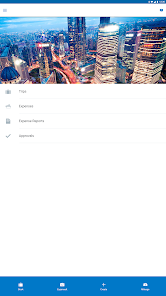
If you use Concur® Travel, Concur® Expense, or Concur® Invoice at work, then download this companion app to your Android to manage your travel and expenses when you’re on the go!
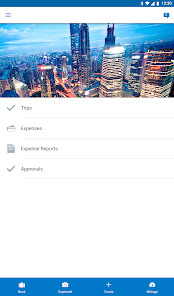
With the SAP® Concur® mobile app, you can:
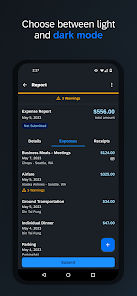
• Review and approve expense reports, invoices, and travel requests
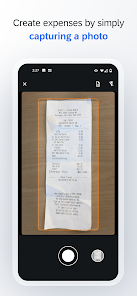
• Snap a photo of your receipt and instantly add it to your expense report
• Book a flight or rail ticket, reserve hotel rooms, or rent a car
• Update or add new attendees to meeting invites
• Get hotel suggestions based on your preferences
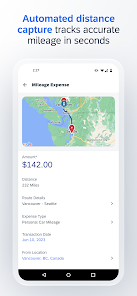
• Capture and track mileage automatically
• Integrate your itinerary with TripIt to get real-time travel alerts and updates
Learn more at www.concur.com. *This is a companion mobile app for existing users of SAP Concur solutions.*
With the SAP® Concur® mobile app, you can:
• Review and approve expense reports, invoices, and travel requests
• Snap a photo of your receipt and instantly add it to your expense report
• Book a flight or rail ticket, reserve hotel rooms, or rent a car
• Update or add new attendees to meeting invites
• Get hotel suggestions based on your preferences
• Capture and track mileage automatically
• Integrate your itinerary with TripIt to get real-time travel alerts and updates
Learn more at www.concur.com. *This is a companion mobile app for existing users of SAP Concur solutions.*
Updated on
Safety starts with understanding how developers collect and share your data. Data privacy and security practices may vary based on your use, region, and age. The developer provided this information and may update it over time.


Ratings and reviews
4.5
116K reviews

Alex Hummel
- Flag inappropriate
- Show review history
November 8, 2025
Can't be bothered to actually save things when it says it does. had to completely fix every itemization on a hotel bill (because it doesn't know what to do with two tax charges), saved everything, it said everything was fine, then later tried to submit and it had reverted every change. Also no way to enter actual cost on foreign transactions (like you can on the Web). Doesn't really matter because it only allows 2 decimals for conversion rates, which makes it useless for foreign travel. Garbage!
4 people found this review helpful

Adam Rourke
- Flag inappropriate
November 14, 2025
I used this solely for uploading receipts. when I would snap a receipt it would generate a cost and ask me if it was correct, if not I could change it on the fly. then it would ask if I had an additional. now, it doesn't ask. it just snaps the receipt and goes to the expense list, and I have to either change the cost, or move back a tab to add an additional receipt. adds a lot of time to adding receipts which used to be so simple. please advise. thanks.
11 people found this review helpful

CeCe NY
- Flag inappropriate
December 2, 2025
Easy to Use, but missing previous capability prior to update. when using the camera, you used to be able to correct the amount the OCR scanned, and then continue to snap receipts. this functionality has been taken away, that is a shame. it now takes much more time to scan and load receipts and more time while in the web browser to make corrections.
2 people found this review helpful
What’s new
BUG FIXES
• Fixed an issue where only the first segment was counted toward the total distance when creating mileage.
• Users can now modify Boolean dropdown lists.
• Receipts reviewed by an approver are now shown in the audit trail, indicating that the approver reviewed the receipt.
• Fixed an issue where only the first segment was counted toward the total distance when creating mileage.
• Users can now modify Boolean dropdown lists.
• Receipts reviewed by an approver are now shown in the audit trail, indicating that the approver reviewed the receipt.
App support
About the developer
SAP SE
mob.extrepo.support@sap.com
Dietmar-Hopp-Allee 16
69190 Walldorf
Germany
+49 6227 766564


