
Chroma Lab
In-app purchases
4.2star
7.28K reviewsinfo
1M+
Downloads

PEGI 3
info
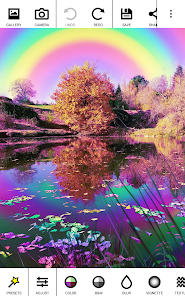
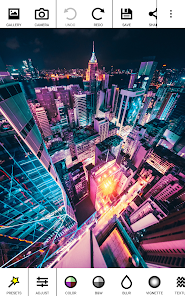

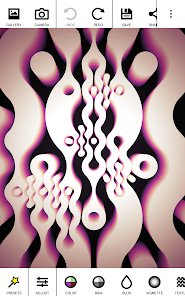
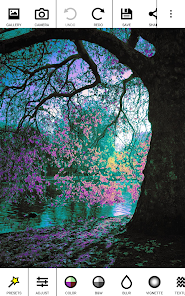
About this app
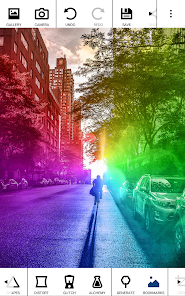
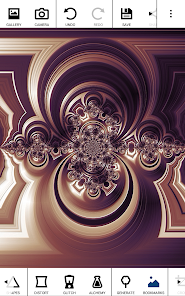
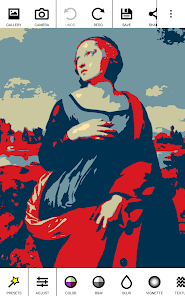
Supercharge your pictures with Chroma Lab. A wide selection of tools from simple color adjustments to bold shape and light effects give you complete creative control over your photography.
Chroma Lab is simple to use yet at the same time endlessly configurable. Filters combine to produce endless variations of your art.
Effects
Over 50 effects covering:
★ Color (duotone, colorozing, hue effects...)
★ Black and white (including color filtering and channel mixing)
★ Blur effects
★ Vignetting effects (including unique saturation and contrast modes)
★ Texture effects (add grain, emboss)
★ Light effects (bokeh, spot light, rainbow...)
★ Shapes
★ and also glitch effects, pixel sorting, distortions, 3D and more!
Powerful user interface
★ Infinite undo/redo
★ Erase parts of the last applied effect (PRO)
★ Bookmark images to save progress or reuse as masks
★ Area of effect options (activate from settings)
Video
Chroma Lab comes with a powerful animation module. Create smooth videos with parameter interpolation between key frames (be sure to activate video from the app settings).
PRO Version
Available as an in-app purchase, the PRO version comes with extra filters, extra parameters, higher resolutions and lossless file saving (PNG).
Chroma Lab is simple to use yet at the same time endlessly configurable. Filters combine to produce endless variations of your art.
Effects
Over 50 effects covering:
★ Color (duotone, colorozing, hue effects...)
★ Black and white (including color filtering and channel mixing)
★ Blur effects
★ Vignetting effects (including unique saturation and contrast modes)
★ Texture effects (add grain, emboss)
★ Light effects (bokeh, spot light, rainbow...)
★ Shapes
★ and also glitch effects, pixel sorting, distortions, 3D and more!
Powerful user interface
★ Infinite undo/redo
★ Erase parts of the last applied effect (PRO)
★ Bookmark images to save progress or reuse as masks
★ Area of effect options (activate from settings)
Video
Chroma Lab comes with a powerful animation module. Create smooth videos with parameter interpolation between key frames (be sure to activate video from the app settings).
PRO Version
Available as an in-app purchase, the PRO version comes with extra filters, extra parameters, higher resolutions and lossless file saving (PNG).
Updated on
Safety starts with understanding how developers collect and share your data. Data privacy and security practices may vary based on your use, region, and age. The developer provided this information and may update it over time.

No data shared with third parties
Learn more about how developers declare sharing

No data collected
Learn more about how developers declare collection
Ratings and reviews
4.2
6.92K reviews

cartenart5
- Flag inappropriate
December 9, 2025
I do a lot of graphic twists & finishes on pictures to give them a unique look & I can do more with this app than any other that I've tried in the past. I find myself redoing several versions of the same picture just because it's so much fun to experiment & work with.

Matt Littlewood
- Flag inappropriate
December 14, 2025
Easy 5 stars but on Android 10 it no longer saves and says write error. I've been using this as long as I can remember. Can this be fixed? On my newer device it is fine.

Kelly S
- Flag inappropriate
- Show review history
October 26, 2025
Been a long standing bug I can't manage to get help with unfortunately... very unresponsive dev unfortunately. Can't share to other apps (which has been my work around for the long-standing bug of saving not accepting when I erase parts. it'll just save as if I never used the erase tool. but if I share to another app and save in that app then it's fine. but it says missing file provider paths)
2 people found this review helpful
What’s new
Fixed crash linked to pressing the camera button.
Stability improvements
Upgraded some libraries
Stability improvements
Upgraded some libraries
App support
About the developer
ILIXA LIMITED
francois.morvillier@ilixa.com
FLAT 3, 63 CHILTERN STREET
LONDON
W1U 6NQ
United Kingdom
+44 7875 328716


