
KeePassDroid

star
37.4K reviews

Everyone
info
1M+
Downloads

Everyone
Learn more


About this app
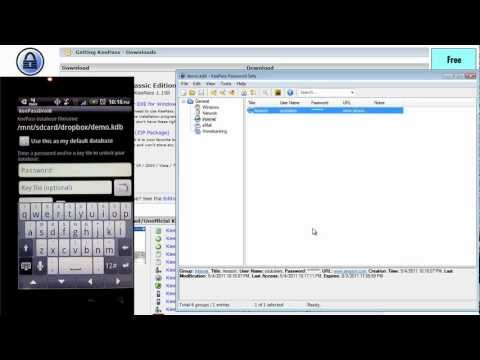
KeePassDroid is an implementation of the KeePass Password Safe for Android.
Read/write support for .kdb and KeePass 1.x.
Read/write support for .kdbx and KeePass 2.x.
This application does not have access to the Android internet permission for your safety.
Please report issues at https://github.com/bpellin/keepassdroid/issues so I can follow up.
Read/write support for .kdb and KeePass 1.x.
Read/write support for .kdbx and KeePass 2.x.
This application does not have access to the Android internet permission for your safety.
Please report issues at https://github.com/bpellin/keepassdroid/issues so I can follow up.
KeePass for Android
Updated on
Safety starts with understanding how developers collect and share your data. Data privacy and security practices may vary based on your use, region, and age. The developer provided this information and may update it over time.
- No data shared with third partiesLearn more about how developers declare sharing
- No data collectedLearn more about how developers declare collection


Ratings and reviews
34.9K reviews

Dave Natrop
- Flag inappropriate
- Show review history
August 21, 2026
Update on 4/3/2025 now broken on Android version 6. Used KeePassDroid for many years. I have well north of 100 entries. Unfortunately the latest revision crashes when I enter my master password. No work-around, so the app is currently useless on this device. Hoping for a fix to earn back five stars. This update and edit is long overdue. The problem caused by that update was quickly fixed. KeePassDroid has been and continues to work great. Same database works across platforms. Great App!
4 people found this review helpful

Rob Thedon
- Flag inappropriate
June 30, 2021
This app *was* a great example of a no-fuss way to manage passwords. Something appears to have changed in the way it opens database files from Drive. I've had to constantly re-open the file from the file selection screen (remembered location fails to open file). After manually opening, the app fails to store and/or open after biometric auth. I must manually open and type password each time I want to retrieve a password. Convenience has dropped significantly. Please fix!
72 people found this review helpful

A Google user
- Flag inappropriate
- Show review history
October 19, 2018
The absolute best Password Vault for security, versatility, customizability, personalization, and ease of use! Trust me, I tried LastPass, Dashlane & TruKey before giving KeePass a try and I work I had tried it much earlier. I'm in the cyber security industry, so I know how important it is to actively maintain login credentials, but I'm human so I also know how easy it is to forget to regularly update passwords, and how difficult it is to remember different passwords for every subscription, membership and account. An encrypted Password Vault is not only a convenience in the 21st century, it's a necessity...and as a professional, I recommend KeePass for yours.
104 people found this review helpful
What’s new
Bug fixes
Everyone
Learn moreApp support
About the developer
BRIAN PELLIN
bpellin@keepassdroid.com
United States


