Spreadsheet data entry
In-app purchases
3.7star
122 reviews

Everyone
info
10K+
Downloads





About this app
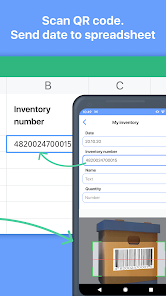
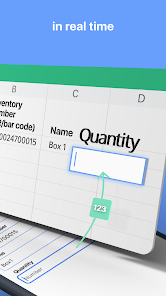
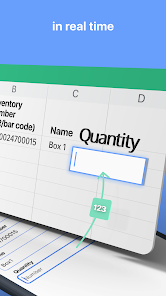
Scan data from your phone to your Google sheet quickly.
After that you can make any future manipulation with data on your Google sheet.
Perfectly fit for inventory, track attendance, finance and tax purpose, collecting QR codes to spreadsheet and beyond.
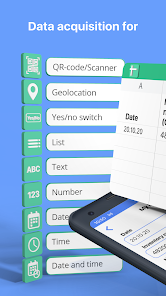
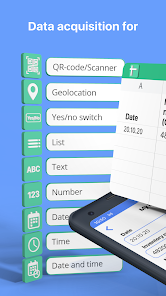
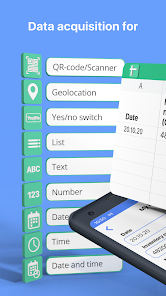
Save next data types:
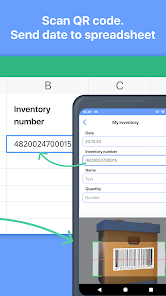
- QR and Bar codes (scans code and save data to the spreadsheet);
- Geolocation (allow to save your current location or select it on map);
- Text;
- Number;
- Date / Time / Date and time;
- Select value from predefined list;
- Yes / No selector.
How it works
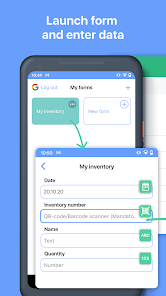
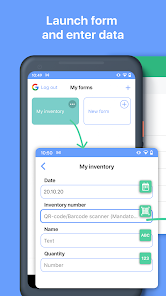
1. Select function;
2. Put data (scan codes, entering text etc);
3. Tap send;
4. Data appear in spreadsheet on your Google Drive.
You can repeat it as much as you want.
How to connect your Google sheet to the app
1. Connect your Google account to the app;
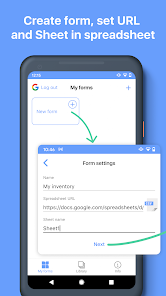
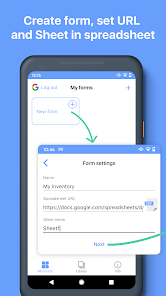
2. Set spreadsheet URL in function settings.
What is Function
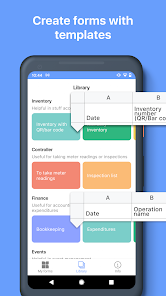
Function has target spreadsheet URL and list of input fields. Function can be created manually or from predefined functions library.
Create function manually
1. Create spreadsheet with required columns in your Google Drive;
2. Create function in the app:
- Copy spreadsheet URL and name of sheet;
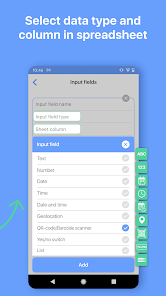
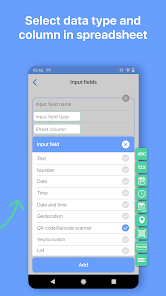
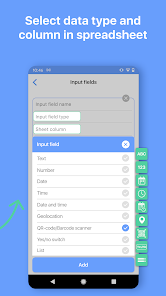
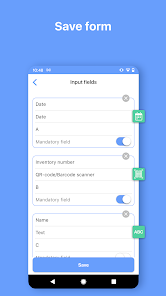
- Set input fields:
- name;
- data type;
- column.
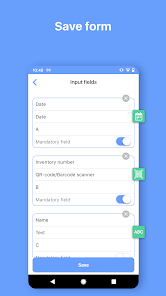
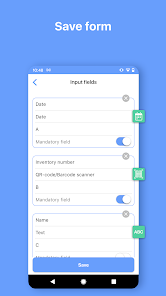
- Save.
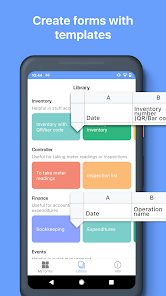
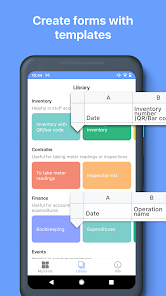
Create function from library
1. Select function from the library;
2. Tap “Add to my functions”
- Function will be added on My Functions screen;
- Spreadsheet will be copied to your Google Drive.
After that you can make any future manipulation with data on your Google sheet.
Perfectly fit for inventory, track attendance, finance and tax purpose, collecting QR codes to spreadsheet and beyond.
Save next data types:
- QR and Bar codes (scans code and save data to the spreadsheet);
- Geolocation (allow to save your current location or select it on map);
- Text;
- Number;
- Date / Time / Date and time;
- Select value from predefined list;
- Yes / No selector.
How it works
1. Select function;
2. Put data (scan codes, entering text etc);
3. Tap send;
4. Data appear in spreadsheet on your Google Drive.
You can repeat it as much as you want.
How to connect your Google sheet to the app
1. Connect your Google account to the app;
2. Set spreadsheet URL in function settings.
What is Function
Function has target spreadsheet URL and list of input fields. Function can be created manually or from predefined functions library.
Create function manually
1. Create spreadsheet with required columns in your Google Drive;
2. Create function in the app:
- Copy spreadsheet URL and name of sheet;
- Set input fields:
- name;
- data type;
- column.
- Save.
Create function from library
1. Select function from the library;
2. Tap “Add to my functions”
- Function will be added on My Functions screen;
- Spreadsheet will be copied to your Google Drive.
Updated on
Safety starts with understanding how developers collect and share your data. Data privacy and security practices may vary based on your use, region, and age. The developer provided this information and may update it over time.

No data shared with third parties
Learn more about how developers declare sharing

This app may collect these data types
Personal info

Data isn’t encrypted

You can request that data be deleted
Ratings and reviews
3.7
118 reviews

Kim Napoletano
- Flag inappropriate
April 7, 2026
Since the latest update in April 2026, the app freezes up and crashes. I can't access any of my data until there is a new update to fix the bug.
1 person found this review helpful
BP TEKH
April 16, 2026
Try to install latest update, it should help.

Enrico Villa
- Flag inappropriate
September 22, 2025
I'm sorry to be so rude, but this is the most ridiculous and less powerful data entry app I have ever seen. Just to clarify, you cannot compile in advance column data (ex. with labels), you cannot fast/automatic move to the next field, you need to touch it manually, you cannot use any logic for automatic filling, just current date or a fixed value (fixed!!). The best comes now: in the free plan you can upload only 30 records in a month! 30 records, not sessions or spreadsheet! Senseless app.

Christine Mathis
- Flag inappropriate
- Show review history
April 9, 2026
Nice, easy way to meeting guests control
What’s new
Performance improvements
App support
About the developer
BP TEKH, TOO
bptechllp@gmail.com
Dom 125, N. P. 67, prospekt Nursultan Nazarbaev
Kokshetau
Kazakhstan
+7 778 691 2963


