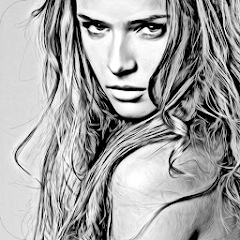
Photo Sketch Maker
Contains adsIn-app purchases
4.5star
109K reviewsinfo
5M+
Downloads

PEGI 3
info

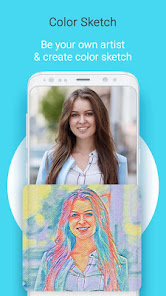

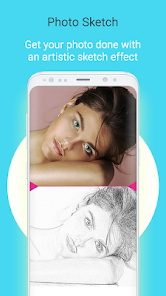

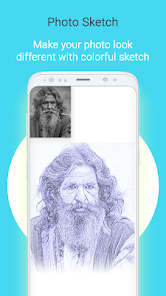

About this app
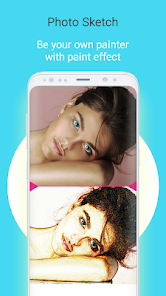
Sketch Photo Maker is an app that convert your photo into a sketch which looks amazing.
Just Select your pic from gallery or capture with camera then convert it into a amazing looking sketch. You can draw sketch of your png or jpg or other format photos easily by using This " Sketch Photo maker " application. Create Pencil Sketch, color pencil Sketch or Painting of Your Photo Like an Artist. PNG , JPG, JPEG or recommended. There are many sketch and drawing styles that you can apply to your photo and adjust photo's color. Pencil Sketch Filter is the
best in this app.
Features of Sketch Photo Maker
★ Pencil Sketch Filter.
★ Water color sketch.
★ Hard pencil sketch.
★ Color pencil sketch.
★ Smooth Drawing Effects.
★ Crop Photos.
★ Choose your favorite pencil color for drawing.
How to Use Sketch Photo Maker:
--> Select photo from Gallery or Capture a latest photo with Camera.
--> Crop photo if required.
--> Apply suitable sketch effect.
--> Apply favorite pencil color for drawing.
--> Save Photo in Gallery or share with friends.
Contact Us for suggestions: aerophototools@gmail.com
Just Select your pic from gallery or capture with camera then convert it into a amazing looking sketch. You can draw sketch of your png or jpg or other format photos easily by using This " Sketch Photo maker " application. Create Pencil Sketch, color pencil Sketch or Painting of Your Photo Like an Artist. PNG , JPG, JPEG or recommended. There are many sketch and drawing styles that you can apply to your photo and adjust photo's color. Pencil Sketch Filter is the
best in this app.
Features of Sketch Photo Maker
★ Pencil Sketch Filter.
★ Water color sketch.
★ Hard pencil sketch.
★ Color pencil sketch.
★ Smooth Drawing Effects.
★ Crop Photos.
★ Choose your favorite pencil color for drawing.
How to Use Sketch Photo Maker:
--> Select photo from Gallery or Capture a latest photo with Camera.
--> Crop photo if required.
--> Apply suitable sketch effect.
--> Apply favorite pencil color for drawing.
--> Save Photo in Gallery or share with friends.
Contact Us for suggestions: aerophototools@gmail.com
Updated on
Safety starts with understanding how developers collect and share your data. Data privacy and security practices may vary based on your use, region, and age. The developer provided this information and may update it over time.


Ratings and reviews
4.5
106K reviews

Anthony
- Flag inappropriate
November 15, 2025
The full screen ads get in the way of my work and analysis. And I could not remove the damn ad.

Stephen Furth
- Flag inappropriate
- Show review history
May 23, 2022
Like that app, but I agree with many other people - TOO MANY ADS!!! An ad after EVERY SINGLE ACTION? Come on... Can you PLEASE cut back on them? BTW - The ONLY reason I do not purchase the paid version is that it would seem from other reviews that the paid version does not remove all the ads. That is just wrong - if someone pays for an app, it is assumed the ads stop.
218 people found this review helpful

Ikemefuna Chiedu
- Flag inappropriate
March 3, 2022
Love it, love it, love it! Does what it's supposed to do without much fuss but there are some issues to address to make it 5 stars. Somehow, the final image is cropped short and there's no way to adjust/correct this. Major problem. If there was a way to make the final images sharper just like you can make it brighter now, that would be great too! In fact, if I could make the original images sharper from the gitgo before sketching, that would be just perfect. Then I wouldn't need to toggle 2 apps
148 people found this review helpful
App support
About the developer
Abdul Ahad
aerophototools@gmail.com
House NO 286 ST NO 12 Sector B Phase 8
Bahria Town Rawalpindi, 46000
Pakistan
undefined


