Librera PRO - Book reader
4.6star
5.78K reviewsinfo
50K+
Downloads

PEGI 3
info

About this app
Librera Reader PRO is an easy-to-use and highly configurable reading app that supports most popular document formats, including: PDF, EPUB, EPUB3, MOBI, DjVu, FB2, FB2.zip, DOC, DOCX, TXT, RTF, AZW, AZW3, CBR, CBZ, HTML, XPS, MHT, and more.
With its simple, yet powerful interface, Librera makes reading a veritable pleasure. It even features RSVP reading and a unique hands-free Musician's mode that supports auto-scrolling at a configurable pace.
Librera Reader's main features include:
✓ Easy document discovery, with option-rich and configurable lists:
● Auto-scan user-specified folders
● Browse catalogs, disks, and folders with an in-app file explorer
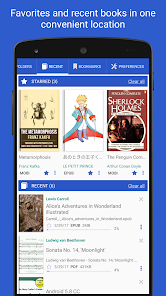
● Recent and Favorites folders (with a progress percentage bar and access to useful commands and menus)
✓ Support for bookmarks (fixed and movable) and annotations
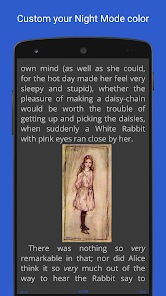
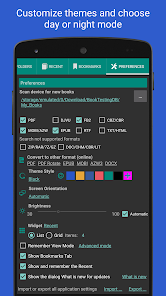
✓ Individually configurable Day and Night modes
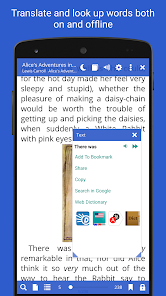
✓ Support for many popular online translators
✓ Integration of all major offline dictionaries
✓ Vertical-scroll lock
✓ Auto-centering and manual centering of zoomed pages
✓ Single-page view of dual-paged documents
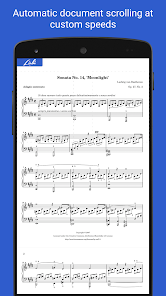
✓ Musician's mode with configurable scrolling speed
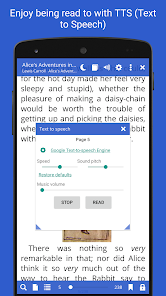
✓ Read-aloud capability via a TTS engine of your choosing, with highly sophisticated (and configurable) reading rules
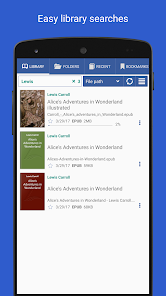
✓ Fast and easy document search
✓ Word search in multiple documents (and multiple-word search)
✓ Online document format conversion
✓ Support for archived books (.zip)
✓ Support for right-to-left languages (Persian/Farsi, Hebrew, Arabic, etc.)
✓ Last-read page application start
✓ Support for Online Catalogs (OPDS), book search and download
✓ RSVP reading (à la Spritz reading)
✓ Support for custom CSS code for a better reading experience
✓ Support for custom tags and grouping by them
✓ Syncing of reading progress and setup across multiple devices
✓ And many, many more...
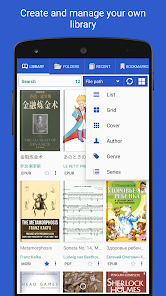
With Librera Reader, one can easily create self-maintaining libraries of all your documents by specifying which formats to include and which folders to scan.
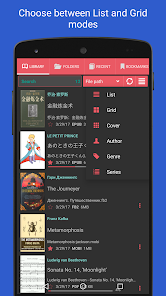
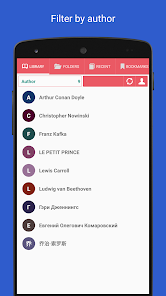
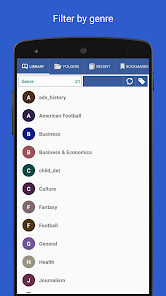
Display your library in a list or grid layout and sort you books applying filters by path, name, size, date, etc.; and there is even a filter to help locate specific documents or document groups (e.g., Recent)
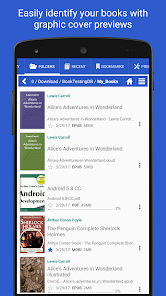
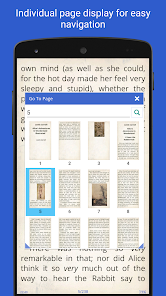
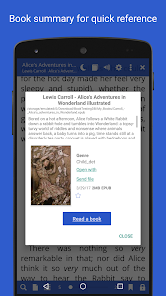
All documents are easily identified by thumbnail covers and detailed descriptions.
Documents that you read can be locked into a vertical-only scrolling mode and set to be flipped page- or screen-wise.
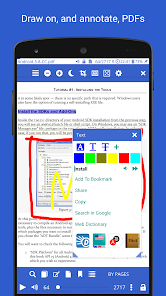
Librera Reader supports text reflow and annotations in PDF documents.
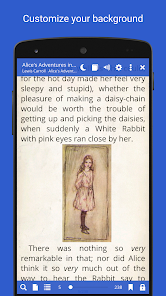
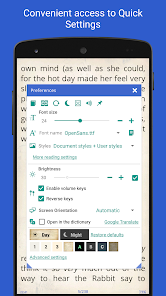
Configurable functionality of the volume keys, customizable fore- and background (textured or solid-color).
Excerpts (or entire pages) can be translated, shared, copied, and searched on the Internet. Shares from other apps can be read out loud, using installed TTS engines.
The list of features goes on and on and on!
This means that the only way to truly appreciate Librera Reader is to try it out.
Start with a free, ad-supported version and decide for yourself. You won't be disappointed!
Once you're convinced, please consider turning your free version into Librera PRO (by purchasing a PRO license) to help us further develop this amazing App.
Former names: Lirbi Reader, PDF Reader PRO
With its simple, yet powerful interface, Librera makes reading a veritable pleasure. It even features RSVP reading and a unique hands-free Musician's mode that supports auto-scrolling at a configurable pace.
Librera Reader's main features include:
✓ Easy document discovery, with option-rich and configurable lists:
● Auto-scan user-specified folders
● Browse catalogs, disks, and folders with an in-app file explorer
● Recent and Favorites folders (with a progress percentage bar and access to useful commands and menus)
✓ Support for bookmarks (fixed and movable) and annotations
✓ Individually configurable Day and Night modes
✓ Support for many popular online translators
✓ Integration of all major offline dictionaries
✓ Vertical-scroll lock
✓ Auto-centering and manual centering of zoomed pages
✓ Single-page view of dual-paged documents
✓ Musician's mode with configurable scrolling speed
✓ Read-aloud capability via a TTS engine of your choosing, with highly sophisticated (and configurable) reading rules
✓ Fast and easy document search
✓ Word search in multiple documents (and multiple-word search)
✓ Online document format conversion
✓ Support for archived books (.zip)
✓ Support for right-to-left languages (Persian/Farsi, Hebrew, Arabic, etc.)
✓ Last-read page application start
✓ Support for Online Catalogs (OPDS), book search and download
✓ RSVP reading (à la Spritz reading)
✓ Support for custom CSS code for a better reading experience
✓ Support for custom tags and grouping by them
✓ Syncing of reading progress and setup across multiple devices
✓ And many, many more...
With Librera Reader, one can easily create self-maintaining libraries of all your documents by specifying which formats to include and which folders to scan.
Display your library in a list or grid layout and sort you books applying filters by path, name, size, date, etc.; and there is even a filter to help locate specific documents or document groups (e.g., Recent)
All documents are easily identified by thumbnail covers and detailed descriptions.
Documents that you read can be locked into a vertical-only scrolling mode and set to be flipped page- or screen-wise.
Librera Reader supports text reflow and annotations in PDF documents.
Configurable functionality of the volume keys, customizable fore- and background (textured or solid-color).
Excerpts (or entire pages) can be translated, shared, copied, and searched on the Internet. Shares from other apps can be read out loud, using installed TTS engines.
The list of features goes on and on and on!
This means that the only way to truly appreciate Librera Reader is to try it out.
Start with a free, ad-supported version and decide for yourself. You won't be disappointed!
Once you're convinced, please consider turning your free version into Librera PRO (by purchasing a PRO license) to help us further develop this amazing App.
Former names: Lirbi Reader, PDF Reader PRO
Updated on
Safety starts with understanding how developers collect and share your data. Data privacy and security practices may vary based on your use, region, and age. The developer provided this information and may update it over time.

No data shared with third parties
Learn more about how developers declare sharing

No data collected
Learn more about how developers declare collection
Ratings and reviews
4.6
4.32K reviews

Ihor Stehantsev
- Flag inappropriate
- Show review history
December 1, 2025
after the last update when I switch to another app the book is being closed. I have or to open it manually or restart the reader. also after restarting the reader I have to manually click fullscreen button every time
2 people found this review helpful

Natsu Hasegawa (Oppenz)
- Flag inappropriate
- Show review history
October 24, 2025
I'm a long time Librera FD users, and I can say with absolute confidence that I love this app's FOSS version. Lightweight and full feature enough to make me switch from Moon Reader (which cost money instead of this app FOSS version). It can handle my 3k+ books like a champ. Bought the Pro version because I want to support the developers. 6/5 would pay again
4 people found this review helpful

Derek Maggard
- Flag inappropriate
August 17, 2025
This app is close to perfection in many ways, but one major issue is that it doesn't appear to have the option to remember exactly where you left off. Every time you close a book and reopen it the page shifts up a little, which is tedious to deal with.
4 people found this review helpful
What’s new
Read books easily
EPUB, PDF and Comics
Update PDF engine
App support
About the developer
Ivan Ivanenko
librera.reader@gmail.com
Здановської Юлії 71-Е
Київ
Ukraine
03191
undefined


