
Keepass2Android Password Safe

4.5star
36K reviews
1M+
Downloads

Rated for 3+
info



About this app
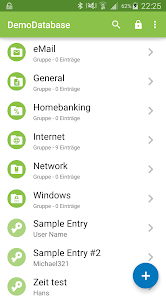
Keepass2Android is an open source password manager application for Android. It is compatible with the popular KeePass 2.x Password Safe for Windows and aims at simple synchronization between devices.
Some highlights of the app:
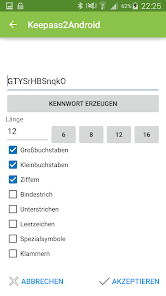
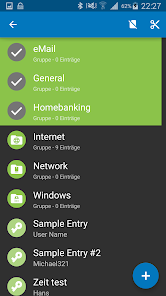
* Stores all your passwords in a securely encrypted vault
* compatible with KeePass (v1 and v2), KeePassXC, MiniKeePass and many other KeePass ports
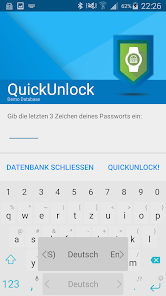
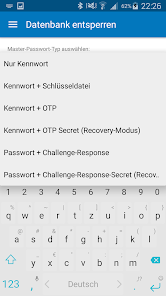
* QuickUnlock: Unlock your database once with your full password, re-open it by typing just a few characters - or your fingerprint
* Synchronize your vault using the cloud or your own server (Dropbox, Google Drive, SFTP, WebDAV and many more). You can use "Keepass2Android Offline" if you don't need this feature.
* AutoFill service and integrated soft-keyboard to safely and easily pass the passwords to websites and apps
* Many advanced features, e.g. support for AES/ChaCha20/TwoFish encryption, several TOTP variants, unlock with Yubikey, entry templates, child databases for sharing passwords and more
* Free and Open-Source
Bug reports and feature suggestions:
https://github.com/PhilippC/keepass2android/
Documentation:
https://github.com/PhilippC/keepass2android/blob/master/docs/Documentation.md
Explanation regarding required permissions:
https://github.com/PhilippC/keepass2android/blob/master/docs/Privacy-Policy.md
Some highlights of the app:
* Stores all your passwords in a securely encrypted vault
* compatible with KeePass (v1 and v2), KeePassXC, MiniKeePass and many other KeePass ports
* QuickUnlock: Unlock your database once with your full password, re-open it by typing just a few characters - or your fingerprint
* Synchronize your vault using the cloud or your own server (Dropbox, Google Drive, SFTP, WebDAV and many more). You can use "Keepass2Android Offline" if you don't need this feature.
* AutoFill service and integrated soft-keyboard to safely and easily pass the passwords to websites and apps
* Many advanced features, e.g. support for AES/ChaCha20/TwoFish encryption, several TOTP variants, unlock with Yubikey, entry templates, child databases for sharing passwords and more
* Free and Open-Source
Bug reports and feature suggestions:
https://github.com/PhilippC/keepass2android/
Documentation:
https://github.com/PhilippC/keepass2android/blob/master/docs/Documentation.md
Explanation regarding required permissions:
https://github.com/PhilippC/keepass2android/blob/master/docs/Privacy-Policy.md
Updated on
Safety starts with understanding how developers collect and share your data. Data privacy and security practices may vary based on your use, region, and age. The developer provided this information and may update it over time.

No data shared with third parties
Learn more about how developers declare sharing

No data collected
Learn more about how developers declare collection
Ratings and reviews
4.5
33.4K reviews

David Williams
- Flag inappropriate
October 4, 2025
The app works well for the most part, expect when updating the database from another source. Even after closing old database and opening new database it will use old cached passwords. If one is not careful they can quickly get locked out of their account due to too many login attempts. There is a button on one menu to refresh the internal cache but from a workflow perspective it is better to delete the app and reinstall when changing databases to avoid confusion about what is actually in use.
15 people found this review helpful

Stephen Hjelm
- Flag inappropriate
February 8, 2025
It has worked well for a while now, but recently I encountered a bug. A changed password didn't save properly. The entry showed the old password, but fortunately searching for the entry returned two results: the old and new passwords. I had to delete the entry and create a new one with the recovered password.
9 people found this review helpful

Mike S
- Flag inappropriate
- Show review history
November 28, 2025
Good so far - only been a few days. Have it on my phone and tablet to replace another manager that didn't seem to get on with OneDrive on the new phone. Once I got my head round some of the settings this does what I want. It would be nice if the TOTP could be vanished as I don't use it and it's just more screen clutter, and if the UN & PW notifications could be set to stay up after copying - sometimes it takes more than one go to get into a site.
What’s new
Don't add the e-mail template to new databases to avoid further discussion regarding Google Play policies.
App support
About the developer
Philipp Daniel Crocoll
crocoapps@gmail.com
Wallonenstraße 4
76297 Stutensee
Germany


