
Helix Fi
4.4star
13.8K reviews
500K+
Downloads

Everyone
info

About this app
Manage connections to your Wi-Fi network Use Parental Control to manage your household’s Internet usage. Troubleshoot or change your home connection settings, even remotely.
Available to all Videotron Helix customers with a Helix Internet or Helix TV and Internet plan. Use it, it’s free! Not a Helix customer? Browse our Helix Internet plans.
How do I use the Helix TV app?
Download the app to monitor connections to your home Wi-Fi network and manage your Internet connection wherever you are. Open the Helix Fi app on a mobile device and follow the instructions. They will guide you through using the app for the first time. It’s easy!
INTERESTING FEATURES
• Easily identify connected devices on your network thanks to the option to rename them. The app also notifies you of new connections. You can instantly cut off a device or user’s access to your Wi-Fi network, if needed.
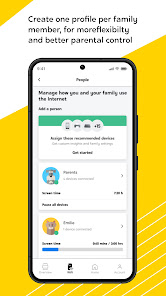
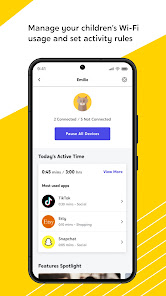
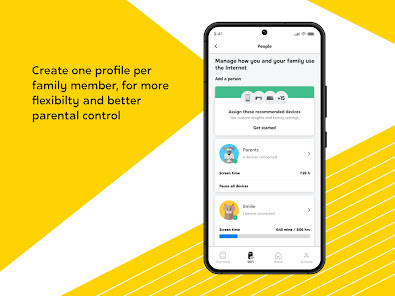
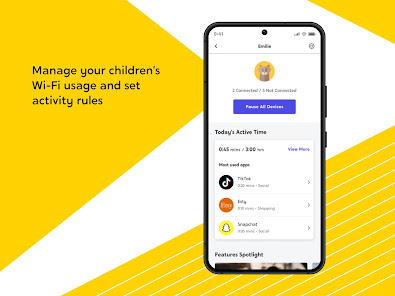
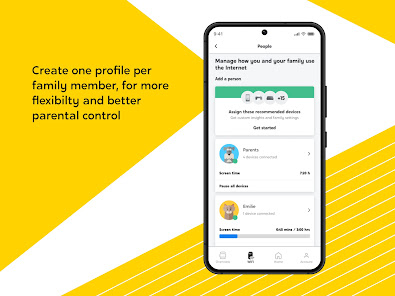
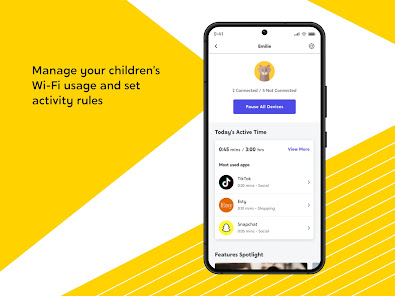
• Control Internet usage for created user profiles. The Helix Fi app helps you better control the content your children are exposed to and foster focus or sleep by managing Internet access periods.
• Monitor usage for devices connected to your network and usage peaks. With this overview, you can easily retrieve or change your username and password. You can also quickly troubleshoot your Wi-Fi yourself, even remotely. For example, change port forwards to manage your coverage.
• And much more…
4 PRACTICAL SECTIONS
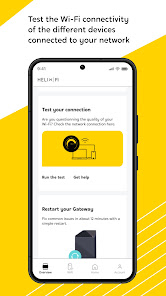
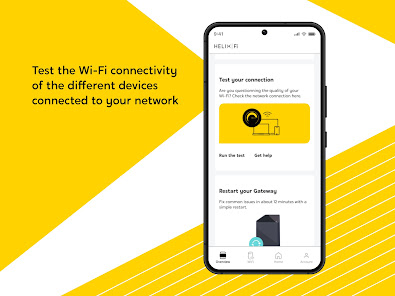
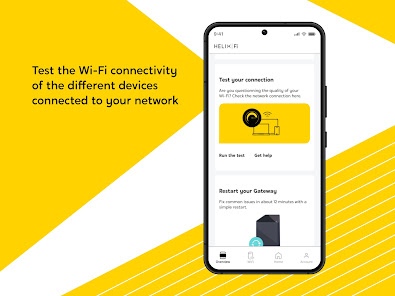
OVERVIEW : Share your WiFi password with your guests, remotely test your connection's status or Restart your Helix Fi gateway, as needed.
WI-FI : Select a Wi-Fi band, create profiles and delete users from your network. Manage internet usage for those who have a profile, like your family members. For example, pause Internet access at bedtime on weekdays so everyone gets good night’s sleep.
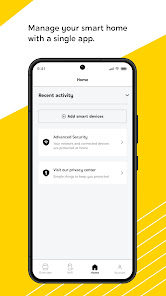
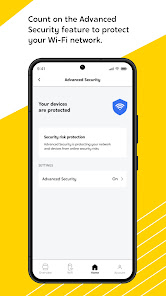
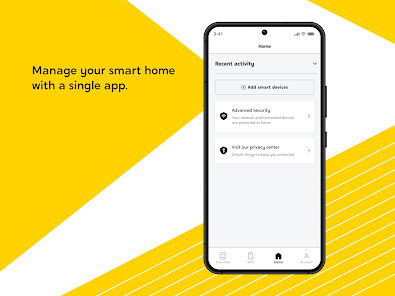
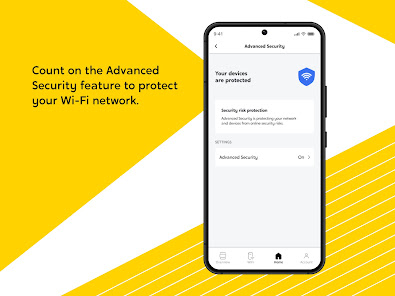
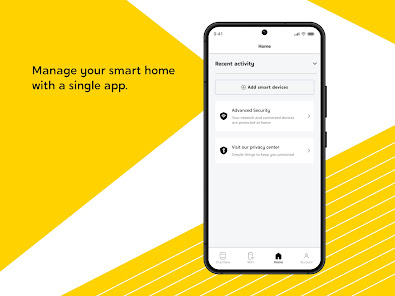
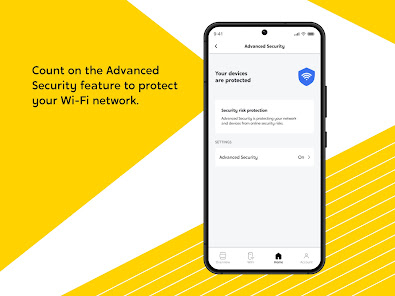
HOME : Easily connect and control all your compatible smart home devices from one place. Manage your smart lights, door locks, and thermostat directly on the app. Plus, protect your home automation devices with the Advanced Security feature.
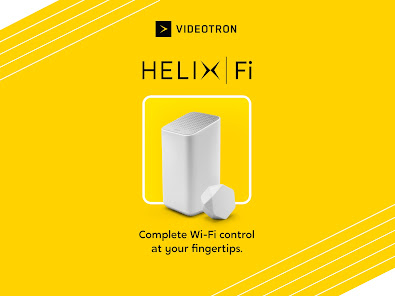
ACCOUNT : Manage notifications, activate pods to extend your coverage or find useful resources to answer your questions about Helix Fi.
Need help? We posted articles to help you handle things yourself. Go to the Support tab on our website. (3281)
Available to all Videotron Helix customers with a Helix Internet or Helix TV and Internet plan. Use it, it’s free! Not a Helix customer? Browse our Helix Internet plans.
How do I use the Helix TV app?
Download the app to monitor connections to your home Wi-Fi network and manage your Internet connection wherever you are. Open the Helix Fi app on a mobile device and follow the instructions. They will guide you through using the app for the first time. It’s easy!
INTERESTING FEATURES
• Easily identify connected devices on your network thanks to the option to rename them. The app also notifies you of new connections. You can instantly cut off a device or user’s access to your Wi-Fi network, if needed.
• Control Internet usage for created user profiles. The Helix Fi app helps you better control the content your children are exposed to and foster focus or sleep by managing Internet access periods.
• Monitor usage for devices connected to your network and usage peaks. With this overview, you can easily retrieve or change your username and password. You can also quickly troubleshoot your Wi-Fi yourself, even remotely. For example, change port forwards to manage your coverage.
• And much more…
4 PRACTICAL SECTIONS
OVERVIEW : Share your WiFi password with your guests, remotely test your connection's status or Restart your Helix Fi gateway, as needed.
WI-FI : Select a Wi-Fi band, create profiles and delete users from your network. Manage internet usage for those who have a profile, like your family members. For example, pause Internet access at bedtime on weekdays so everyone gets good night’s sleep.
HOME : Easily connect and control all your compatible smart home devices from one place. Manage your smart lights, door locks, and thermostat directly on the app. Plus, protect your home automation devices with the Advanced Security feature.
ACCOUNT : Manage notifications, activate pods to extend your coverage or find useful resources to answer your questions about Helix Fi.
Need help? We posted articles to help you handle things yourself. Go to the Support tab on our website. (3281)
Updated on
Safety starts with understanding how developers collect and share your data. Data privacy and security practices may vary based on your use, region, and age. The developer provided this information and may update it over time.

No data shared with third parties
Learn more about how developers declare sharing

This app may collect these data types
Personal info, Audio and 3 others

Data is encrypted in transit

You can request that data be deleted
Ratings and reviews
4.4
13.2K reviews

Mike Gendron
- Flag inappropriate
November 27, 2025
Vidéotron used to be on top. now service is getting worse, wifi is spotty half the time, Tech and customer service can't help, and price keeps getting higher. Enshitfication at it's best, and the app makes is somehow worse. it's pushing promo and "advice" instead of just showing me what I need right away, which is a control panel. it's also slow and unresponsive a third of the time, probably because it's loading another promo for a service I either Don't need nor want.
Vidéotron ltée
November 27, 2025
Hi. For any issues with your services, we invite you to contact technical support; https://www.videotron.com/nous-joindre
We also take note of your comments.
Thank you
-jl

Jonatan Lamarre
- Flag inappropriate
August 11, 2025
Range not very strong. This device locks you in. You can't control the DNS you would like to use. I had to purchase a new router to be able to connect to the web with my settings. Not what the company imposes. Oh and the WiFi technology is WiFi 5. Two generations behind.
2 people found this review helpful

Piers Eaton
- Flag inappropriate
September 1, 2025
Literally won't let me sign in with the new update. I'm just stuck in an infinite loop of redirecting to a sign in page, signing in and then being redirected back to the sign in page.
3 people found this review helpful
App support
About the developer
Vidéotron Ltée
kirill.kostyrko@vmedia.ca
612 rue Saint-Jacques
Montréal, QC H3C 4M8
Canada
+1 647-570-1412


