

Tesla Display
Contains adsIn-app purchases

2.4star
129 reviews
10K+
Downloads

Everyone
info
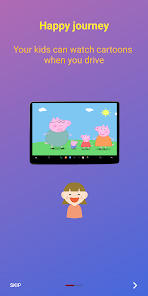
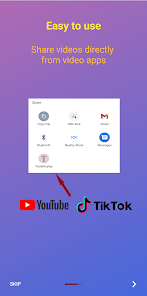
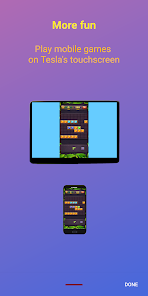
About this app
Key features:
1. Free
2. Can play video even in D-Mode
3. Can control the phone directly on Tesla's screen
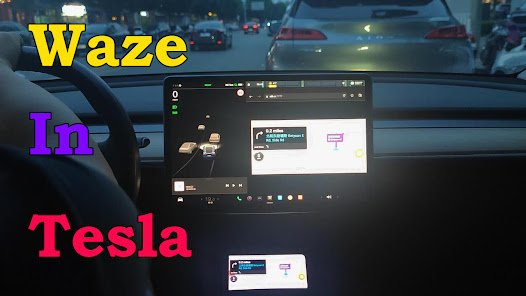
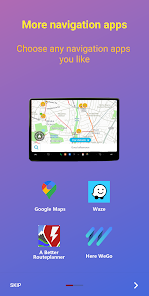
4. Can cast Waze, Google Map, Here WeGo, MAPS.ME to Tesla's screen for navigation
5. Can mirror various video apps, such as Youtube, Youtube Kids, Tiktok, Twitch, DailyMotion, PBS, PBS Kids, TED Talks, Khan Academy, Plex, Rumble, Vimeo, Zeus, Crunchyroll, Vix, Tubi, CBS, Paramount+, Pluto.tv, etc.
6. Can manipulate music or podcast apps, such as Youtube Music, Spotify, SiriusXM, Audiable, etc.
7. Support video links from Youtube, Tiktok, ESPN, TED, CBC, PBS...
8. No extra internet traffic
9. Support full-screen mode with audio
Those features have been verified on Tesla Model 3, Model Y, Model S, and Model X.
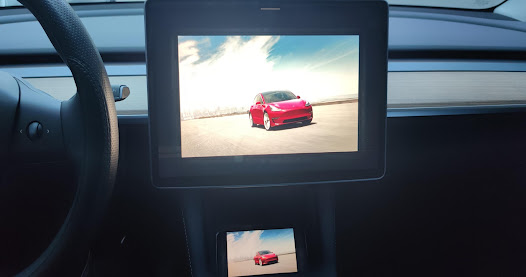
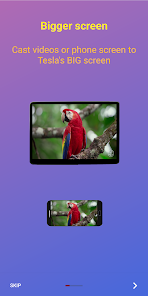
Mirror your small mobile screen to Tesla's big display.
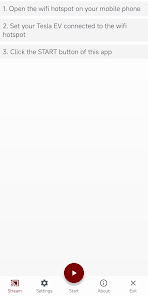
1. Enable the wifi hotspot of your mobile phone
2. Click the start button of this app
3. Connect to the wifi hotspot in your Tesla car
4. Access http://td7.cc (or http://7.7.7.7:7777 based on the settings) via Tesla's web browser, and you can see the screencast.
Tesla Display Help and Discussion Forum:
https://groups.google.com/g/tesla-display
The app requires VpnService to work normally.
Why does this Tesla Display App need the VpnService?
The main reason is that all of the normal private LAN IP addresses(such as 10.*.*.*, 172.16.0.0-172.31.255.255, 192.168.*.*) are reserved for communication with internal parts. As a result, the phone has to be accessed via virtual public IP addresses.
The VPN tunnel will not be connected to any public server. It is created to make connection between the Android device and the Tesla vehicle.
Is there any privacy issue with it?
On the Android device, there is a web server, which is not accessible for public internet. Only devices connected to user's WiFi hotspot(eg. user's Tesla vehicle) can access the web server. There is no privacy issue with it.
The Tesla Display app does not redirect or manipulate user traffic from other apps.
From 4.01 version, this TeslaDisplay app adds a "Remote Control" feature that can control your phone directly on Tesla's touchscreen. In order to use this feature, you need to grant this app Accessibility permission. Without this permission, the "Remote Control" feature will not be available.
This app uses the dispatchGesture and performGlobalAction interfaces of the AccessibilityService API. These interfaces are used to control your Android device remotely on Tesla's touch screen.
The app does not collect any data through the AccessibilityService API.
1. Free
2. Can play video even in D-Mode
3. Can control the phone directly on Tesla's screen
4. Can cast Waze, Google Map, Here WeGo, MAPS.ME to Tesla's screen for navigation
5. Can mirror various video apps, such as Youtube, Youtube Kids, Tiktok, Twitch, DailyMotion, PBS, PBS Kids, TED Talks, Khan Academy, Plex, Rumble, Vimeo, Zeus, Crunchyroll, Vix, Tubi, CBS, Paramount+, Pluto.tv, etc.
6. Can manipulate music or podcast apps, such as Youtube Music, Spotify, SiriusXM, Audiable, etc.
7. Support video links from Youtube, Tiktok, ESPN, TED, CBC, PBS...
8. No extra internet traffic
9. Support full-screen mode with audio
Those features have been verified on Tesla Model 3, Model Y, Model S, and Model X.
Mirror your small mobile screen to Tesla's big display.
1. Enable the wifi hotspot of your mobile phone
2. Click the start button of this app
3. Connect to the wifi hotspot in your Tesla car
4. Access http://td7.cc (or http://7.7.7.7:7777 based on the settings) via Tesla's web browser, and you can see the screencast.
Tesla Display Help and Discussion Forum:
https://groups.google.com/g/tesla-display
The app requires VpnService to work normally.
Why does this Tesla Display App need the VpnService?
The main reason is that all of the normal private LAN IP addresses(such as 10.*.*.*, 172.16.0.0-172.31.255.255, 192.168.*.*) are reserved for communication with internal parts. As a result, the phone has to be accessed via virtual public IP addresses.
The VPN tunnel will not be connected to any public server. It is created to make connection between the Android device and the Tesla vehicle.
Is there any privacy issue with it?
On the Android device, there is a web server, which is not accessible for public internet. Only devices connected to user's WiFi hotspot(eg. user's Tesla vehicle) can access the web server. There is no privacy issue with it.
The Tesla Display app does not redirect or manipulate user traffic from other apps.
From 4.01 version, this TeslaDisplay app adds a "Remote Control" feature that can control your phone directly on Tesla's touchscreen. In order to use this feature, you need to grant this app Accessibility permission. Without this permission, the "Remote Control" feature will not be available.
This app uses the dispatchGesture and performGlobalAction interfaces of the AccessibilityService API. These interfaces are used to control your Android device remotely on Tesla's touch screen.
The app does not collect any data through the AccessibilityService API.
Updated on
Safety starts with understanding how developers collect and share your data. Data privacy and security practices may vary based on your use, region, and age. The developer provided this information and may update it over time.

No data shared with third parties
Learn more about how developers declare sharing

This app may collect these data types
App activity, App info and performance, and Device or other IDs

Data is encrypted in transit
Ratings and reviews
2.4
124 reviews

Adam S
- Flag inappropriate
November 28, 2025
The app worked, but there were advertisements popping up while I was paying for it which also asked for credit card information. Be super careful if you decide to install the app and make sure not to enter your information in the advertisements. I had to cancel 4 credit cards because they immediately started charging them. once I figured that out there were other scammy ads in the app itself.

jacob melendrez
- Flag inappropriate
November 7, 2025
this app doesn't work for me. I can even get the screen share to start even after watching the tutorial video

David and Paula Thompson
- Flag inappropriate
July 7, 2025
works pretty good, not all apps will mirror shows. gives me something to watch while charging.
Super Ratel
July 7, 2025
Thanks for your support!
What’s new
Fix UI issues for some model types of phone
App support
About the developer
Kan Huang
blackpill@msn.com
北京市昌平区回龙观镇龙域中路5号院7号楼1单元2503号
昌平区, 北京市
China
100000
undefined


