Ziggo SmartWifi
500K+
Downloads

Everyone
info






About this app
The Ziggo SmartWifi app
Get even more out of your WiFi connection.
With the Ziggo SmartWifi app you can easily:
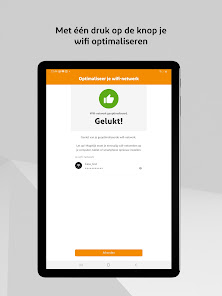
• Optimize your WiFi with one click.
• Scan your Wifi- and internet connection.
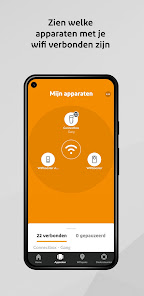
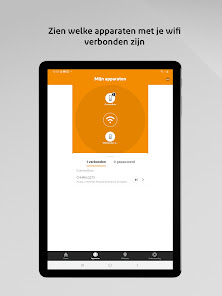
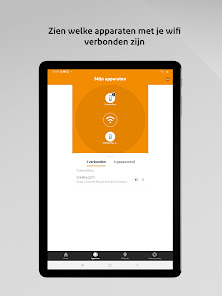
• See which devices are connected to your WiFi.
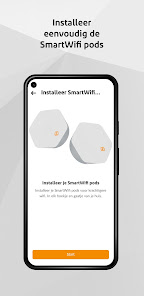
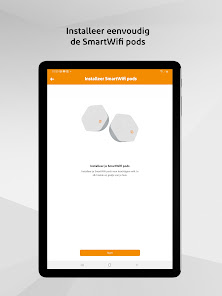
• Can you add and manage the Ziggo SmartWifi pods.
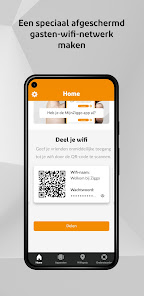
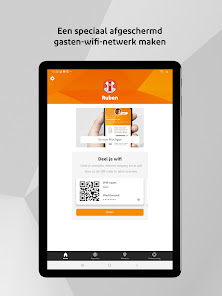
• Create a specially shielded guest network.
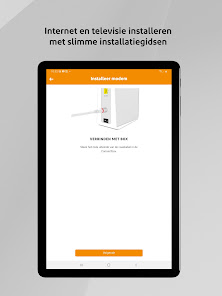
• Install internet and television with smart installation guides.
• Easily change the network name of your WiFi yourself.
• Personalize your network by creating profiles for your household.
• You can easily pause and resume the connection of devices.
You log in with your My Ziggo account, using two-step verification. If you have any questions about improving your WiFi, click on the My Ziggo app in the SmartWifi app. You can quickly contact a WiFi expert 24/7 with the Messenger function.
This app feels most at home on your smartphone.
Note: Do you have your modem in bridge mode? Then you cannot use most parts of this app.
Get even more out of your WiFi connection.
With the Ziggo SmartWifi app you can easily:
• Optimize your WiFi with one click.
• Scan your Wifi- and internet connection.
• See which devices are connected to your WiFi.
• Can you add and manage the Ziggo SmartWifi pods.
• Create a specially shielded guest network.
• Install internet and television with smart installation guides.
• Easily change the network name of your WiFi yourself.
• Personalize your network by creating profiles for your household.
• You can easily pause and resume the connection of devices.
You log in with your My Ziggo account, using two-step verification. If you have any questions about improving your WiFi, click on the My Ziggo app in the SmartWifi app. You can quickly contact a WiFi expert 24/7 with the Messenger function.
This app feels most at home on your smartphone.
Note: Do you have your modem in bridge mode? Then you cannot use most parts of this app.
Updated on
Safety starts with understanding how developers collect and share your data. Data privacy and security practices may vary based on your use, region, and age. The developer provided this information and may update it over time.

No data shared with third parties
Learn more about how developers declare sharing

No data collected
Learn more about how developers declare collection

Data is encrypted in transit

You can request that data be deleted
What’s new
In this version:
• We have improved screen reader support for Tabs (Home, Devices, Support), Wifiscan, and pop-up notifications. TalkBack can be used under the Accessibility menu in your mobile device settings.
• Pop-up notifications now stay on screen until you swipe them away.
• Streaming devices like Chromecast are no longer displayed in the 'Devices' tab under the Network section.
• Pausing and resuming devices now works without issues.
• General improvements and bugfixes.
• We have improved screen reader support for Tabs (Home, Devices, Support), Wifiscan, and pop-up notifications. TalkBack can be used under the Accessibility menu in your mobile device settings.
• Pop-up notifications now stay on screen until you swipe them away.
• Streaming devices like Chromecast are no longer displayed in the 'Devices' tab under the Network section.
• Pausing and resuming devices now works without issues.
• General improvements and bugfixes.
App support
About the developer
Liberty Global Technology Services B.V.
apps@libertyglobal.com
Boeingavenue 53
1119 PE Schiphol-Rijk
Netherlands
+31 20 259 5668


