
Unified Remote
Contains adsIn-app purchases

star
148K reviews

Everyone
info
10M+
Downloads

Everyone
Learn more


About this app
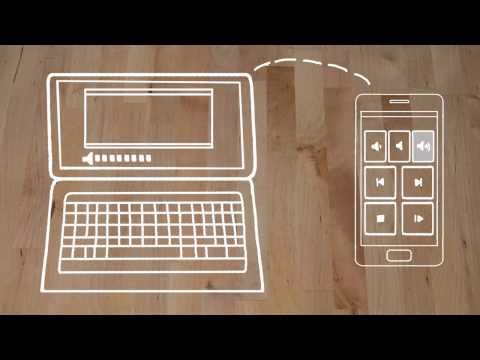
The one-and-only remote control app for your computer. Turns your device into a WiFi or Bluetooth universal remote control for Windows PC, Mac and Linux. Be lazy, you deserve it! Preloaded with support for 90+ programs including mouse & keyboard, media players, presentations, screen mirroring, power control, file manager, terminal, and much more.
Server: https://www.unifiedremote.com
“Fantastic tool for those of you who want to have a remote control for their computer for watching TV, or maybe for listening to music.” – Gizmodo
Key Features
• Easy server and app setup, that just works.
• Automatic server detection to easily find servers on your network.
• Server password protection and encryption for added security.
• Supports single and multi-touch mouse control.
• Wake On LAN to easily start your server.
• Includes light and dark color themes.
• Server is available for Windows, Mac, and Linux.
• Control other devices including Raspberry Pi and Arduino Yún.
• 18 free remotes
Full Version Features
• 90+ remotes
• Floating Remotes (use remotes over other apps)
• Custom Remotes
• Widgets & Quick Actions
• Voice commands
• Custom remotes
• IR actions
• NFC actions
• Android Wear (Quick Actions, Voice & Mouse)
• No upgrade hints
Essentials
Mouse, Keyboard, Screen, Volume, and more.
Music
Spotify, iTunes, Google Music, Winamp, etc.
Video
VLC, BSPlayer, Windows Media Player, PotPlayer, etc.
Media Center
Kodi (XBMC), Plex, Windows Media Center, Boxee, etc.
Streaming
YouTube, Netflix, Hulu
Presentations
PowerPoint, Keynote, Google Presentation
Browsers
Chrome, Internet Explorer, Firefox, Opera
Other
Power, Monitor, Files, Task Manager, Commands, etc.
All Remotes
https://www.unifiedremote.com/remotes
Note that some remotes are not available for all operating systems.
Permissions
• system alert window: for floating remotes.
• read phone status: for auto-pause when receiving calls.
• control NFC: for NFC actions.
• full network access: for server connection.
• view network connections: for server connection.
• view Wi-Fi connections: for server connection.
• pair with Bluetooth devices: for server connection.
• control vibration: for optional haptic feedback.
• prevent phone from sleeping: for optional wake-lock.
• transmit infrared: for IR remote control.
• install shortcuts: for launcher shortcuts.
Server: https://www.unifiedremote.com
“Fantastic tool for those of you who want to have a remote control for their computer for watching TV, or maybe for listening to music.” – Gizmodo
Key Features
• Easy server and app setup, that just works.
• Automatic server detection to easily find servers on your network.
• Server password protection and encryption for added security.
• Supports single and multi-touch mouse control.
• Wake On LAN to easily start your server.
• Includes light and dark color themes.
• Server is available for Windows, Mac, and Linux.
• Control other devices including Raspberry Pi and Arduino Yún.
• 18 free remotes
Full Version Features
• 90+ remotes
• Floating Remotes (use remotes over other apps)
• Custom Remotes
• Widgets & Quick Actions
• Voice commands
• Custom remotes
• IR actions
• NFC actions
• Android Wear (Quick Actions, Voice & Mouse)
• No upgrade hints
Essentials
Mouse, Keyboard, Screen, Volume, and more.
Music
Spotify, iTunes, Google Music, Winamp, etc.
Video
VLC, BSPlayer, Windows Media Player, PotPlayer, etc.
Media Center
Kodi (XBMC), Plex, Windows Media Center, Boxee, etc.
Streaming
YouTube, Netflix, Hulu
Presentations
PowerPoint, Keynote, Google Presentation
Browsers
Chrome, Internet Explorer, Firefox, Opera
Other
Power, Monitor, Files, Task Manager, Commands, etc.
All Remotes
https://www.unifiedremote.com/remotes
Note that some remotes are not available for all operating systems.
Permissions
• system alert window: for floating remotes.
• read phone status: for auto-pause when receiving calls.
• control NFC: for NFC actions.
• full network access: for server connection.
• view network connections: for server connection.
• view Wi-Fi connections: for server connection.
• pair with Bluetooth devices: for server connection.
• control vibration: for optional haptic feedback.
• prevent phone from sleeping: for optional wake-lock.
• transmit infrared: for IR remote control.
• install shortcuts: for launcher shortcuts.
The one-and-only remote control for PC, Mac, and Linux
Updated on
Featured stories

Safety starts with understanding how developers collect and share your data. Data privacy and security practices may vary based on your use, region, and age. The developer provided this information and may update it over time.
- This app may share these data types with third partiesDevice or other IDs
- No data collectedLearn more about how developers declare collection
- Data is encrypted in transit
- Data can’t be deleted


Ratings and reviews
142K reviews

Gwendolyn Styers (Vatexa)
- Flag inappropriate
August 18, 2026
I've been a paid user of this app for a while now, and I dont have any plans on canceling. i use it literally every day. this app makes using your PC from bed or across the room super easy. my only complaint is that sometimes when using multiple PCs on different networks, and switching between them, the app gets stuck and won't connect to your server. ive had to reinstall it to fix the issue a few times but its not even a big enough issue to take a star because of how much I use the app.
5 people found this review helpful

Tristen Adams
- Flag inappropriate
January 31, 2025
works great to control my computer from my bed. a lot of features are behind a paywall, but a good 90% of your basic functionality works right out of the box. Occasionally I'll have to restart my app to reconnect to my PC, but it's not too bad. I just wish they'd get rid of that annoying "Go Pro!" popup when I'm just trying to use my mouse.
12 people found this review helpful

Dawson Moody
- Flag inappropriate
- Show review history
December 17, 2025
Been using it for years. Near perfect external tool to use your pc. I used to have the paid version when it was a single time perchance. Then I switched phones and lost it for some reason. Since, they've switch to a subscription model which I have refused to buy. But thinking back, the screen casting (while running at a low very low frame rate and occasionally would break, leaving me with a black screen for months) and additional keyboard keys were so handy. Still never paying for a sub though.
10 people found this review helpful
Everyone
Learn moreApp support
About the developer
Unified Intents AB
support@unifiedremote.com
Baltzarsgatan 14E
211 36 Malmö
Sweden
+46 8 400 548 48


