CA Mobile Authenticator
২.৪star
৩১১ টা পৰ্যালোচনা

সকলো
info
১ লাখ+
ডাউনল’ড

সকলো
অধিক জানক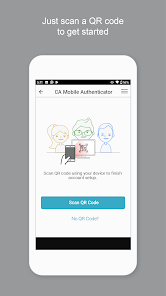
এই এপ্টোৰ বিষয়ে
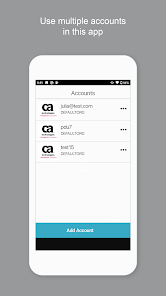
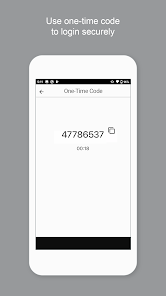
CA Mobile Authenticator works with CA Advanced Authentication product as two-factor authentication service to make your transactions more secure.
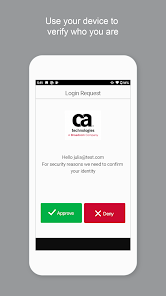
Using CA Mobile Authenticator, you can register your device and link it to your account. You can activate the device using the QR code or manually specifying the details. This app allows you to authenticate transactions using PUSH Notification as secondary authentication.
Now, you receive a new push notification with Approve or Deny options on the screen. Simply select Approve to approve or Deny to cancel the transaction.
How it works
1. Register your device for Push Notification
2. Receive a Push Notification.
3. Accept or deny the transaction.
Permissions:
CA Mobile Authenticator requests access to
- Your camera to scan QR codes when activating the accounts.
- Storage Permission for logging purpose.
Using CA Mobile Authenticator, you can register your device and link it to your account. You can activate the device using the QR code or manually specifying the details. This app allows you to authenticate transactions using PUSH Notification as secondary authentication.
Now, you receive a new push notification with Approve or Deny options on the screen. Simply select Approve to approve or Deny to cancel the transaction.
How it works
1. Register your device for Push Notification
2. Receive a Push Notification.
3. Accept or deny the transaction.
Permissions:
CA Mobile Authenticator requests access to
- Your camera to scan QR codes when activating the accounts.
- Storage Permission for logging purpose.
আপডে’ট কৰা তাৰিখ
বিকাশকৰ্তাসকলে আপোনাৰ ডেটা কেনেকৈ সংগ্ৰহ আৰু শ্বেয়াৰ কৰে সেয়া বুজি পোৱাৰ জৰিয়তে সুৰক্ষা আৰম্ভ হয়। ডেটাৰ গোপনীয়তা আৰু সুৰক্ষা প্ৰণালী আপোনাৰ ব্যৱহাৰ, অঞ্চল আৰু বয়সৰ ওপৰত ভিত্তি কৰি ভিন্ন হ’ব পাৰে। বিকাশকৰ্তাগৰাকীয়ে এই তথ্যখিনি প্ৰদান কৰিছে আৰু সময়ৰ লগে লগে এয়া আপডে’ট কৰিব পাৰে।


মূল্যাংকন আৰু পৰ্যালোচনাসমূহ
২.৪
৩০২ টা পৰ্যালোচনা
নতুন কি আছে
Bug Fixes
সকলো
অধিক জানকএপৰ সমৰ্থন
বিকাশকৰ্তাৰ বিষয়ে
Broadcom Inc.
sed-googleplay.pdl@broadcom.com
3421 Hillview Ave
Palo Alto, CA 94304
United States
+1 585-709-1121


